
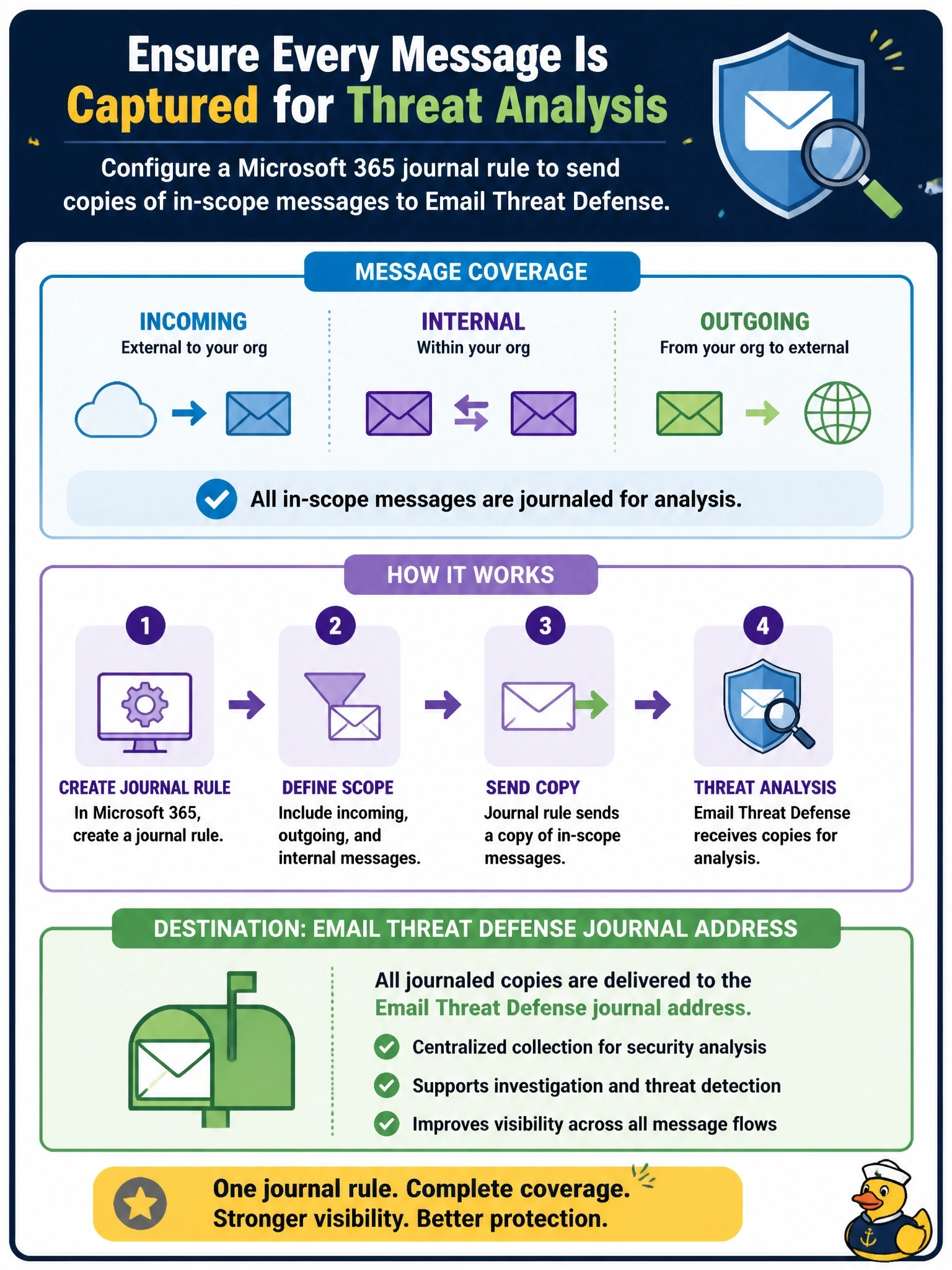
Cisco Security Email Threat Defense is connected to a Microsoft 365 tenant, but the security team must ensure it receives copies of incoming, outgoing and internal messages for analysis. What must be configured in Microsoft 365?
Select an answer to reveal the explanation.
Short Explanation
Journaling is like having the mailroom photocopy every letter and send the copy to the inspector, while the original goes on its way. That's how Email Threat Defense sees incoming, outgoing and internal mail without sitting in the flow. If you pick an inbound connector, it only ever sees mail coming in from outside.
Full Explanation
Email Threat Defense analyzes copies of messages that Microsoft 365 sends to it. That is done with Microsoft 365 journaling: a journal rule scoped to the messages of interest sends a journal report containing a copy of each message to the journal address provided by Email Threat Defense. Scoping the rule to cover all messages gives visibility into incoming, outgoing and internal mail, which is needed for detecting threats such as internal phishing from a compromised account. The original messages continue through normal delivery, and the API connection is used to act on messages in mailboxes when a threat is found. A transport rule cannot change MX records, and redirecting mail flow through a relay contradicts the out-of-band model. Mailbox forwarding on each user is unmanageable, can be altered by users and sends mail to people rather than to the analysis service. An inbound connector routes external mail into the tenant through a gateway; by definition it covers only inbound external mail and misses outgoing and internal messages. Exam caveat: journaling must cover every domain and mailbox that should be protected, so missing scope produces blind spots rather than errors. Operational check: create the journal rule with the Email Threat Defense address, send internal, inbound and outbound test messages, and confirm that all three appear in message search.