
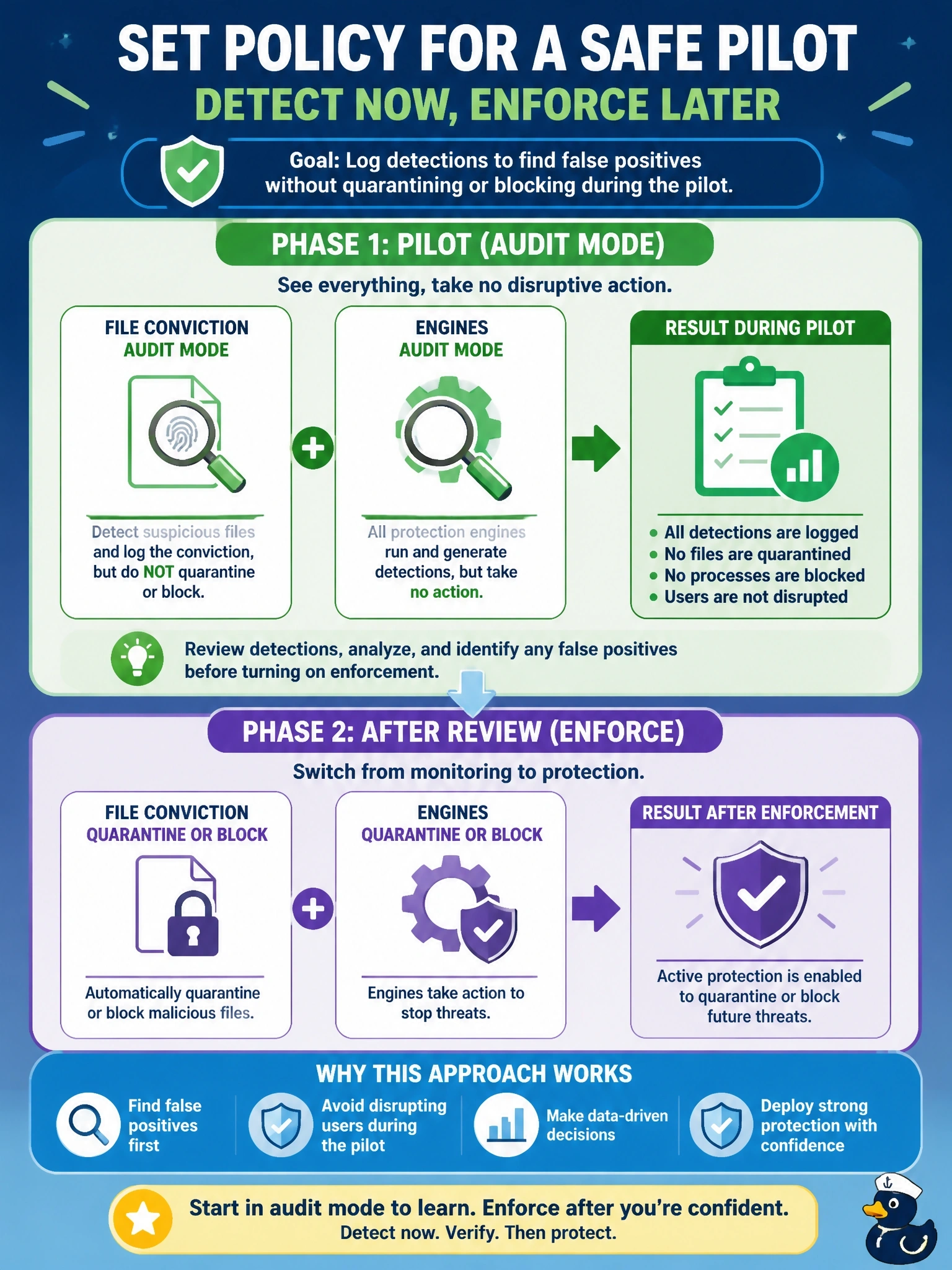
During a pilot of Cisco Secure Endpoint on production workstations, the team wants detections logged so it can find false positives, but nothing may be quarantined or blocked until the pilot ends. How should the policy be set?
Select an answer to reveal the explanation.
Short Explanation
Audit mode is the dress rehearsal: every detection gets written down, but nobody actually gets arrested. You learn where the false positives are before you turn on enforcement. Exclusions aren't a quiet logging mode; they're a blind spot where the connector doesn't look at all.
Full Explanation
Cisco Secure Endpoint policies set a mode for file conviction and for engines such as Malicious Activity Protection, Exploit Prevention and Behavioral Protection. In audit mode, the connector evaluates files and behavior and generates detection events, but it does not quarantine files or block activity. That is the intended setting for a pilot: the console shows what would have been acted on, so administrators can identify false positives, add targeted exclusions and then change the modes to quarantine, block or protect. Starting in quarantine mode enforces from day one, which the requirement forbids, and restoring files afterward means production users are already disrupted. Disabling cloud lookups removes the main source of file dispositions, which reduces detection rather than logging it, and it does not provide a clean audit picture of what enforcement would do. Exclusions tell the connector not to scan or monitor matching items, so excluded activity produces no detections at all, which defeats the goal of finding false positives. Exam caveat: audit mode offers no protection, so pilots should be time-boxed and the move to enforcement planned. Operational check: confirm the pilot group's policy shows audit for files and engines, generate a test detection, verify that it is logged without quarantine, and then schedule the switch to enforcement.