
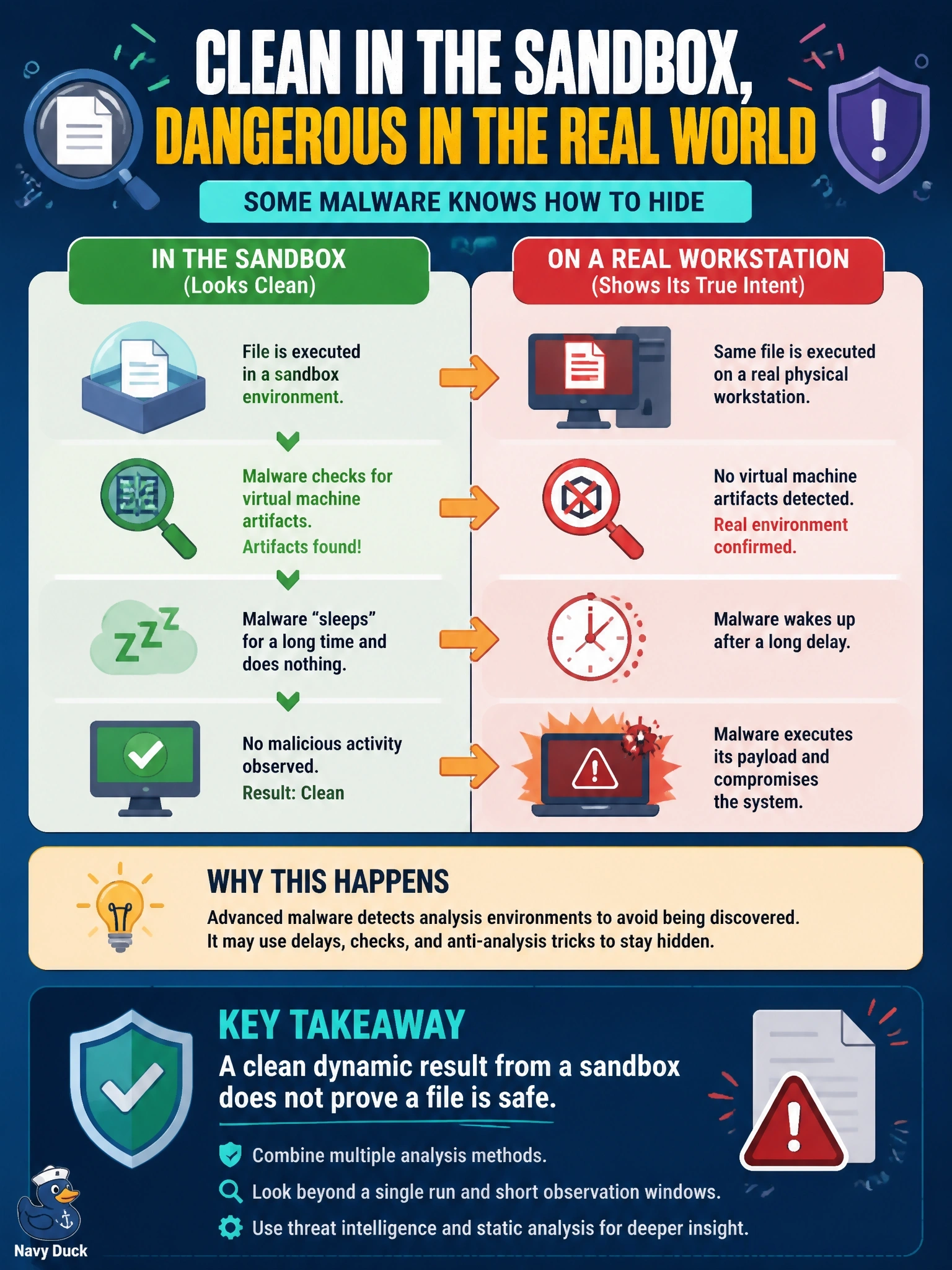
A sample shows no malicious activity in the sandbox, yet the same file later compromises a physical workstation. Researchers find that it checks for virtual machine artifacts and sleeps for a long period before acting. What does this indicate about the analysis?
Select an answer to reveal the explanation.
Short Explanation
Some malware plays dead when it thinks someone's watching, like a possum. If it spots a virtual machine or just naps past the analysis window, the sandbox sees nothing. So a quiet sandbox run means "nothing seen," not "nothing there," and you should treat it that way.
Full Explanation
Dynamic analysis observes a sample for a limited time inside an instrumented environment. Evasive malware tries to detect that environment, for example by looking for virtualization artifacts, analysis tools, unrealistic hardware or a lack of user activity, and it may delay execution with long sleeps so that nothing happens during the run. If it suspects analysis, it stays dormant and the report shows little or no malicious behavior, while the same file acts normally on a real workstation. The correct conclusion is that the sandbox was evaded and a clean result is not proof of safety. Sleeping malware is not harmless; the delay is a tactic and the payload runs later, as the compromise shows. Different behavior between the sandbox and the workstation is the expected effect of environment checks and does not imply the file changed in transit. Evasion checks succeed against analysis environments, not physical hosts, which is the opposite of the claim that they only work against physical machines. Exam caveat: mitigations include longer runtimes, environments that look realistic and simulated user activity, and treating evasion attempts themselves as suspicious indicators. Operational check: resubmit the sample with a longer runtime or different environment, and look in the report for indicators of VM detection or long sleep calls.