
A real-time DLP rule in Cisco Secure Access is set to block uploads of documents containing health record numbers to a file-sharing site. Test uploads over HTTPS succeed and no DLP event is logged, even though the identity and destination match the rule. What is the most likely cause?
Select an answer to reveal the explanation.
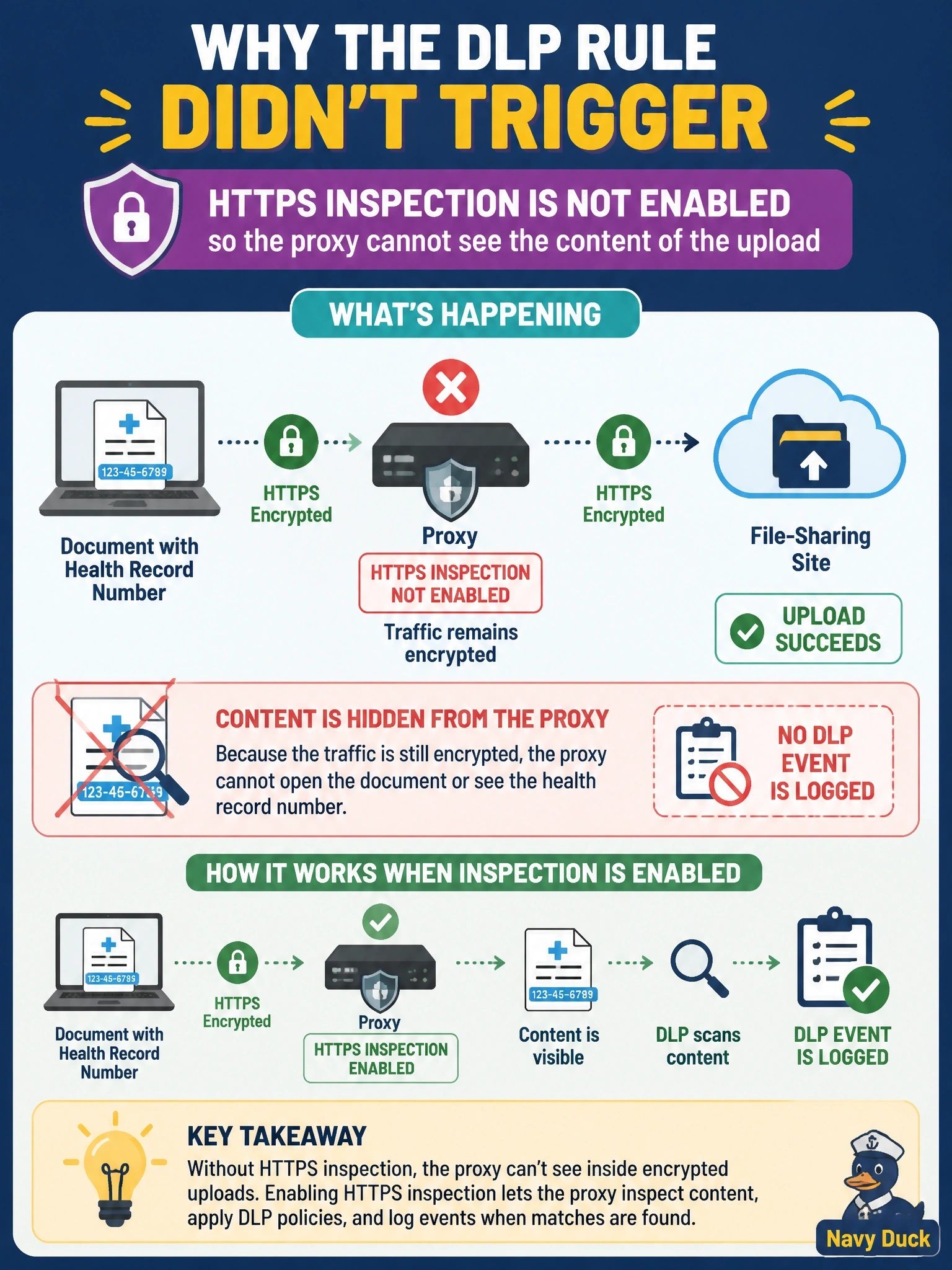
Short Explanation
DLP is trying to read a letter that's still sealed in an envelope. Without HTTPS inspection, the gateway sees who's sending to whom but never the words inside, so nothing matches and nothing's logged. When your inline content rule goes quiet on HTTPS, check decryption first.
Full Explanation
Real-time DLP evaluates the content of web traffic as it passes through the Secure Access secure web gateway. When the session is TLS-encrypted and HTTPS inspection is not enabled for the matching access rule, the gateway can see the destination but not the uploaded file, so the classification can never match and no event is generated. Cisco documents HTTPS inspection as a requirement for real-time and AI guardrails rules, so the fix is to enable decryption on the access policy that handles this traffic, with a valid root certificate trusted by the endpoints. Real-time rules are not DNS controls; DNS sees only a queried name and never a file. A SaaS API connection is a separate at-rest scanning method for authorized tenants and is not a prerequisite for inline enforcement. Real-time rules support both monitor and block actions for web uploads; email DLP is a distinct rule type that works with Email Threat Defense. Exam caveat: some destinations are exempted from decryption for privacy or certificate-pinning reasons, and DLP cannot inspect them inline. Operational check: confirm that HTTPS inspection is enabled for the identity and destination, verify that the endpoint trusts the Secure Access root certificate, then repeat the upload and look for the DLP block event.