
Private applications in the data center must be reachable through Cisco Secure Access, but the security team will not open any inbound ports on the data center firewall for this purpose. What should be deployed?
Select an answer to reveal the explanation.
Short Explanation
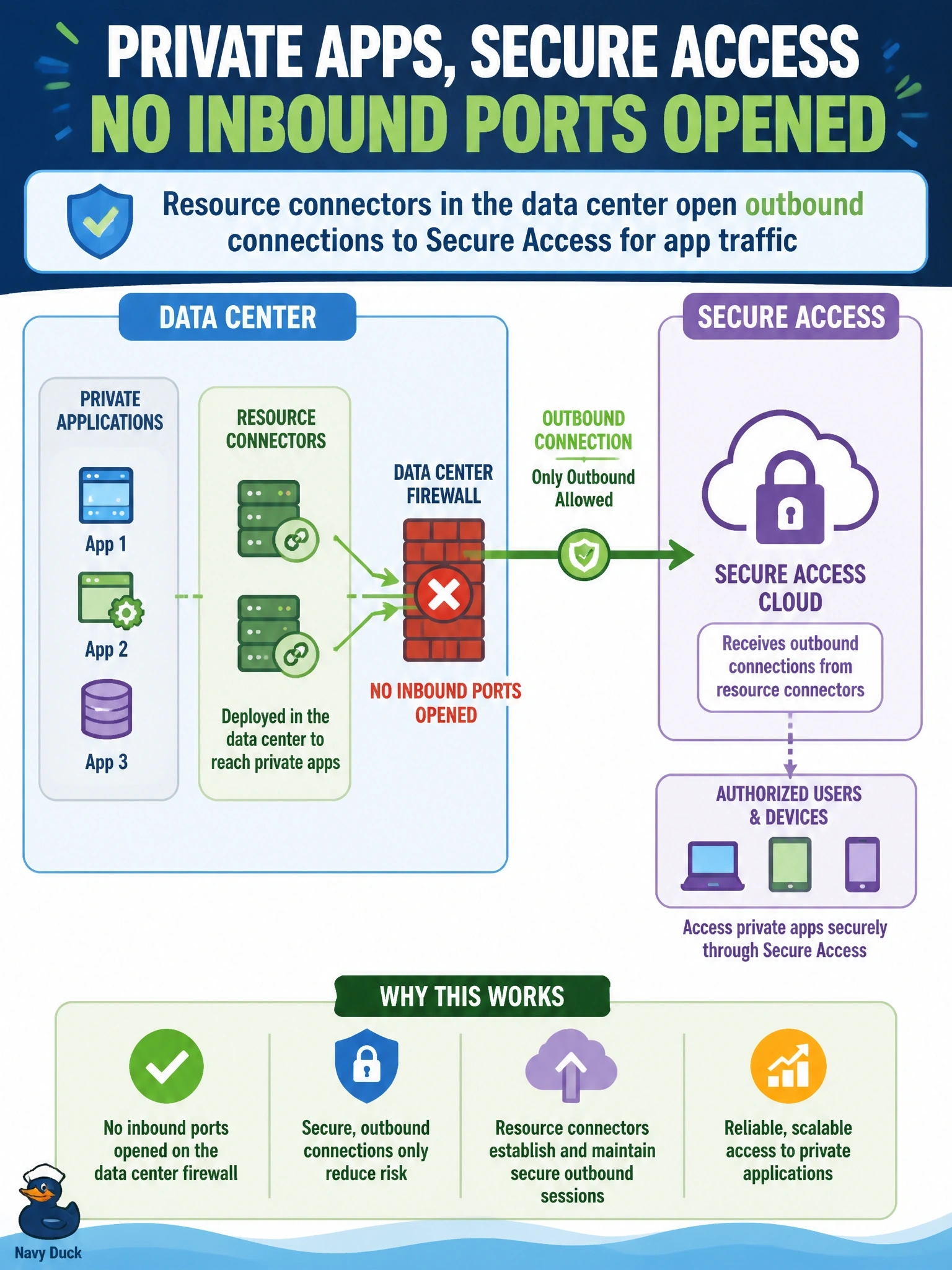
Think of it as calling out instead of leaving your front door open. Resource connectors sit next to your apps and build outbound connections to Secure Access, so users' traffic rides back over a path you started. Load balancers and port forwards all mean inbound holes — exactly what the team ruled out.
Full Explanation
Resource connectors are lightweight virtual appliances deployed in the data center or cloud environment where private applications live. Each connector initiates outbound connections to Cisco Secure Access, and user traffic for authorized private resources is carried back to the applications over those connector-initiated connections, with the connector's address translating the client source address. Because the data center only allows outbound connectivity, no inbound firewall ports need to be opened and the applications are never exposed directly to the internet. A public load balancer in the DMZ forwarding sessions inbound requires inbound exposure, which the team prohibits, and publishes application endpoints to the internet. Port-forwarding rules on the firewall are inbound openings by definition, even if restricted to Secure Access addresses. Installing Secure Client on application servers inverts the model; Secure Client is an endpoint client for users, and servers do not dial in to users' laptops. Exam caveat: connector groups should contain more than one connector for resilience and capacity, and they must be able to reach both Secure Access and the application addresses. Operational check: confirm each connector shows as connected in the connector group, verify the firewall logs show only outbound sessions from the connectors, and test application access through a private access rule.