
Managed employee laptops need access to private applications, including several non-web TCP applications, and access must be granted only when the device passes posture checks such as disk encryption and firewall status. Which access method fits best?
Select an answer to reveal the explanation.
Short Explanation
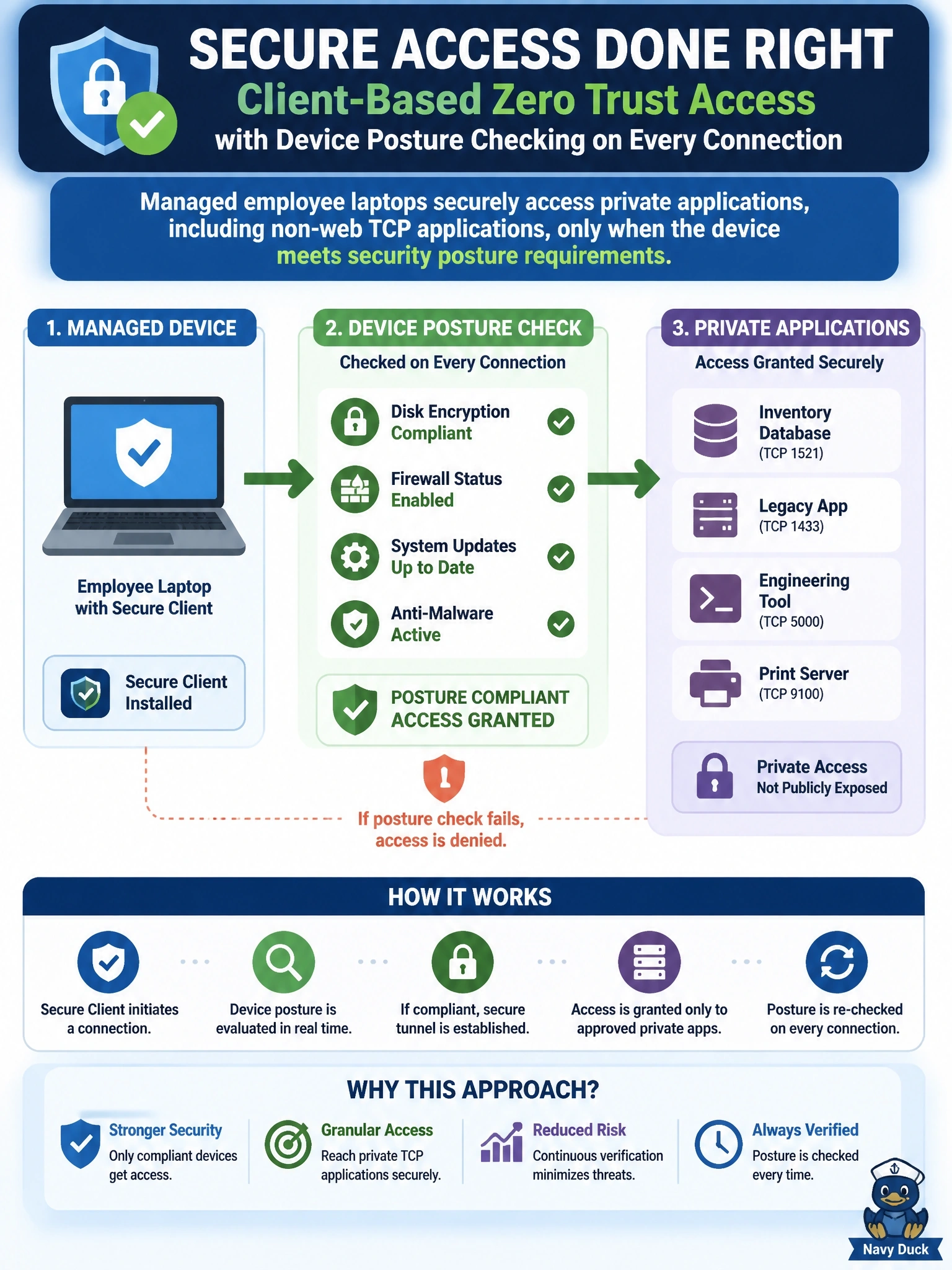
When you need to check the laptop itself, you need something on the laptop. Client-based ZTNA with Cisco Secure Client looks at disk encryption and firewall status before each app connection, and it handles non-web apps too. The trap is browser-based access — handy for contractors, but it can't carry your non-web TCP apps.
Full Explanation
Client-based zero trust access in Cisco Secure Access uses Cisco Secure Client on the endpoint to broker per-application connections to private resources. Because the client runs on the managed device, it can collect posture information, such as operating system, disk encryption and firewall state, and the private access rule can require a posture profile to be satisfied before a connection is allowed. Client-based access also supports non-web TCP and UDP applications, so it covers both requirements in the stem while still granting access application by application rather than network-wide. Browser-based zero trust access is designed for web applications reached through a browser, typically from unmanaged devices; it cannot carry the non-web TCP applications and offers more limited device insight. A network tunnel connects a site's edge device and applies site-level policy; it does not assess individual laptop posture and is not designed for individual home users. DNS-layer security protects internet name resolution and has no role in brokering private application access or checking device compliance. Exam caveat: posture requirements and non-web protocols are the two signals that point to client-based ZTNA instead of browser-based access. Operational check: assign a posture profile to the private access rule, connect from a compliant laptop and a noncompliant test laptop, and confirm only the compliant device reaches the application.