
After the team enables HTTPS decryption in Secure Access to gain full URL and file inspection, users on managed laptops suddenly see browser certificate warnings on every HTTPS site. What step was missed?
Select an answer to reveal the explanation.
Short Explanation
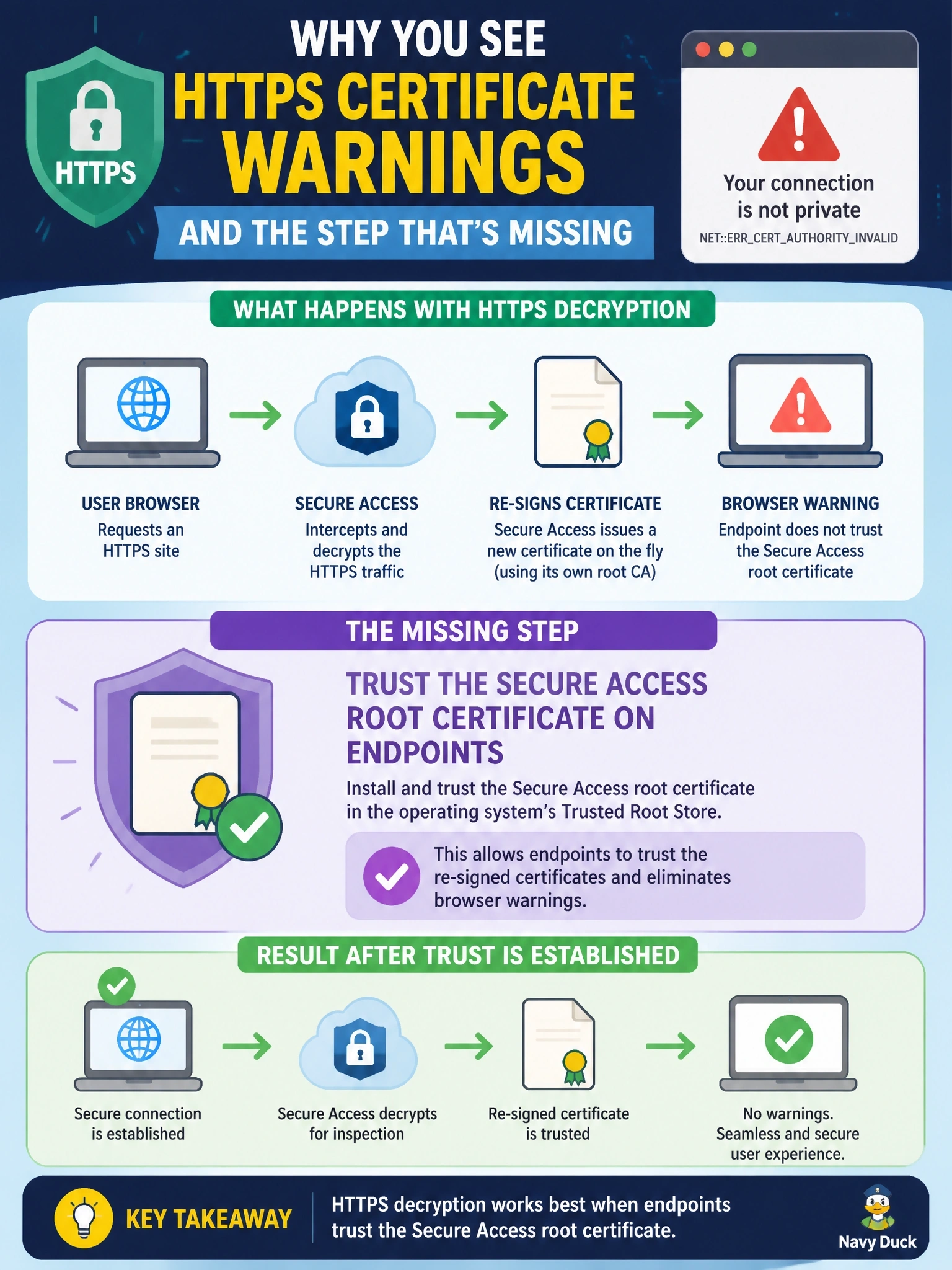
Decryption means the proxy hands your browser a certificate it signed itself. If you never told the laptop to trust that root certificate, every site looks like an impostor. The trap is the do-not-decrypt list — putting everything there just turns decryption back off.
Full Explanation
To inspect HTTPS, a secure web gateway terminates the client's TLS session and re-encrypts traffic to the destination, presenting the client with a certificate for the requested site that is signed by the gateway's own certificate authority. Browsers accept that certificate only if the signing root is in the endpoint's trusted store. When decryption is enabled without first distributing the Secure Access root certificate, typically through endpoint management or group policy, every decrypted site triggers a certificate warning, which is exactly the symptom described. DNS-layer protection works on name resolution and does not present certificates, so disabling it neither causes nor cures certificate errors. Adding every HTTPS site to the do-not-decrypt list would suppress the warnings only by disabling inspection, defeating the purpose of enabling decryption for full URL and file analysis. Opening outbound TCP port 80 does not help; the browser is rejecting the presented certificate because its issuer is untrusted, not because a chain download failed. Exam caveat: some applications use certificate pinning and will fail even with the root trusted; they belong on the do-not-decrypt list as targeted exceptions. Operational check: verify the root certificate appears in the endpoint's trusted root store, reload an HTTPS site, and inspect the certificate path to confirm it chains to the Secure Access root without warnings.