
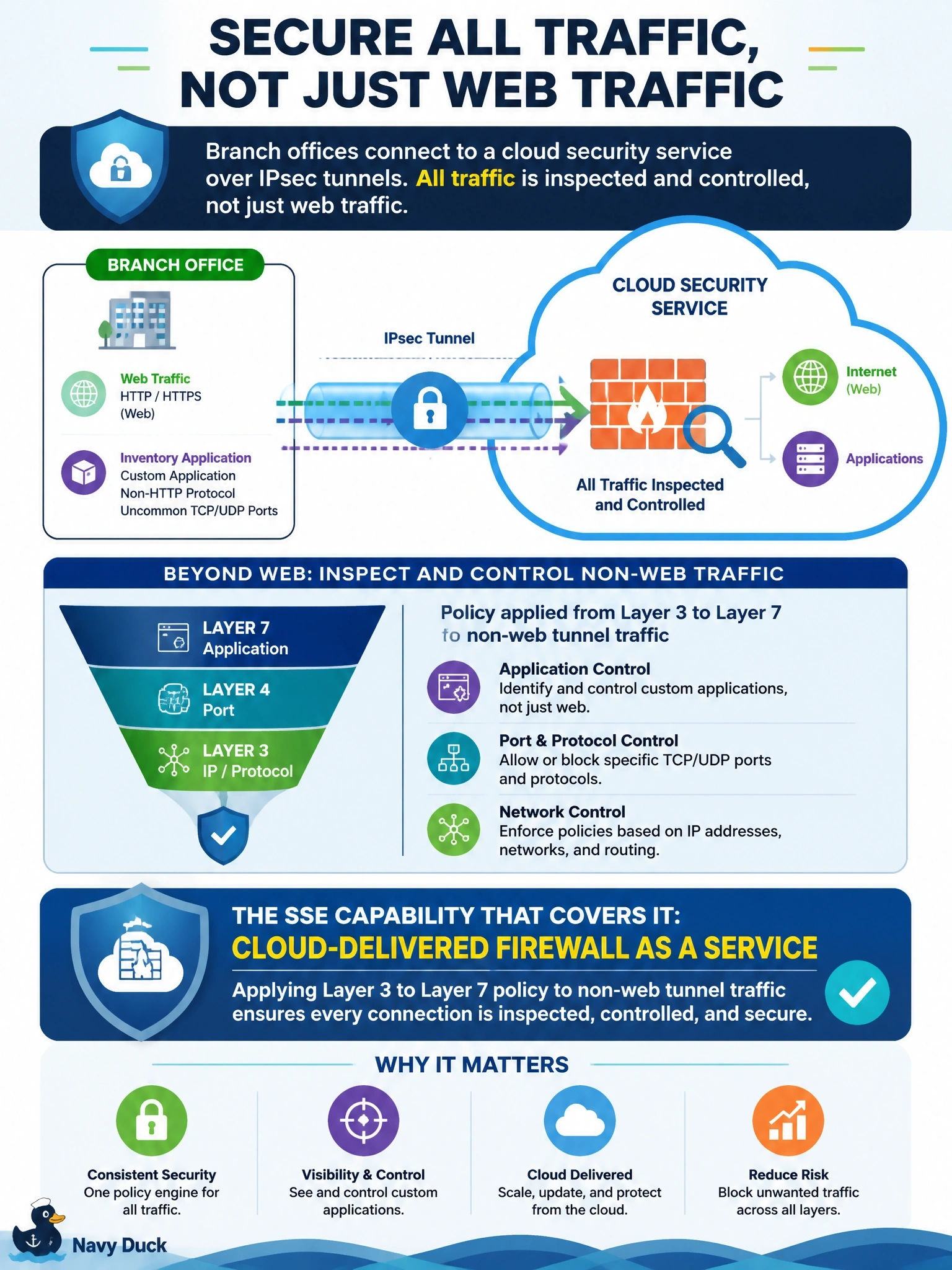
Branch offices send traffic to the cloud security service over IPsec tunnels. Web traffic is inspected, but a custom inventory application uses a non-HTTP protocol on uncommon TCP and UDP ports, and that traffic must also be controlled by port, protocol and application. Which SSE capability covers it?
Select an answer to reveal the explanation.
Short Explanation
A secure web gateway is a specialist that only speaks web. For the oddball protocol on odd ports, you need the generalist: firewall as a service, which filters any traffic in the tunnel by port, protocol and application. The trap is assuming the web gateway sees everything — it doesn't touch non-web traffic.
Full Explanation
Firewall as a service is a cloud-delivered firewall that inspects all traffic arriving from tunneled sites, not only web sessions. It applies policy on Layer 3 and Layer 4 attributes such as addresses, ports and protocols and, with application visibility, on Layer 7 application identity, and it can include intrusion prevention. Because branches already send traffic over IPsec tunnels to the service, the non-HTTP inventory application traffic can be matched and controlled there, which closes the gap left by web-only inspection. A secure web gateway is a proxy for HTTP and HTTPS; it enforces URL filtering, content controls and malware scanning on web sessions but does not handle arbitrary protocols on uncommon ports. DNS-layer security blocks resolution of malicious domains, which can prevent many connections, but it cannot control traffic by port and protocol and does not see connections made directly to IP addresses. A CASB discovers and controls SaaS application use and data; it does not provide general network traffic filtering for a custom protocol. Exam caveat: in Cisco Secure Access, firewall policy and web policy are both expressed as access rules, but the underlying inspection engines differ by traffic type. Operational check: create a rule for the application's ports and protocol, generate test traffic from a branch, and confirm the firewall log shows the expected match and action.