
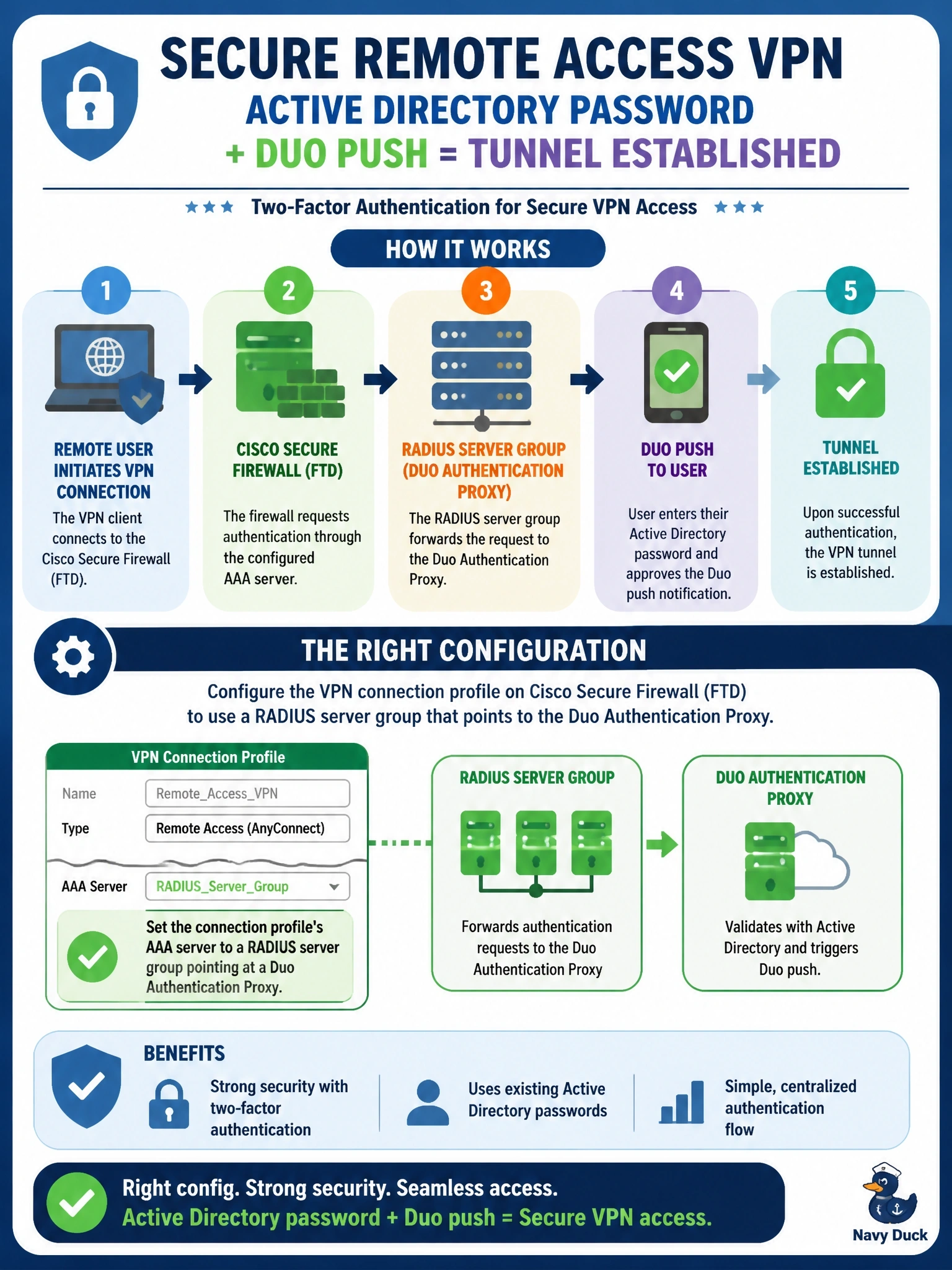
Remote access VPN users on Cisco Secure Firewall (FTD) must authenticate with their Active Directory password and approve a Duo push before the tunnel is established. Which configuration achieves this?
Select an answer to reveal the explanation.
Short Explanation
Think of the Duo Authentication Proxy as a relay runner: the firewall hands it the username and password over RADIUS, it checks AD, then it pings your phone for the push. Only when both legs finish does the firewall get the Accept. TACACS+ is for device admins, not VPN users.
Full Explanation
A common way to add Duo MFA to FTD remote access VPN is to configure the connection profile to authenticate users against a RADIUS server group whose server is the Duo Authentication Proxy. The proxy receives the RADIUS request, validates the primary credential against Active Directory, then contacts the Duo cloud for the second factor such as a push, and returns an Access-Accept only when both succeed. SAML with Duo is another supported pattern, but among these choices the RADIUS proxy is the one that meets the stated flow. The local user database stores accounts on the firewall itself and has no link to AD passwords or to Duo, so it satisfies neither requirement. TACACS+ is designed for device administration and is not used as the user authentication protocol for remote access VPN; pointing it at domain controllers is also not how directory authentication works. Certificate-only authentication proves the device holds a certificate but does not check the AD password, and installing a Duo application on laptops does not insert a second factor into the VPN authentication exchange. Exam caveat: set the RADIUS timeout on the firewall long enough for the user to respond to the push, or authentications fail while users are still approving. Operational check: connect a test user, approve the push, and confirm both the Duo log and the VPN session record the authentication.