
Users download files over HTTP through a Cisco Secure Firewall (FTD), and the security team wants known malicious files stopped in transit using cloud disposition lookups. How is this configured?
Select an answer to reveal the explanation.
Short Explanation
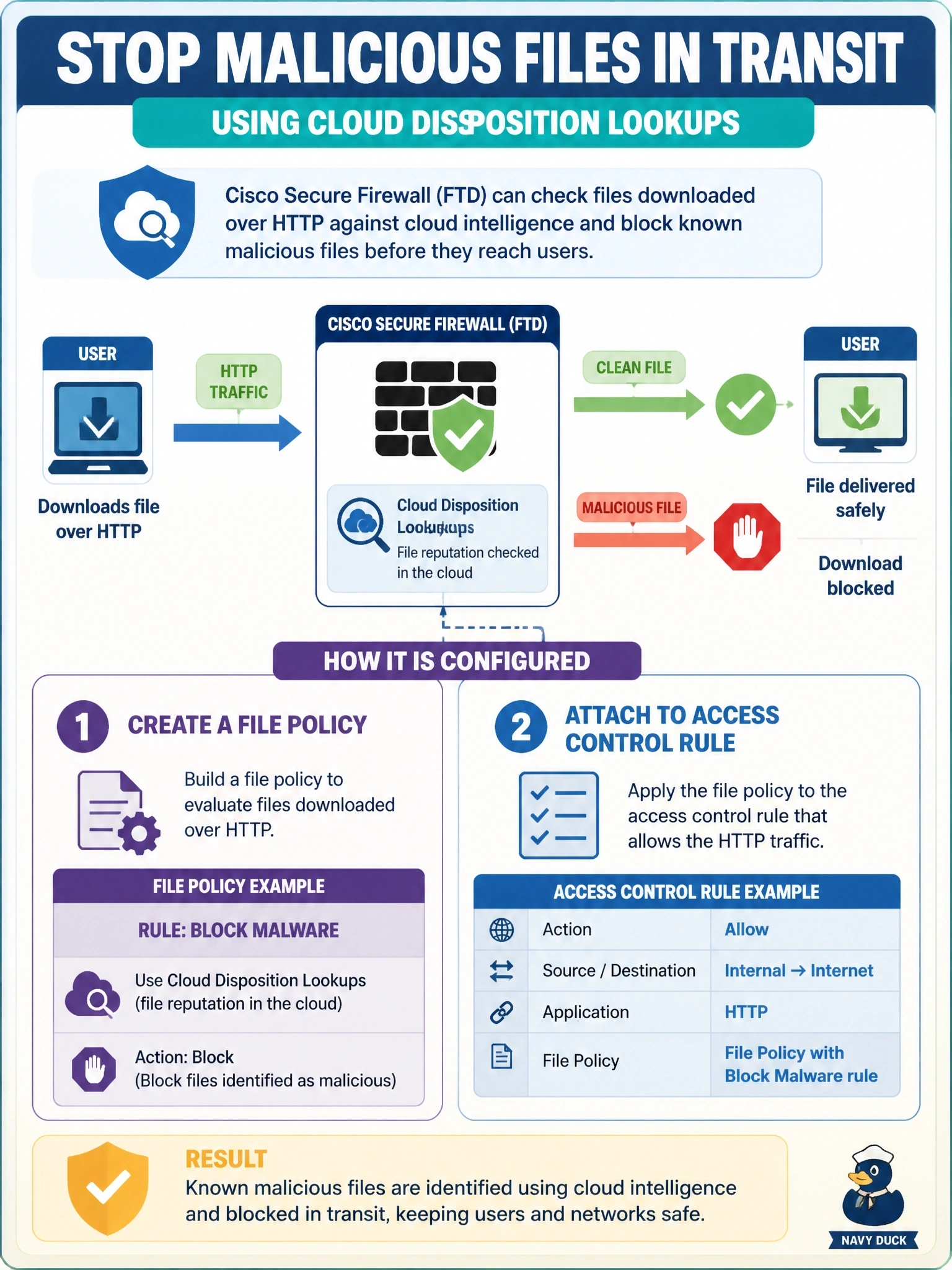
Your firewall can sniff files as they fly past and ask the cloud is this one bad? Only a file policy with a Block Malware rule actually acts on the answer. Detect Files just logs, and a Trust rule never shows the file to the policy at all.
Full Explanation
FTD malware protection is delivered through file policies. A file policy rule specifies protocols, direction, file types and an action, and the Block Malware action calculates the file's hash, queries cloud intelligence for its disposition, and blocks the transfer when the disposition is malicious. The file policy takes effect only when attached to an access control rule with the Allow action, or to the default action, that matches the traffic, so the policy sees the files carried by those connections. Detect Files records that a file of a given type passed but performs no malware disposition and blocks nothing, so malicious files still reach users. Attaching a file policy to a Trust rule is not possible, because trusted traffic skips deep inspection, including file and malware inspection. An intrusion policy inspects packets for exploit signatures; it does not compute file hashes or query cloud file dispositions, so it is not the malware protection mechanism. Exam caveat: blocking requires the file to be fully seen, and very large files or encrypted transfers may need size limits or decryption to be inspected; dispositions can also change later, which is where retrospective events matter. Operational check: attach the policy, deploy, download a safe test malware sample over HTTP, and confirm a file or malware event shows a malware disposition and a block action.