
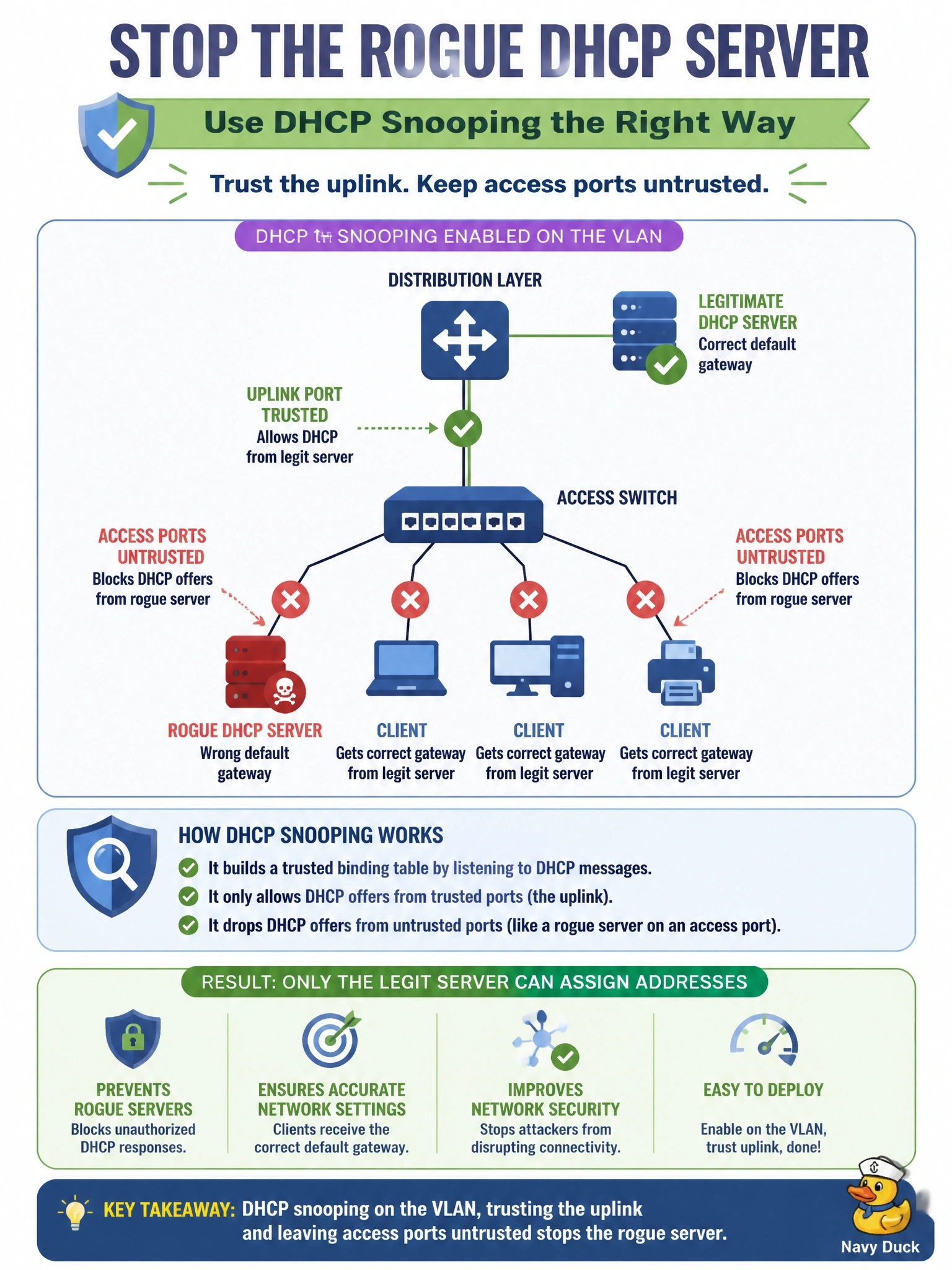
A rogue DHCP server connected to an access port is handing clients a wrong default gateway. The legitimate DHCP server is reached through the access switch's uplink to the distribution layer. Which configuration stops the rogue server?
Select an answer to reveal the explanation.
Short Explanation
DHCP snooping decides which doors are allowed to hand out addresses: only the trusted hallway to the real server. Any offer coming in from a user's desk gets thrown out. Remember which way trust points: you trust the uplink, never the access ports.
Full Explanation
DHCP snooping classifies switch ports as trusted or untrusted. Server-side DHCP messages, such as offers and acknowledgments, are accepted only on trusted ports; when they arrive on an untrusted port, the switch drops them. Marking the uplink toward the legitimate server as trusted and leaving every access port untrusted therefore blocks any DHCP server that a user connects locally, while clients continue to receive leases from the real server. Snooping also builds a binding table of address, MAC, VLAN and port, which other features reuse. Port security limits how many MAC addresses a port learns, but a rogue server is a single device with one MAC, so its offers pass untouched. Dynamic ARP inspection validates ARP packets against the snooping binding table; it does nothing to stop DHCP offers carrying a malicious gateway. BPDU guard reacts to spanning-tree BPDUs, which a rogue DHCP server does not send, so the port would never be disabled. Exam caveat: when a switch inserts DHCP option 82 and the upstream server or relay rejects it, clients may fail to get leases after snooping is enabled; adjust the option 82 handling rather than disabling snooping. Operational check: confirm snooping is enabled on the VLAN, the uplink shows as trusted, and the binding table populates with legitimate leases.