
The city virtualization cluster runs a bare-metal hypervisor under production VMs. How does that Type 1 model differ from a Type 2 hypervisor?
Select an answer to reveal the explanation.
Short Explanation
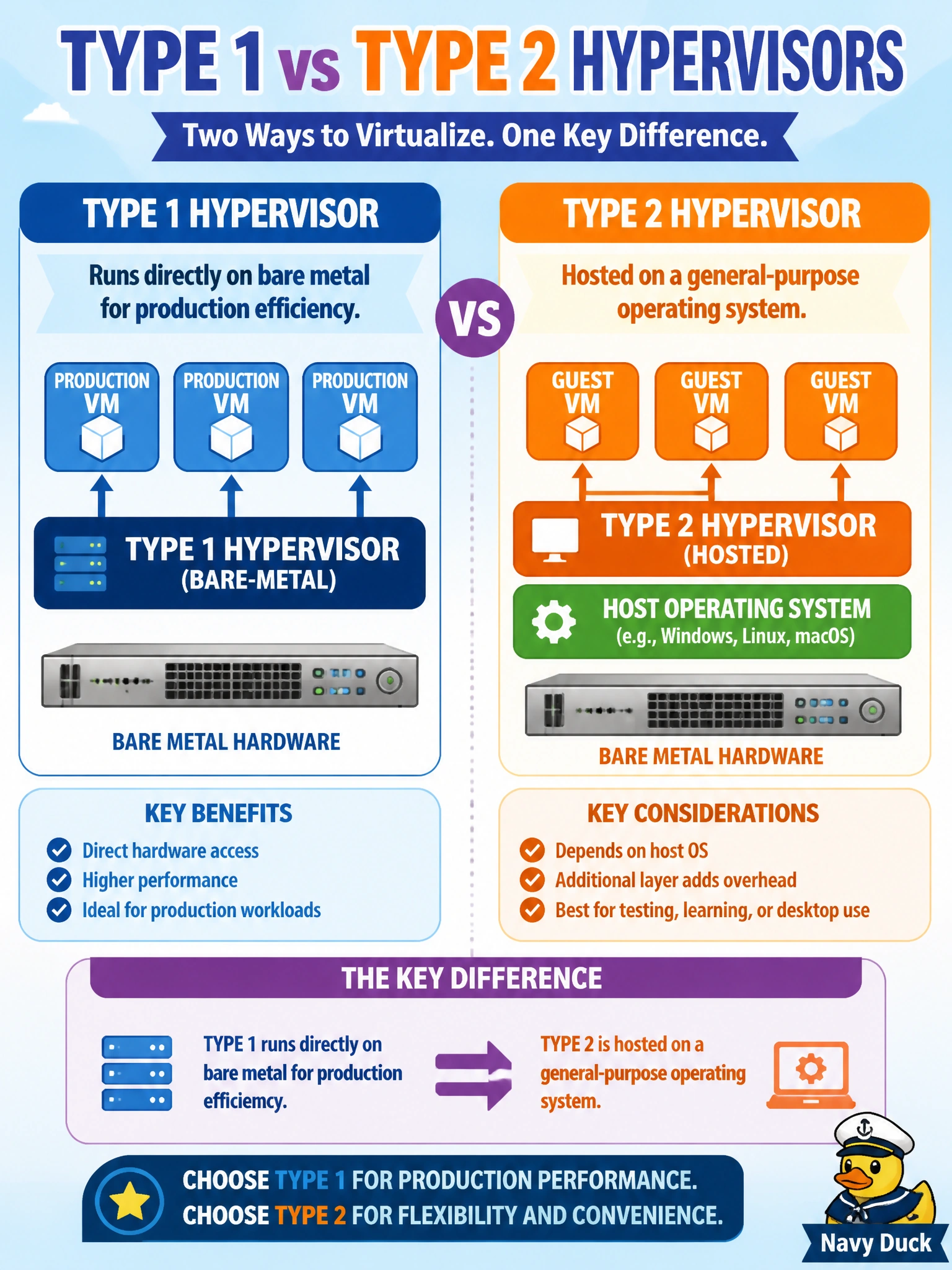
Type 1 is the hypervisor bolted straight to the metal—like a fire-station truck bay with nothing in between. Type 2 is the hypervisor that sits on top of a regular OS, fine for a lab laptop, not the usual production cluster story.
Full Explanation
Hypervisor taxonomy on ENCOR separates bare-metal Type 1 designs from hosted Type 2 designs. A city virtualization cluster that runs a bare-metal hypervisor under production VMs is using Type 1: the hypervisor installs directly on hardware for production efficiency and lower overhead. Type 2 hypervisors, by contrast, are hosted on a general-purpose operating system and are common for labs or desktop convenience rather than as the primary model for dense production clusters.
Saying Type 1 always requires a full desktop OS under the hypervisor while Type 2 installs on bare metal only reverses the definitions. Claiming Type 1 and Type 2 both mean the same hosted desktop hypervisor with no bare-metal option erases the distinction the question is testing. Asserting Type 2 replaces VRF-lite on routers while Type 1 replaces Spanning Tree mixes campus networking features with virtualization types unrelatedly.
Exam caveat: Type 1 = bare metal; Type 2 = hosted on a general-purpose OS. Production civic clusters usually map to Type 1 in these items.
Operational check: confirm the cluster hosts boot a bare-metal hypervisor without an intervening desktop OS, document VM placement and resource controls, and reserve hosted Type 2 tools for admin labs rather than for the production municipal cluster path.