
A retail branch has a thin WAN back to the campus Catalyst 9800. Client traffic should stay on the branch LAN, while the access points still take their configuration from that controller. Which mode fits?
Select an answer to reveal the explanation.
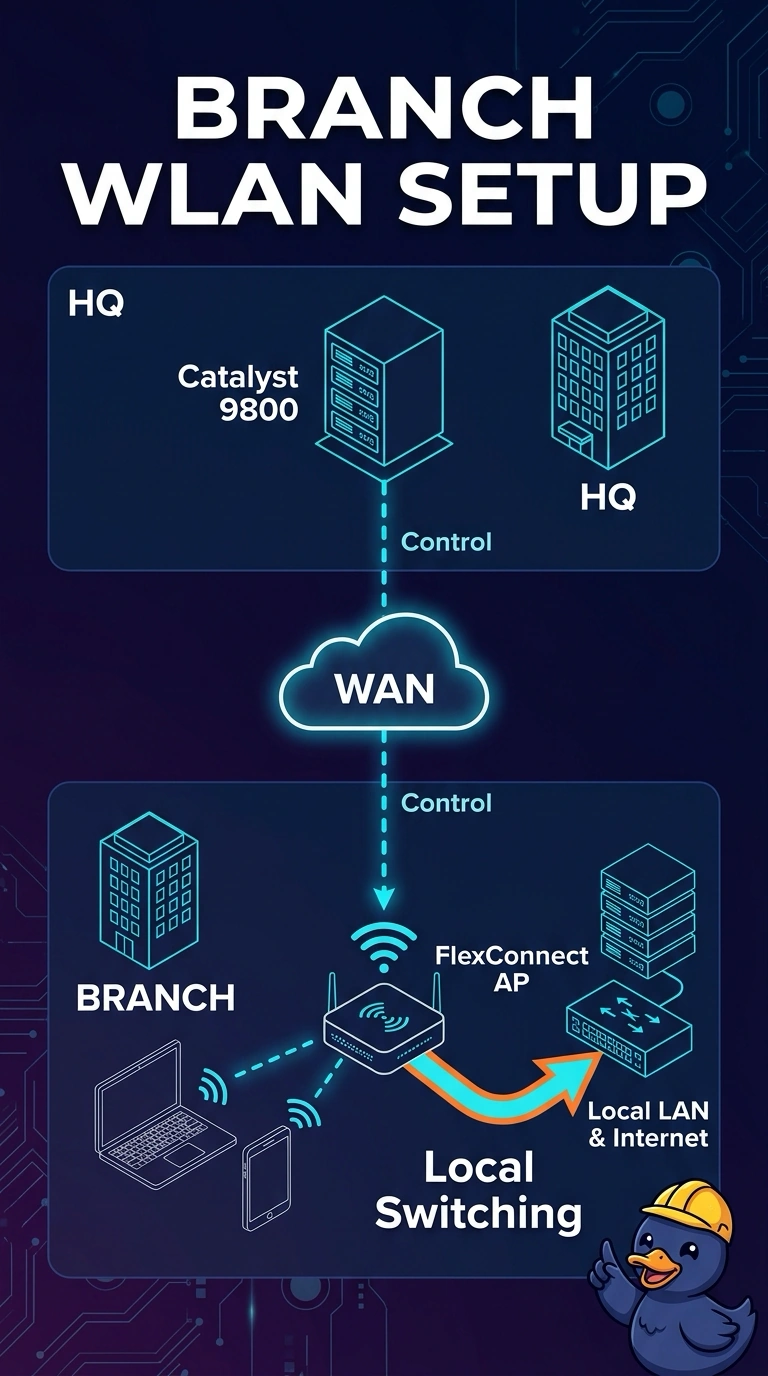
Short Explanation
Hairpinning every sale across a thin WAN is a long commute for a short errand. FlexConnect lets your branch access points keep client traffic on the branch LAN and still take orders from the campus controller. Local mode does the commute anyway.
Full Explanation
FlexConnect access points keep a control connection to the Catalyst 9800 and can locally switch client data onto a VLAN at the branch. That is the mode that leaves client traffic on the branch LAN instead of carrying it across the thin WAN in a CAPWAP data tunnel. The site is configured as a FlexConnect site, and the WLAN's switching is local. Local mode centrally switches client data to the controller. It does not bridge those clients onto the branch LAN by default, so it is the hairpin this branch is trying to avoid. Monitor mode does not serve clients. It scans, so it cannot be the branch's client data path whether the WAN is up or not. Sniffer mode captures a channel and does not locally switch a store full of clients. Combining capture and client service in that description is not what sniffer mode does. Exam caveat: a locally switched VLAN has to exist on the branch switch, usually on a trunk to the access point. Creating it only at the campus controller does not give local-switching clients a gateway. Operational check: associate a branch client and confirm the session is locally switched and that its traffic does not have to cross the WAN to reach the branch gateway.