
A government office needs one access point to capture 802.11 frames on a single channel and forward them to a laptop running a packet analyzer. That access point must not serve clients while it captures. Which mode matches the job?
Select an answer to reveal the explanation.
Short Explanation
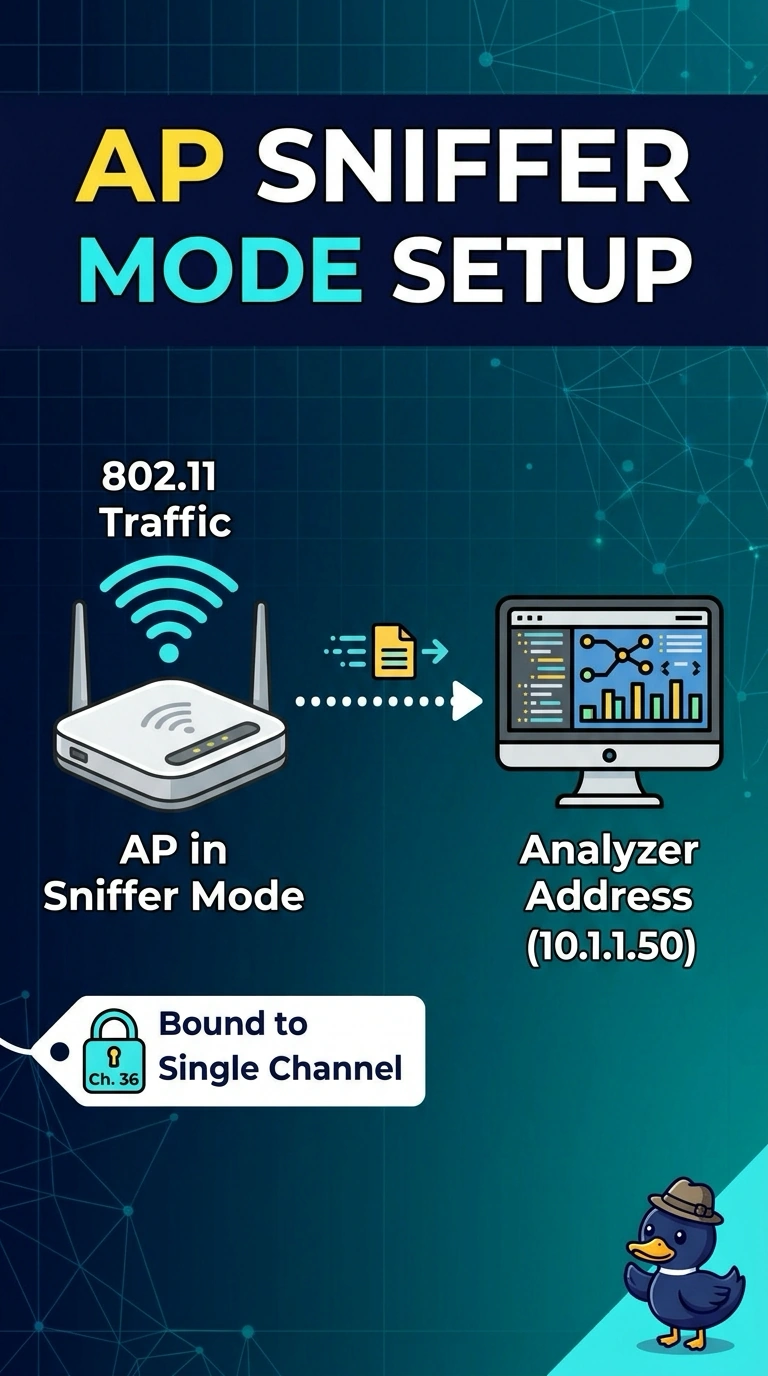
Sniffer mode is a one-job radio: it listens on the channel you name and ships the frames to the analyzer, and it is not also running your WLAN. If you still need clients on that access point, you picked a mode that cannot do both.
Full Explanation
On a Catalyst 9800, sniffer mode dedicates the access point to capturing 802.11 frames on a chosen channel and forwarding that capture toward an analyzer. The access point leaves ordinary client service while it is in that mode, which is what the office required. When the capture is done, the mode is cleared so the access point returns to the client-serving mode implied by its site tag. Local mode is the client-serving centralized mode. Disabling a WLAN on one radio does not turn the access point into a capture device, and the other radio would still be a client radio rather than an analyzer feed. FlexConnect local switching decides where client data is bridged, at the access point or at the controller. It does not encapsulate a channel capture to a laptop. Bridge mode is for mesh backhaul, a root or mesh access point, not for exporting 802.11 frames to an analyzer, and it is still a service mode rather than a packet capture. Exam caveat: the analyzer has to be reachable from the controller that forwards the sniffed frames, and a sniffer that is too far from the talkers will miss data frames it cannot demodulate. Operational check: set the channel and the analyzer address, confirm the access point rejoins in sniffer mode, and see frames arrive before you expect any client to associate there.