
A hospital nursing station keeps one shared Desk device for the unit. Each nurse must sign in with a personal Webex identity, place and receive that nurse's calls, then leave the device ready for the next person. Which calling feature fits this use?
Select an answer to reveal the explanation.
Short Explanation
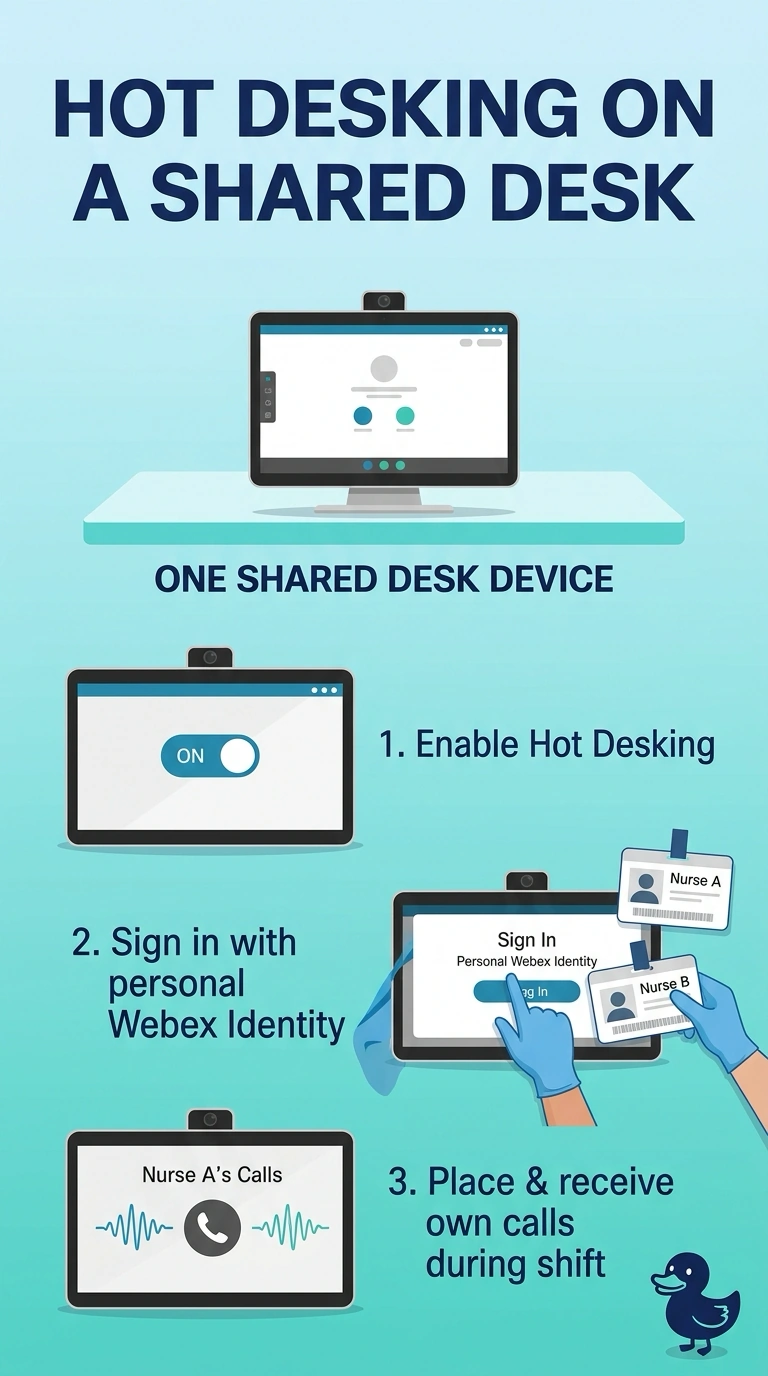
A shared desk is like a locker that should open with your own name tag, not a lobby speaker that lists every department. Hot desking is that sign-in on a shared Desk device, so your calls follow you and leave when you sign out. The trap is building an auto attendant menu when nobody is trying to route a public number.
Full Explanation
Hot desking lets a person sign in to a shared Desk device with a Webex identity so that person's calls are placed and received there, then released when the person leaves. The nursing station has one shared device and each nurse needs a personal identity for the shift, which is that sign-in. Configuring an auto attendant on the station number so callers hear a menu answers a public number with key presses. A menu does not attach a nurse's Webex identity to the Desk device, and a key is not a sign-in. Building a meeting lobby on the Desk device so inbound calls wait to be admitted is a meeting control. Callers to a nursing station are not waiting in a meeting, and a lobby does not place or receive that nurse's calls. Adding a call queue that rings every nurse's handset at the same time fans one call out to many phones and leaves the shared Desk device with no one signed in. The station never becomes one nurse's phone. Exam caveat: hot desking and an auto attendant can both exist in one location, and they answer different needs. A menu does not replace signing in. Operational check: sign in on the Desk device with a test identity, call that person's extension from another phone, confirm the shared device rings, then sign out and confirm the next call no longer follows that identity.