
A university assigns a calling template through an Active Directory group that Directory Connector synchronizes. An administrator adds a professor to that group inside Webex. What keeps the membership from being lost?
Select an answer to reveal the explanation.
Short Explanation
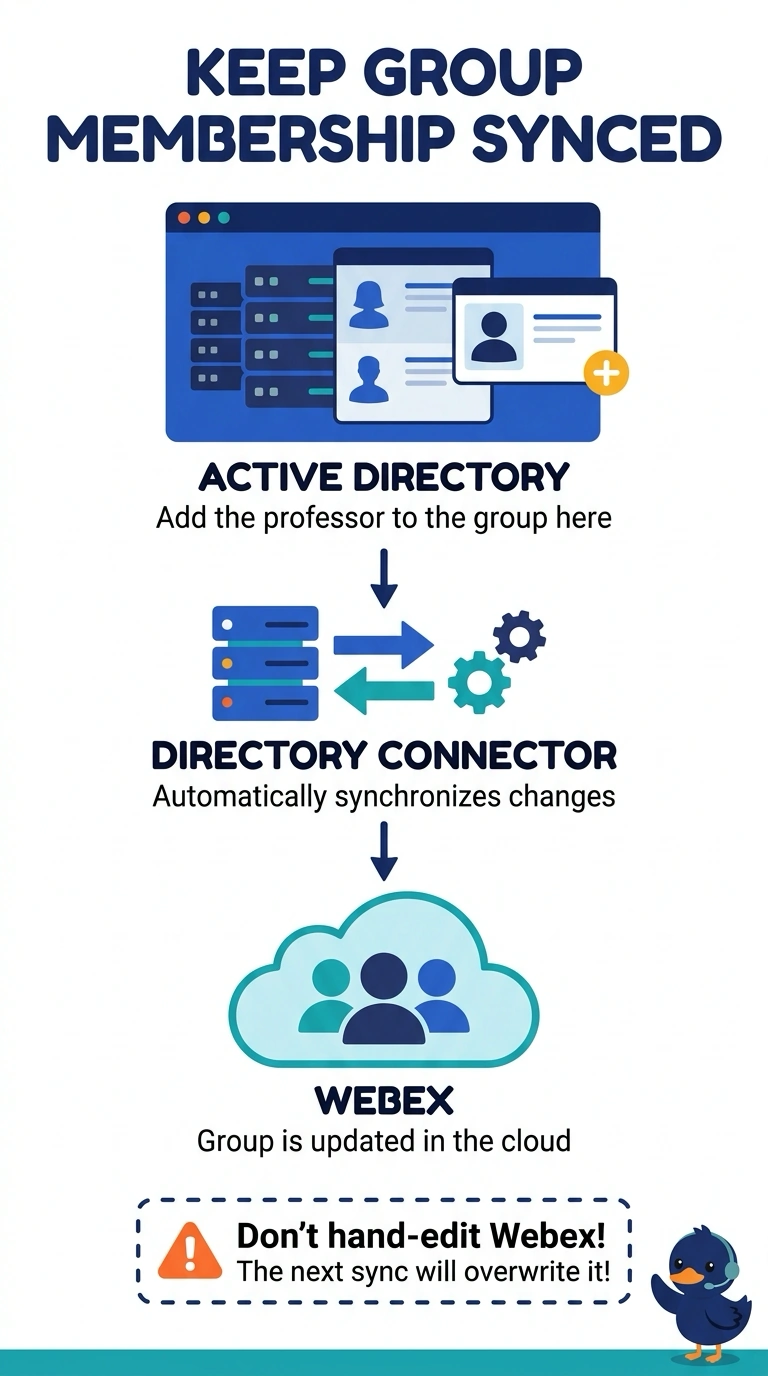
Think of a class roster the registrar reprints every night, wiping any name you penciled in after hours. You add the professor in Active Directory so the next connector synchronization keeps the membership. The trap is editing the Webex group by hand and expecting that pencil mark to survive.
Full Explanation
While Directory Connector owns the organization, Active Directory remains the source of truth for the users and groups it synchronizes. Membership that drives the calling template has to be changed in that group in Active Directory. A hand edit in Webex is overwritten on the next connector synchronization, so the professor falls back out of the template. Keeping the hand edit as the source of truth and stopping the connector from refreshing the group fights the sync instead of using it. Mirroring the same group into Okta SCIM while Directory Connector still owns the organization lets both directories write it, which is not allowed for one organization. Converting the calling template into an auto attendant menu swaps a call-menu feature for a template assignment and does not preserve the synchronized group the university already chose. Exam caveat: an auto attendant plays a schedule and a menu, and it is not a substitute for who receives a calling template. Operational check: add the professor in the Active Directory group, run the connector synchronization, and confirm the Webex group matches the directory after the sync finishes.