
A courthouse is moving Unified CM auto attendants into Webex Calling and already holds the Unified CM BAT export and the Unity Connection call-handler export for the source menus. Which tool maps the attendants into Webex Calling?
Select an answer to reveal the explanation.
Short Explanation
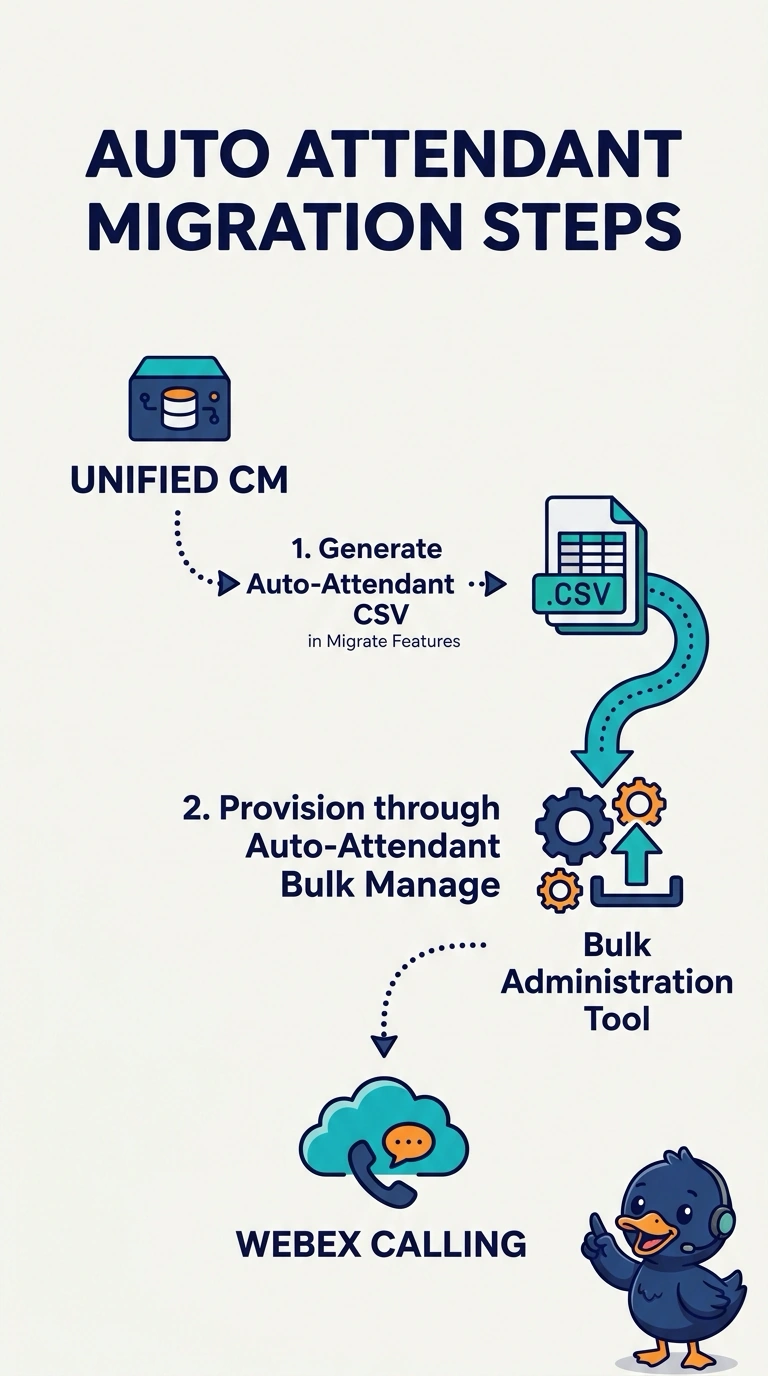
Moving a phone tree is a packing job, and you do not get the menus by copying the staff directory. Generate the auto-attendant CSV in Migrate Features from Unified CM and provision it through Auto-Attendant Bulk Manage with your Unified CM BAT export and Unity Connection call-handler export. The trap is expecting Directory Connector, an analytics view, or on-premises key storage to rebuild those menus for you.
Full Explanation
Migrate Features from Unified CM takes the Unified CM BAT export and the Unity Connection call-handler export for the source menus and maps auto attendants, along with devices, lines, call queues, hunt groups, call park, and user calling data, into Webex Calling. The courthouse already holds both exports, so the mapping tool is the one that reads them. Generate the auto-attendant CSV in Migrate Features from Unified CM and provision it through Auto-Attendant Bulk Manage. Run Directory Connector so Active Directory is what copies the auto attendant menus into Control Hub misuses directory sync. Directory Connector synchronizes Active Directory users into Control Hub. It does not map attendant menus from an export. Open Cloud-Connected UC analytics and expect those usage charts to convert the attendant menus into Webex Calling destinations confuses operations insight with migration. Cloud-Connected UC connects on-premises Unified CM to Control Hub for operations. Usage charts do not convert menus into destinations. Deploy Hybrid Data Security and treat the attendant greetings as key material that has to live on-premises moves key management. Greetings are not encryption keys, and Hybrid Data Security does not import auto attendants. Exam caveat: this tool maps the attendant configuration from the exports. Operational check: run the mapping and confirm the menus appear in Webex Calling.