
A courier's company laptop fails disk-encryption posture. Healthy couriers use a split tunnel for mail and maps. This laptop is still failed. Which remote-access design fits it?
Select an answer to reveal the explanation.
Short Explanation
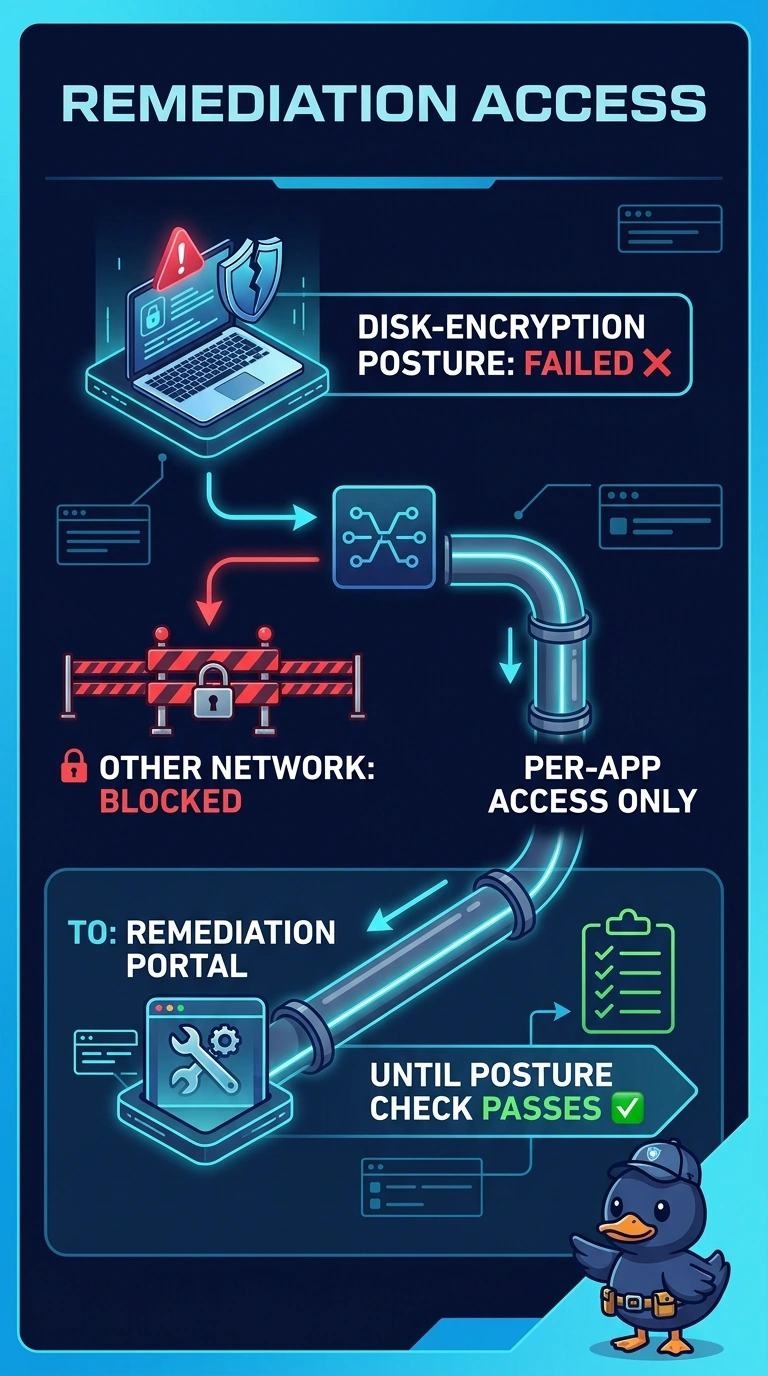
A truck that fails inspection does not get the highway pass. You give this laptop only the remediation portal until encryption posture passes. The healthy split tunnel, a full tunnel into dispatch, or cafe-style local access leaves a failed device too far in.
Full Explanation
Tunnel choice follows device state, so a failed managed laptop should reach only the remediation portal, which is per-app access to that one service. The healthy split would expose mail and maps from a device that does not meet the bar, and a full tunnel into dispatch is wider rather than narrower. Treating the laptop like an unmanaged cafe tablet drops the check entirely. Per-app access only to the remediation portal until the posture check passes is the design that meets this requirement. The same split tunnel that healthy couriers already use for mail and maps is the wrong fit because the healthy split tunnel assumes a laptop that already passed posture, and this courier laptop has not. A full tunnel into dispatch and customer records while disk encryption is off is the wrong fit because a full tunnel would place a device that failed posture onto dispatch systems and customer records. Local-only access with no identity check, as on an unmanaged cafe tablet is the wrong fit because local-only access skips both identity and remediation and still leaves the courier laptop unencrypted. Exam caveat: When posture passes, move the laptop to the healthy courier tunnel on purpose so it does not stay on the remediation app or keep split access while failed. Operational check: From a lab laptop with encryption off, confirm only the remediation portal opens, then enable encryption and confirm the healthy courier split becomes available.