
A landscape firm's managed laptops must reach the whole engineering subnet. Nobody requires inspection of their general internet use, and the remote-access concentrator is near capacity. Which access design fits?
Select an answer to reveal the explanation.
Short Explanation
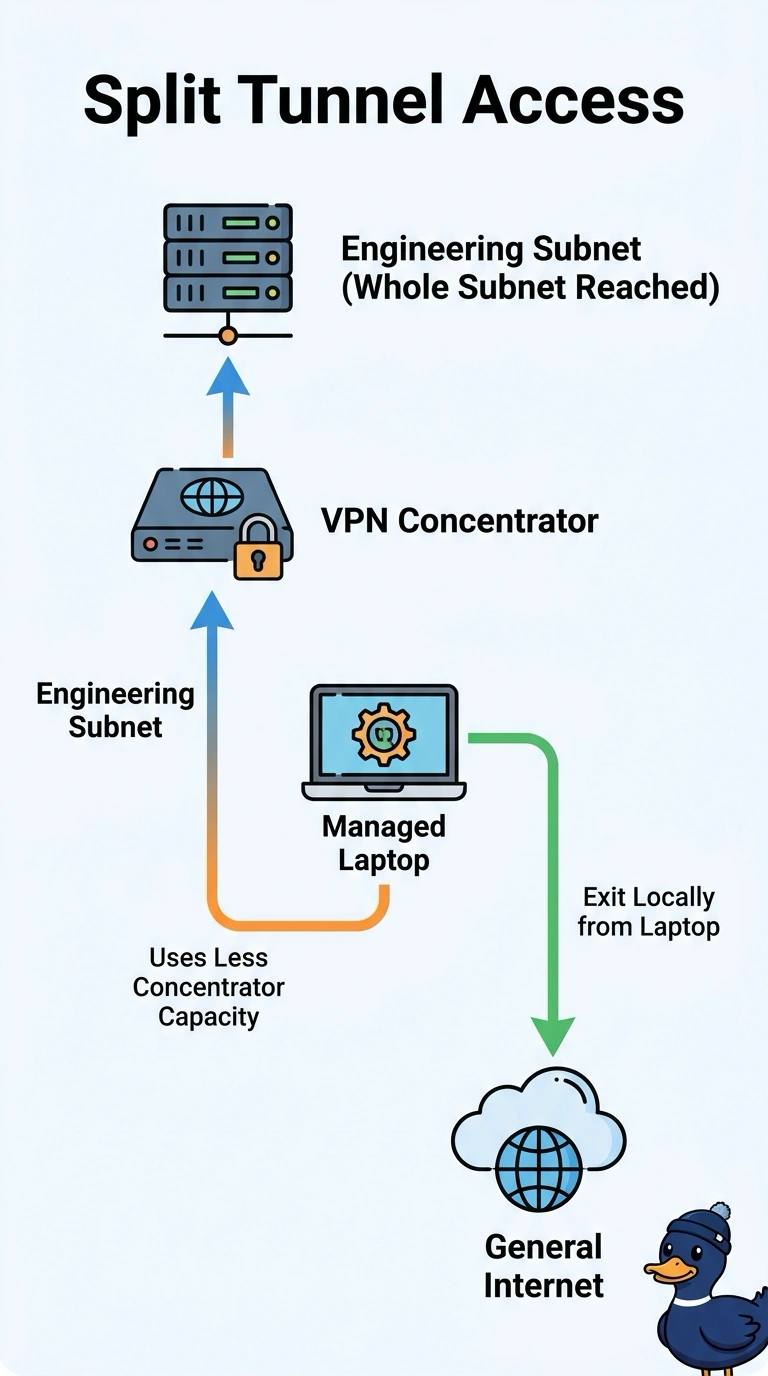
You need the managed laptops to reach the whole engineering subnet, without sending general internet traffic through a concentrator that is near capacity. A split tunnel sends the engineering subnet through the concentrator and lets general internet traffic go out locally. A full tunnel, access limited to one hosted drawing tool, or the same subnet-wide split tunnel for unmanaged personal tablets does not fit your requirements.
Full Explanation
The laptops are managed, they need access to a whole subnet rather than just one application, and nobody requires inspection of general internet use. A split tunnel carries traffic for the engineering subnet through the remote-access concentrator while sending general internet traffic out locally, sparing concentrator capacity. A full tunnel that forces all internet use through the concentrator is a poor fit because it uses capacity for traffic the firm does not need to inspect. Per-application access to one hosted drawing tool is insufficient because it leaves the rest of the engineering subnet unreachable. Giving unmanaged personal tablets that same split-tunnel path is also a poor fit: those devices are not the managed laptops and should not receive subnet-wide access. Exam caveat: split tunneling leaves general internet traffic outside the concentrator’s inspection path; use endpoint or cloud security controls for that traffic, or use a full tunnel to an inspection point if central inspection becomes required. Practical check: confirm that a managed laptop reaches an engineering-subnet host through the tunnel, that a general website uses the local path, and that an unmanaged tablet cannot reach the subnet.