
A publisher turned on one-time codes for browser mail, but desk phones still sign in with stored app passwords and skip those codes. Which identity change closes the phone path?
Select an answer to reveal the explanation.
Short Explanation
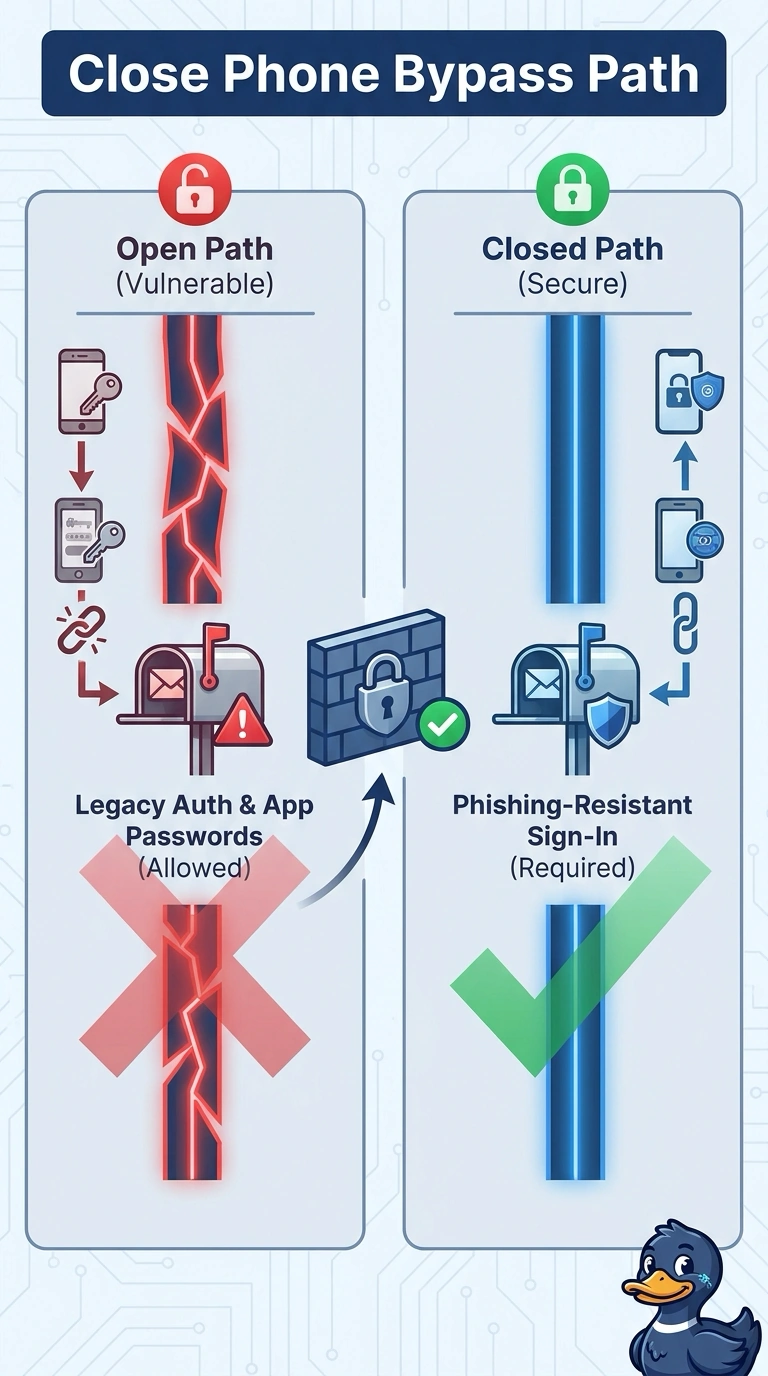
You’ve secured the browser, but the desk phone’s side door is still open. Disable legacy authentication and app passwords for the mailbox, then apply a separate phishing-resistant requirement to supported clients; that closes the stored-password bypass. More browser codes, a shorter browser session, or a security question the phone path does not present leaves the bypass open.
Full Explanation
The one-time code protects the browser sign-in, but the desk phone uses legacy authentication and a stored app password that the mailbox still accepts, so the phone never presents that code. Disable legacy authentication and app passwords for the mailbox, and apply a separate phishing-resistant authentication requirement to supported clients. This closes the app-password bypass and requires the stronger method on supported sign-ins. Adding more one-time codes on the browser page the desk-phone client does not use does not affect the phone path, so the stored app password still works. Shortening the browser session while the stored app password still opens the mailbox does not retire that credential or prevent the phone from using it. Asking a security question on a sign-in path the phone client does not present also leaves the app-password path unchanged. Exam caveat: migrate only after approved phones support the strong method. Practical check: confirm that a lab phone using an app password is rejected.