
A grocery distributor reimaged handheld scanners after malware arrived as unsigned firmware on a vendor USB stick, and the dock still installs whatever stick shows up. Which redesign follows from that incident?
Select an answer to reveal the explanation.
Short Explanation
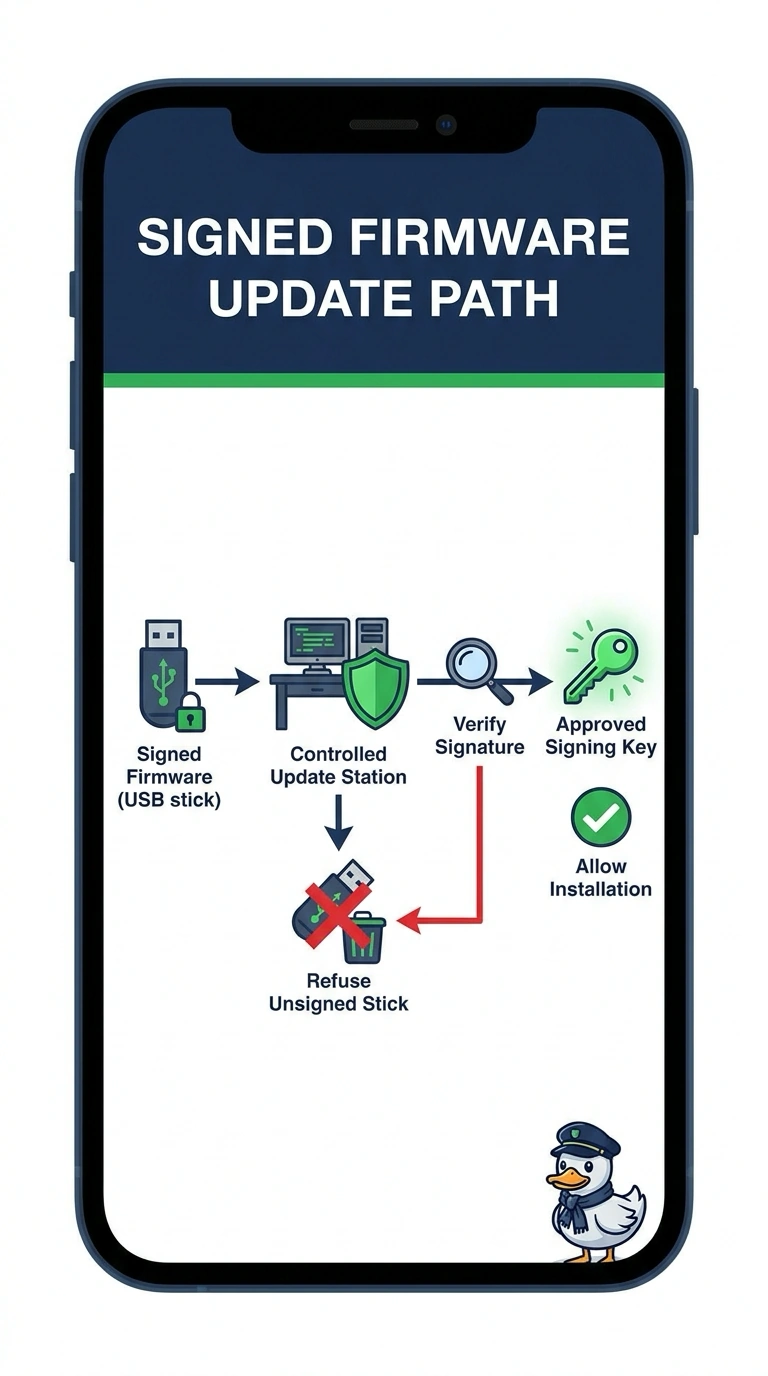
A dock that believes every package will install the next one too. You accept scanner firmware only when a controlled station can verify a signature. Another reimage, lobby wireless, or a longer wall PIN leaves the unsigned stick path in place.
Full Explanation
The scanners trusted any stick the dock would read, which let the malware in. Reimaging removes this copy and leaves that trust in place, so the next mailed stick can repeat the incident. Signed firmware at a controlled station closes it, while guest wireless and a longer PIN do not inspect the image to install. Verify the firmware image’s signature against an approved signing key at the controlled update station before allowing installation is the design that meets this requirement. Another full reimage that leaves the mailed USB update path unchanged later is the wrong fit because reimaging clears this copy of the malware and leaves the next unsigned stick able to load the same way. A lobby guest wireless network the handheld scanners are not placed on is the wrong fit because lobby wireless was not the path that wrote firmware onto the handheld scanners at the dock. A longer shared PIN printed on the warehouse wall beside the time clock is the wrong fit because a longer shared PIN does not check the firmware image a stick is allowed to install on the dock. Exam caveat: Include every dock that can still mount a stick, including the seasonal overflow bench, or one unchecked station keeps the old update path alive. Operational check: Offer an unsigned image and a signed image to a lab dock and confirm only the signed image installs and is recorded in the station update log.