
Ransomware on one teller workstation at a bank starts opening file-sharing ports toward neighboring workstations that have no business need for those ports. Which policy stops that lateral movement?
Select an answer to reveal the explanation.
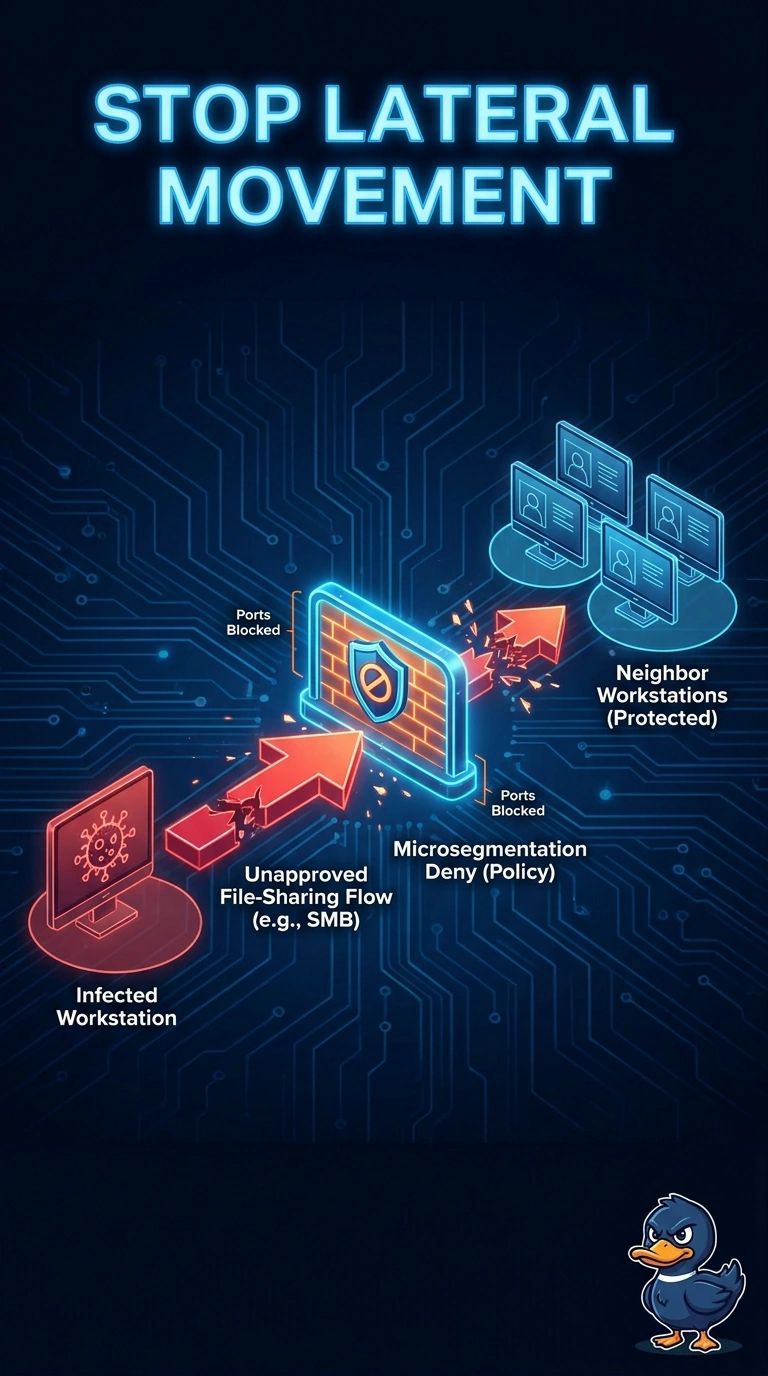
Short Explanation
Lock the side door the intruder is actually using, not a gate on a different street. You deny that unapproved file-sharing flow with microsegmentation so the infected workstation cannot reach its neighbors. A report that changes nothing, or an any-to-any allow, leaves the path open.
Full Explanation
Microsegmentation names the consumer, the provider, and the port, and enforcement mode drops what the policy denies. A microsegmentation deny of the unapproved file-sharing flow stops the infected workstation from reaching its neighbors on those ports, which is the lateral movement in front of the bank. A gateway access list on a different subnet does not see same-subnet frames between those neighbors, so it cannot be dropping this file sharing already. A written report of the behavior with no change to the allowed flows documents the ransomware and leaves the ports open. A critical incident is a reason to tighten or quarantine the workload, not a reason to stop at a report. An any-to-any allow inside the workstation scope keeps every port available, which is the opposite of constraining the consumer, the provider, and the port. Exam caveat: discover the flows the teller applications actually need before a broad deny, or the same enforcement that stops file sharing can cut a legitimate dependency. Operational check: confirm the workload policy denies the file-sharing ports between neighboring workstations and that a test connection on those ports is dropped while the approved application port still succeeds.