
An allowed private portal serves a supported installer with no known reputation or antivirus verdict. Which feature can analyze its behavior in a sandbox?
Select an answer to reveal the explanation.
Short Explanation
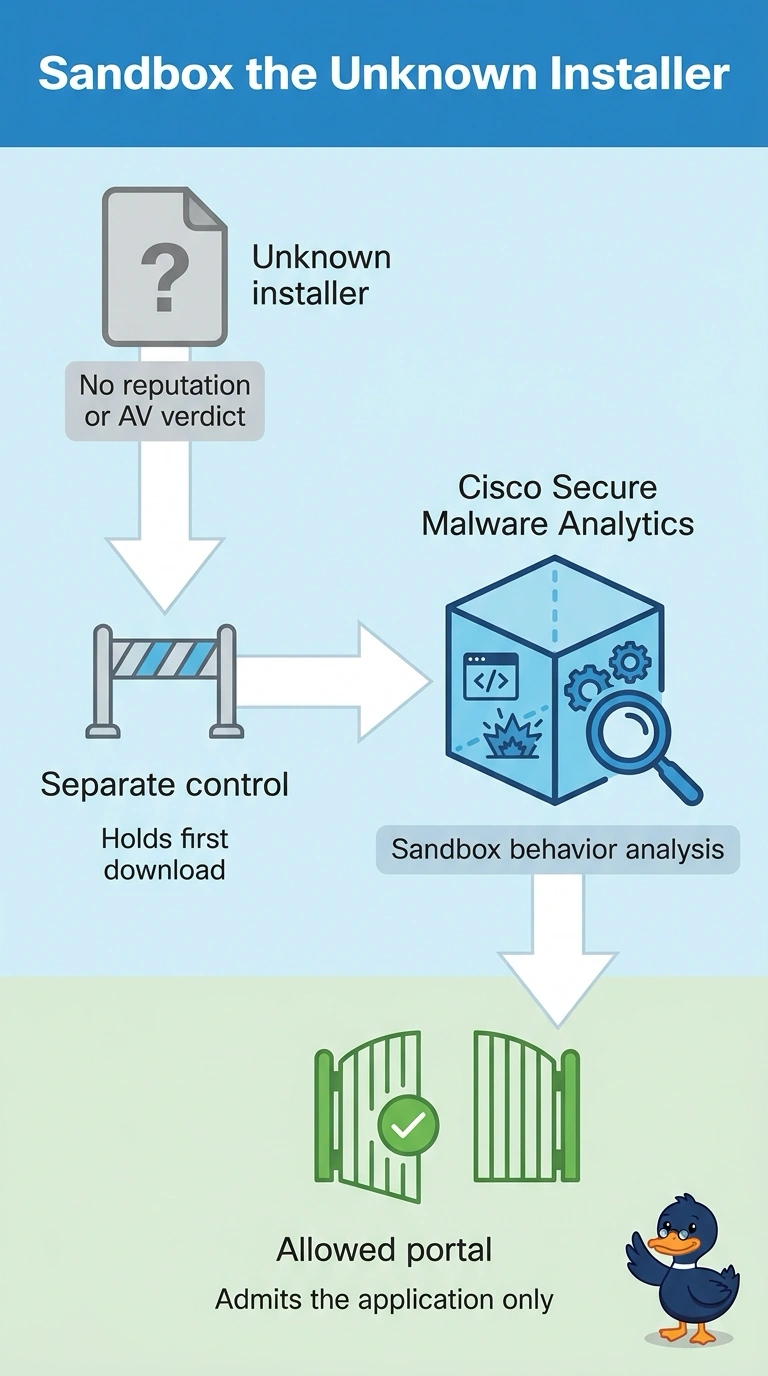
You would not judge a sealed lunch just because the cafeteria itself is approved. Allowing the portal lets the technician reach it, and Cisco Secure Malware Analytics is what analyzes the installer's behavior in a sandbox. Use a separate control if users must be prevented from opening the first download before a safe verdict is available.
Full Explanation
Cisco Secure Malware Analytics analyzes the behavior of an unknown file in a sandbox. That is the feature that matches a supported installer with no known reputation or antivirus verdict. An intrusion-prevention signature check looks for a known exploit in the session and does not detonate the unknown installer, so a new file with no matching exploit signature can still pass that control. A data-loss prevention content match looks for sensitive drawings or secrets and does not detonate the file, so it answers a data question rather than a malware question. An allow decision on the portal name admits the application and does not inspect the installer itself. An allow from private access is not a malware verdict. Exam caveat: intrusion prevention, data-loss prevention, and malware analysis are separate gates, and passing one does not imply the others ran. Use a separate control if users must be prevented from opening the first download before a safe verdict is available. Operational check: confirm the installer was submitted for analysis and review the sandbox verdict.