
A 400-person law firm is moving associates' personal phones and laptops off the open guest WLAN. The devices sit outside the corporate domain, IT refuses to walk users through manual certificate steps, and every onboarded device must later authenticate to the corporate SSID with a certificate ISE issues. Which BYOD onboarding design meets those requirements?
Select an answer to reveal the explanation.
Short Explanation
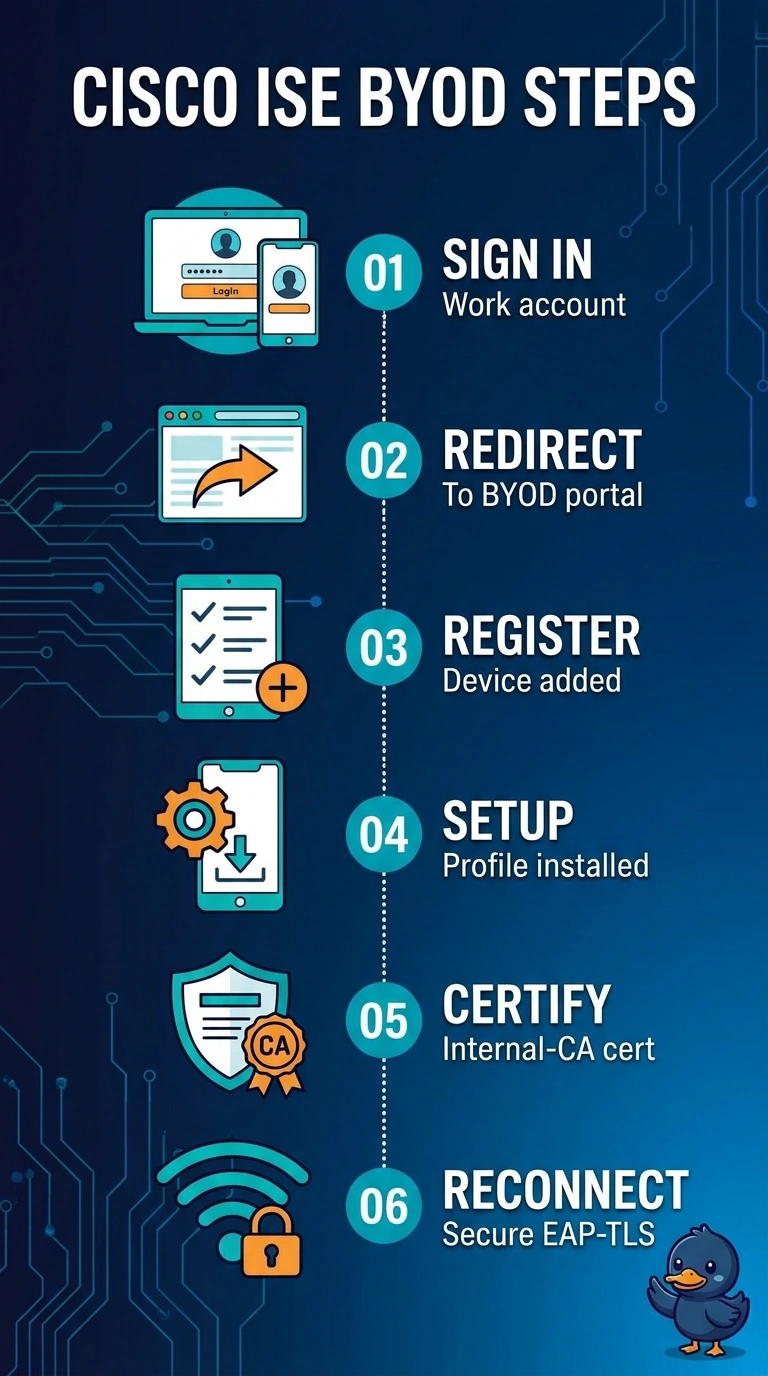
Send users from the guest WLAN to the BYOD portal, where they log in with work credentials and the wizard configures the supplicant and installs an internal-CA certificate. It’s like a guided setup lane: your device leaves ready to authenticate to the corporate SSID with the certificate ISE issued—no manual certificate steps needed.
Full Explanation
The BYOD portal is the appropriate design because it can automate enrollment for personal devices outside the corporate domain, provision the supplicant profile, and issue the certificate through ISE’s internal CA. The MDM approach can automate delivery to personal devices and support certificate-based Wi-Fi, but a certificate issued by a separate PKI does not meet the requirement that ISE issue the certificate; having a trusted certificate alone is not equivalent to using ISE’s specified issuance workflow. The portal-based approach that leaves supplicant configuration to users still requires manual device setup, contrary to IT’s refusal to guide users through those steps, even though certificate enrollment is automated. Restricting portal enrollment to domain-joined devices excludes the associates’ personal devices, which are explicitly outside the corporate domain, so the design does not onboard the intended population. Exam caveat: distinguish certificate issuance from certificate authentication—the network may accept certificates from several authorities, but that does not satisfy a requirement naming the issuing system. Practical check: test enrollment on representative personal iOS, Android, Windows, and macOS devices, then verify that ISE issued the installed certificate and that the provisioned profile authenticates to the corporate SSID without manual configuration.