
A bank lets staff keep personal laptops registered through the ISE My Devices portal, and only registered endpoints may reach the finance VLAN. One analyst is retiring her laptop today, her company tablet must keep finance access for another month, and IT's inventory must show the laptop as unregistered. Which BYOD action delivers the right revocation scope?
Select an answer to reveal the explanation.
Short Explanation
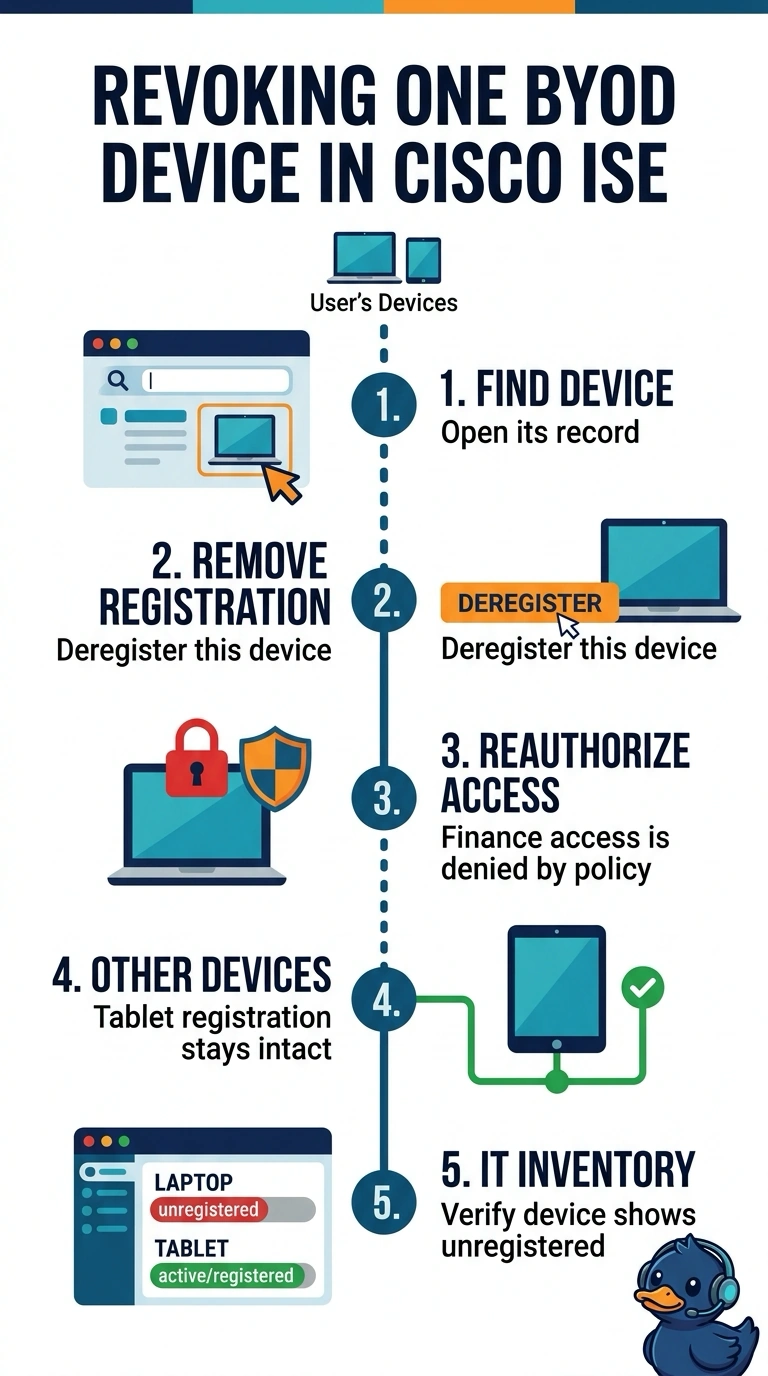
Remove just the laptop from your registered devices in ISE, so its finance access ends while your tablet stays registered. It’s like returning one library card without cancelling the whole family’s account; then verify that the laptop shows as unregistered in ISE.
Full Explanation
Removing only the retiring laptop from the user's registered devices in ISE applies revocation at the required scope: that laptop loses the registration needed for finance access, the tablet remains registered, and the inventory no longer shows the laptop as registered. A quarantine rule is a common way to restrict a device's network access while preserving its record for investigation or recovery, but it changes access policy rather than registration status; the laptop would still appear registered in My Devices. Revoking the laptop's certificate can prevent certificate-based authentication and is appropriate when that credential is compromised or retired, but it likewise leaves the My Devices registration in place, so the inventory requirement is unmet. Clearing all of the user's registrations and then re-enrolling the tablet can ultimately leave only the laptop unregistered, but it interrupts the tablet's required finance access during the change. Exam caveat: blocking network access and deregistering a BYOD endpoint are separate actions, and one does not necessarily update the other's records. Practical check: after removal, verify in My Devices that the laptop is absent or unregistered, confirm the tablet remains registered, and test the tablet's finance access.