
A hospital wants a single wireless network name for staff and personal devices. Employees with unregistered phones must reach a portal, install the onboarding profile, then connect with certificate-based authentication without joining a second network. Which single-SSID BYOD onboarding flow should be configured?
Select an answer to reveal the explanation.
Short Explanation
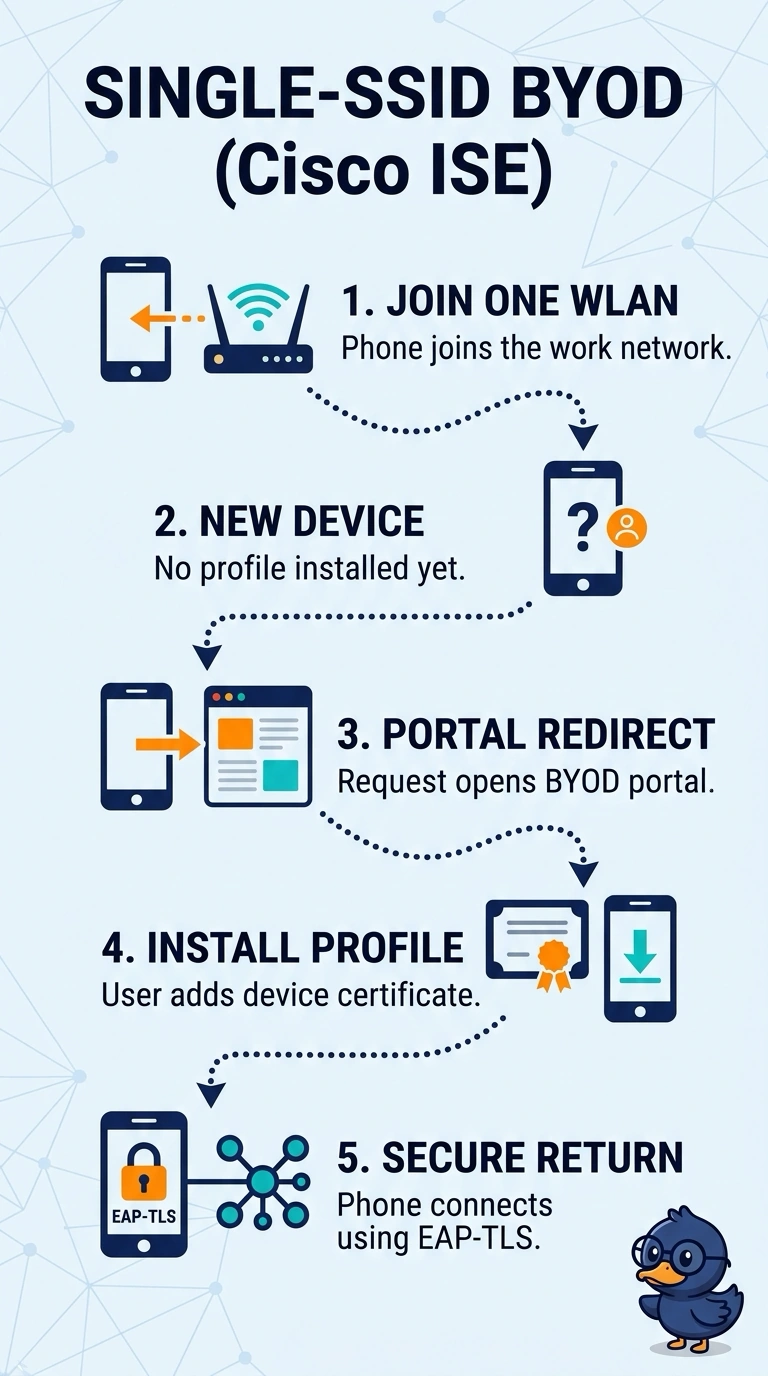
You can keep one WLAN name while still registering personal devices and provisioning their certificates. The single-SSID flow redirects an unregistered phone from the corporate network to the BYOD portal, then uses EAP-TLS for access. Think of it as picking up your badge at the front desk without needing a second entrance.
Full Explanation
The required flow keeps onboarding and normal access on the same corporate SSID: an unregistered device is redirected to the BYOD portal, registered, provisioned with its onboarding profile, and then authenticated using EAP-TLS. The guest-WLAN approach can onboard a personal device before it moves to the corporate SSID, but it requires a second network name and conflicts with the single-SSID requirement. Redirecting the device to the portal but installing PEAP does provide portal onboarding on the corporate SSID; however, PEAP uses password-based authentication rather than the required certificate-based EAP-TLS. Pre-enrolling a personal device in MDM and installing EAP-TLS can enable certificate-based access on the corporate SSID, but it skips portal onboarding for an unregistered device. Exam caveat: a captive portal is an onboarding mechanism, not the subsequent 802.1X authentication method, so distinguish portal access from EAP authentication. Practical check: test with a genuinely unregistered personal device and verify that it reaches the portal on the corporate SSID, receives the EAP-TLS profile, and reconnects with a client certificate without changing SSIDs.