
A retail chain hosts its guest and sponsor portals on ISE and publishes one address, guest.retailco.com, in every store redirect. Guests must see a trusted padlock on arrival, the certificate must chain to the corporate issuing CA, and the sponsor links must resolve to that same address. Which certificate and portal URL setup meets all of these requirements?
Select an answer to reveal the explanation.
Short Explanation
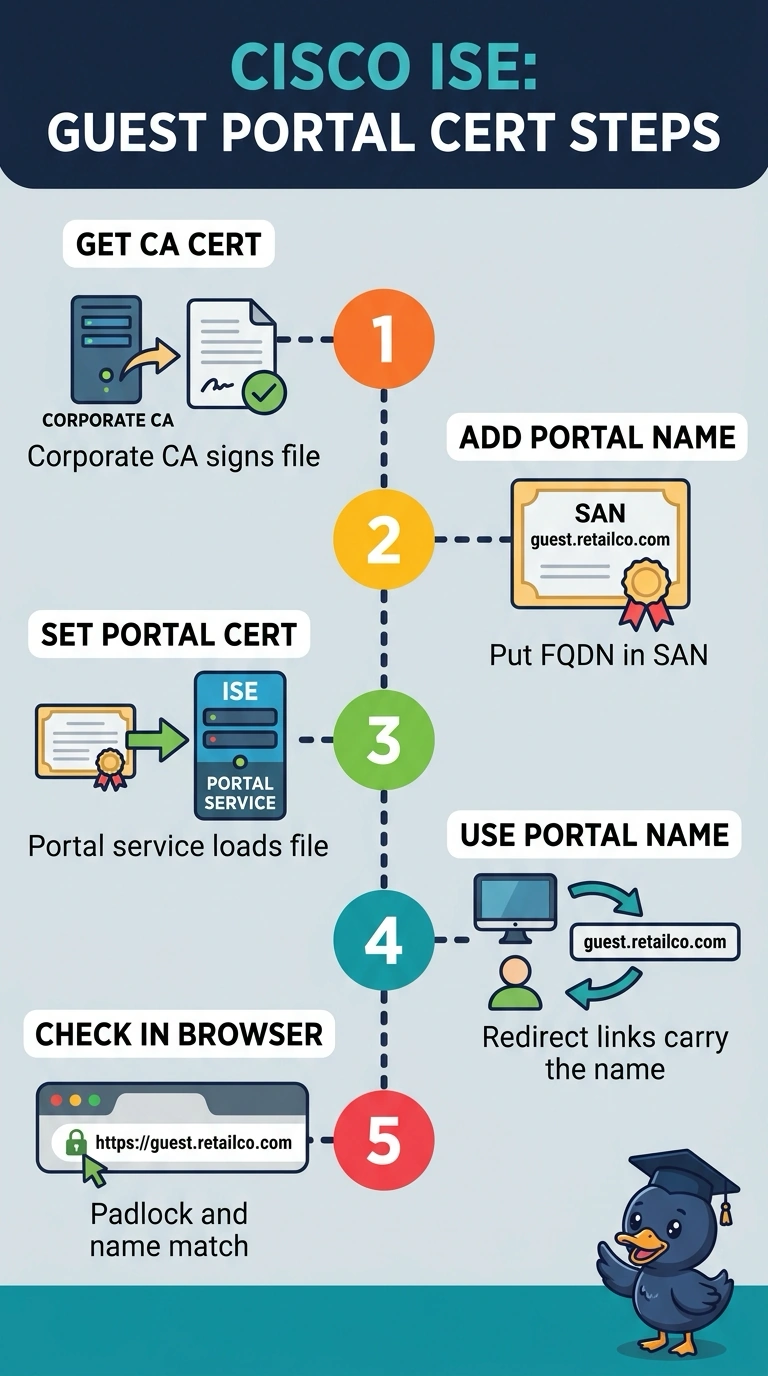
You’ll get the trusted padlock when the portal’s CA-signed certificate includes guest.retailco.com in its SAN and chains to the corporate issuing CA—like a name tag that matches the address you visit. Set the guest and sponsor portal URLs and redirects to use that same FQDN.
Full Explanation
A browser trusts a portal only when the certificate chain reaches a root the client already trusts and the subject alternative name matches the host in the address bar. The corporate-issued certificate must carry guest.retailco.com in its SAN and be assigned for portal use; configure the guest and sponsor portal URLs and redirects to use that FQDN. Keeping the default self-signed portal certificate fails the trust requirement, because a name match does not make an untrusted issuing chain trusted. Redirecting to the node IP address fails the name-matching requirement, since that address does not appear in the SAN even though the chain itself is valid. Binding the imported certificate only to the Admin GUI fails the delivery requirement, because the portal does not serve that certificate. Browsers also need the intermediate certificates in the chain and a certificate that has not expired, so a partial chain or an expired certificate can still produce a warning. Check the portal from a fresh device and confirm the chain and SAN match the expected name.