
A retail chain wants a branded guest portal at guest.northwind.com, opened on personal phones that carry no company profile, showing the company logo and colours without any certificate warning. Which certificate and naming setup should the guest portal use?
Select an answer to reveal the explanation.
Short Explanation
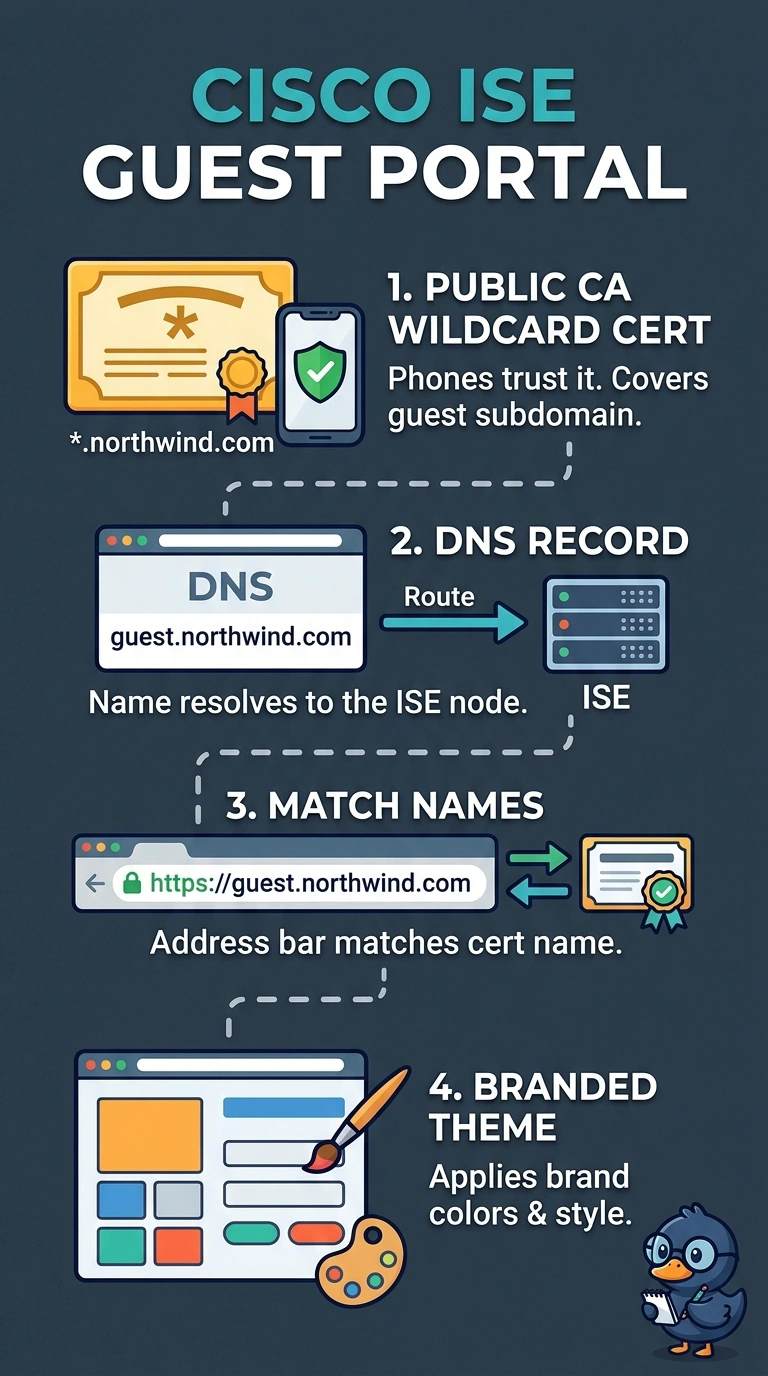
Exactly — personal phones hold no root for your internal CA, so the chain has to come from a public authority. The address bar also has to match a name that resolves to ISE, or the browser won't proceed. Branding is a separate portal theme, which is why the portal certificate and the FQDN need to line up.
Full Explanation
The correct setup uses a public CA wildcard certificate for the guest portal, DNS that resolves guest.northwind.com to the portal, and a branded theme. Personal phones have no company profile, so they cannot be assumed to trust the organization’s internal CA; the internal certificate approach may therefore trigger a certificate warning even though the DNS name and branding are configured correctly. Using the ISE portal hostname with a public certificate and DNS is a conventional deployment, but it does not meet the requested guest.northwind.com address. A certificate can be trusted and branding can be applied, yet guests would still be directed to the wrong portal name. Customizing the template with the company logo while retaining its standard colour palette is also a reasonable portal design choice, but it misses the explicit requirement to show the company’s colours. Exam caveat: a public CA certificate avoids warnings only when the certificate is valid, chains to a CA trusted by the client, and covers the exact hostname guests visit; a wildcard covers only the appropriate subdomain level. Practical check: test the portal from an unmanaged phone, confirm the address bar shows guest.northwind.com with no certificate warning, and verify that both the logo and requested colours appear.