
An employee reports a missing laptop during a security review. The laptop holds a BYOD certificate issued through ISE, and the same user still carries a phone and a tablet that must keep working. The team needs to end the lost laptop's EAP-TLS access while the user's other registered devices continue normally. Which BYOD lifecycle action should the analyst take?
Select an answer to reveal the explanation.
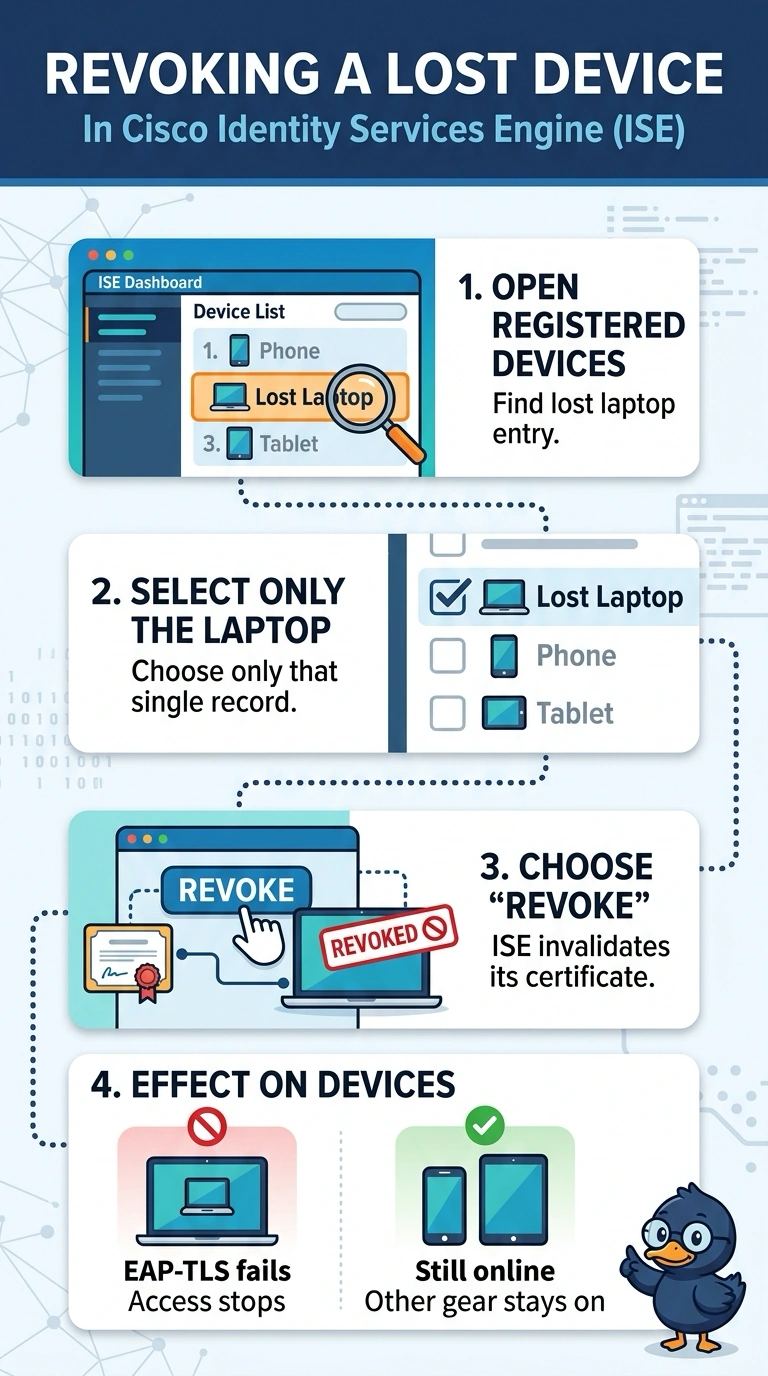
Short Explanation
You can revoke the laptop in ISE’s registered-device list to stop its EAP-TLS access while the phone and tablet keep working. The registered device record ties the certificate to that specific device. MDM lost mode and a queued wipe depend on the laptop checking in, so they may not end access promptly.
Full Explanation
Revoking the lost laptop in ISE’s registered-device list is the targeted BYOD lifecycle action: it invalidates that device’s ISE-issued certificate and stops its EAP-TLS access without changing the phone’s or tablet’s registrations or certificates. MDM lost mode and a queued remote wipe are useful containment measures, but they depend on the laptop checking in; until then, its existing certificate may still authenticate, so this does not reliably end access when required. Revoking the user’s shared EAP-TLS certificate at the CA would also affect the phone and tablet, contrary to the requirement that those devices continue working. Revoking the laptop’s certificate at the CA is a legitimate PKI response, but relying on a scheduled CRL refresh can leave a window in which ISE still accepts the certificate, rather than promptly enforcing revocation through the ISE BYOD lifecycle action. Exam caveat: a device-specific certificate and a shared user certificate have different scopes, so verify which credential is presented for EAP-TLS before revoking anything. Practical check: after revocation, confirm in ISE that the laptop is no longer authorized and its EAP-TLS authentication fails, while the phone and tablet still authenticate successfully.