
A data center FTD VM shows intermittent loss of reachability on its management link, and the Management Center connection keeps dropping, so GUI-driven tools are unreliable during the window. The on-call engineer needs both the current interface state and packet-level evidence captured directly on the appliance before the outage clears. Which device CLI command sequence gives the engineer interface state and live packet evidence?
Select an answer to reveal the explanation.
Short Explanation
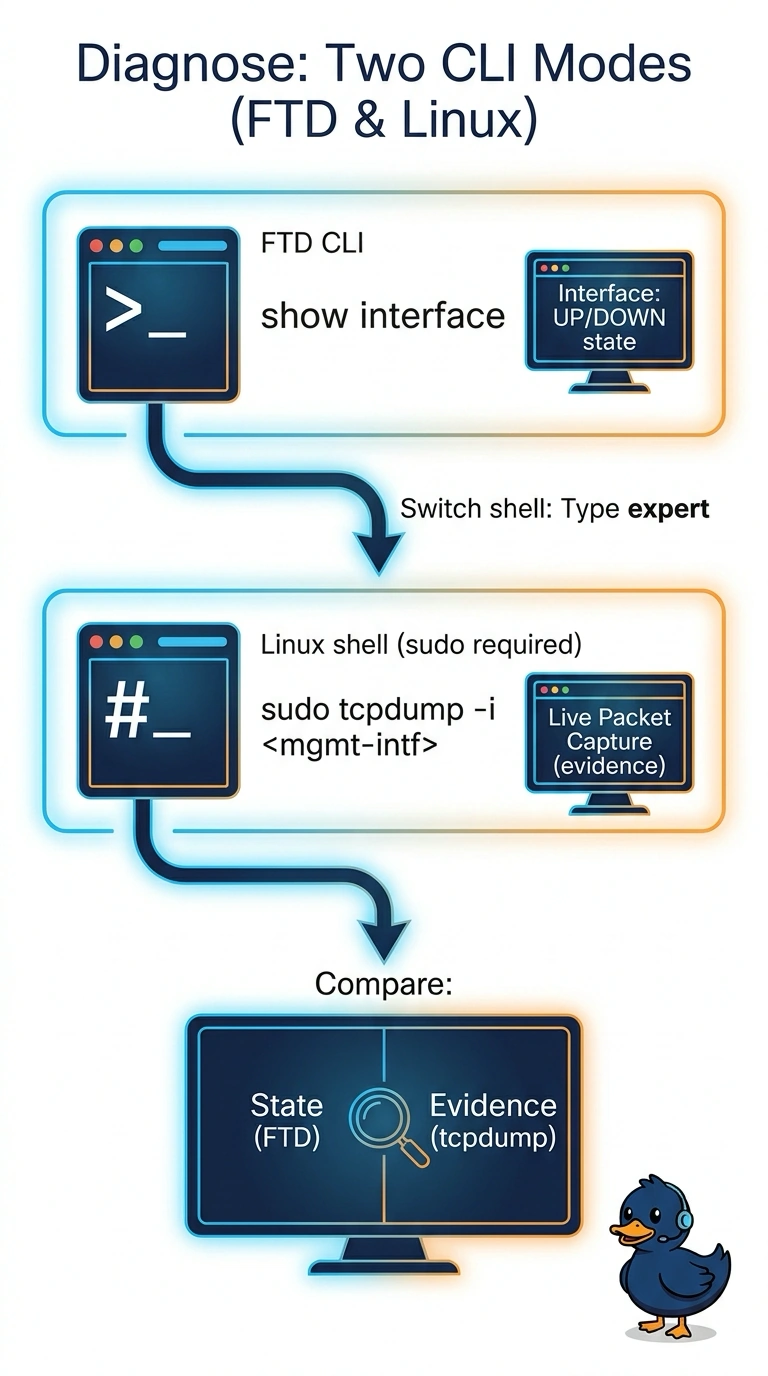
Run show interface in the FTD CLI, then enter expert mode and use sudo tcpdump -i <management-interface>—after confirming the interface’s Linux device name—to capture packets on the appliance. You’ll get a quick health check and a live packet capture, like checking the dashboard and then listening directly to the wires, without relying on the Management Center GUI.
Full Explanation
The FTD CLI's show interface command reports interface information, including operational status. Expert mode provides access to the underlying Linux shell, where tcpdump can capture packets; use the Linux device name corresponding to the management interface and run tcpdump with appropriate privileges, such as with sudo. Repeating show interface gives interface information but not packet-level evidence. show running-config shows configuration rather than current packet flow. The Management Center capture tool depends on the connection that is unstable in this scenario. Commands and interface names can vary by software version and platform, so verify the applicable Cisco documentation for the target device.