
A security team has just deployed a virtual Secure Firewall Management Center on a vSphere cluster and is onboarding appliances that were previously managed by a retired Management Center. One FTD appliance still reports the decommissioned manager, so the Add Device request fails. Which registration step must happen on the device CLI before the appliance can join the new Management Center?
Select an answer to reveal the explanation.
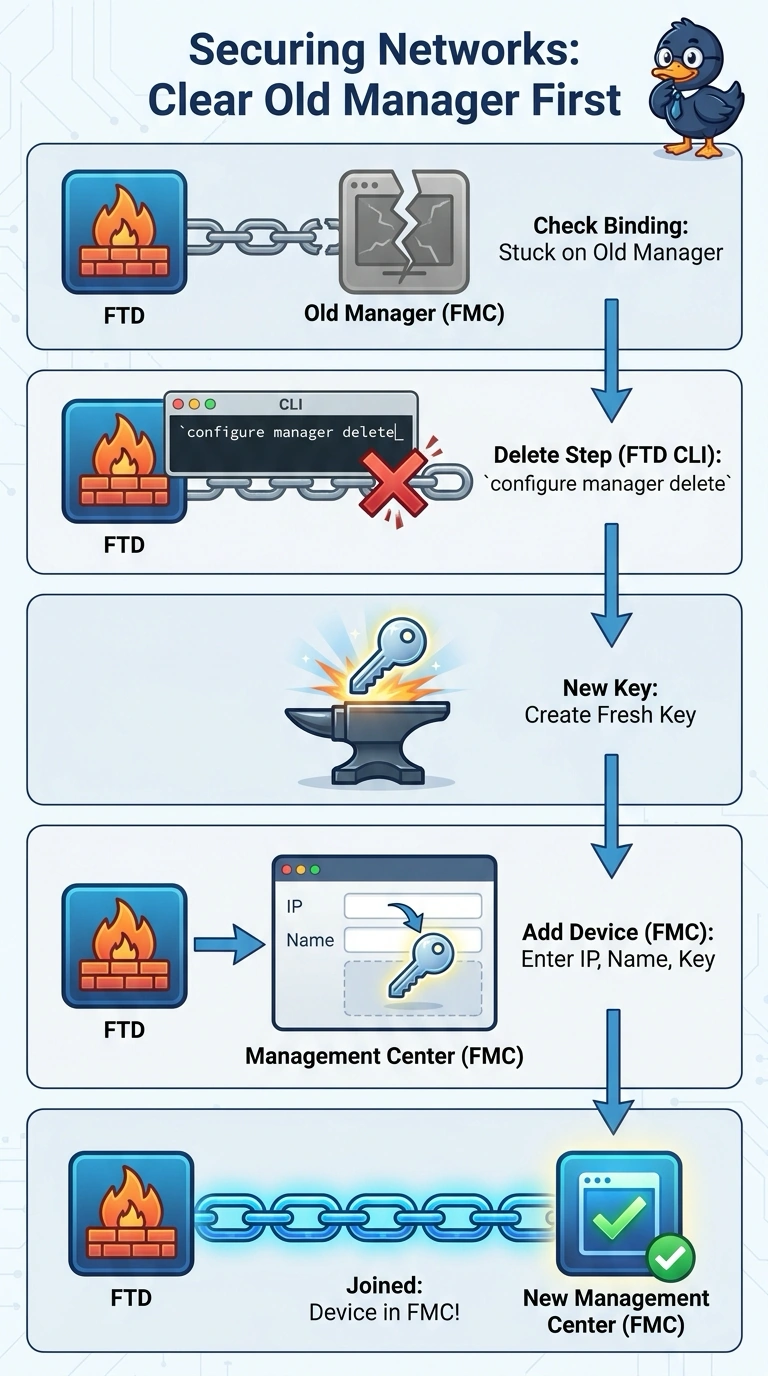
Short Explanation
An appliance that already has a manager won't accept a new one until the old link is broken, much like a phone that pairs with only one account at a time. You clear the previous binding on the device CLI, then the fresh registration key from the Management Center completes the join. Skipping that cleanup is exactly what makes the Add Device request fail.
Full Explanation
The FTD retains its manager association locally, so deleting the retired manager with configure manager delete is the required first step. After that, generate or use a new registration key on the new Management Center and register the appliance there. Removing the appliance from the retired center’s inventory is a reasonable cleanup step when that center is available, but it does not clear the manager association stored on the FTD; using the old key also fails the requirement to register with a new key. Running configure manager add directly is a normal way to initiate management on an unassociated device, but it does not automatically replace an existing manager association. The FTD must first forget that association, so the add command alone does not resolve this failure. Restoring the retired center and unregistering the appliance there can help with a planned migration, but it depends on bringing back a center that has already been decommissioned; it does not perform the required local CLI deletion in this scenario. Exam caveat: command behavior and registration workflow can vary by FTD release, so confirm syntax for the installed version. Practical check: before retrying onboarding, use the device’s manager-status command to verify that no old manager remains, then confirm successful registration in the new Management Center.