
Before a maintenance window, a bank's engineer must identify hosts in 10.44.8.0/24 that FMC detects as running Windows Server 2016 and verify the services and applications FMC detects for each host. FMC has monitored the segment for months. Which FMC analysis workflow should the engineer use?
Select an answer to reveal the explanation.
Short Explanation
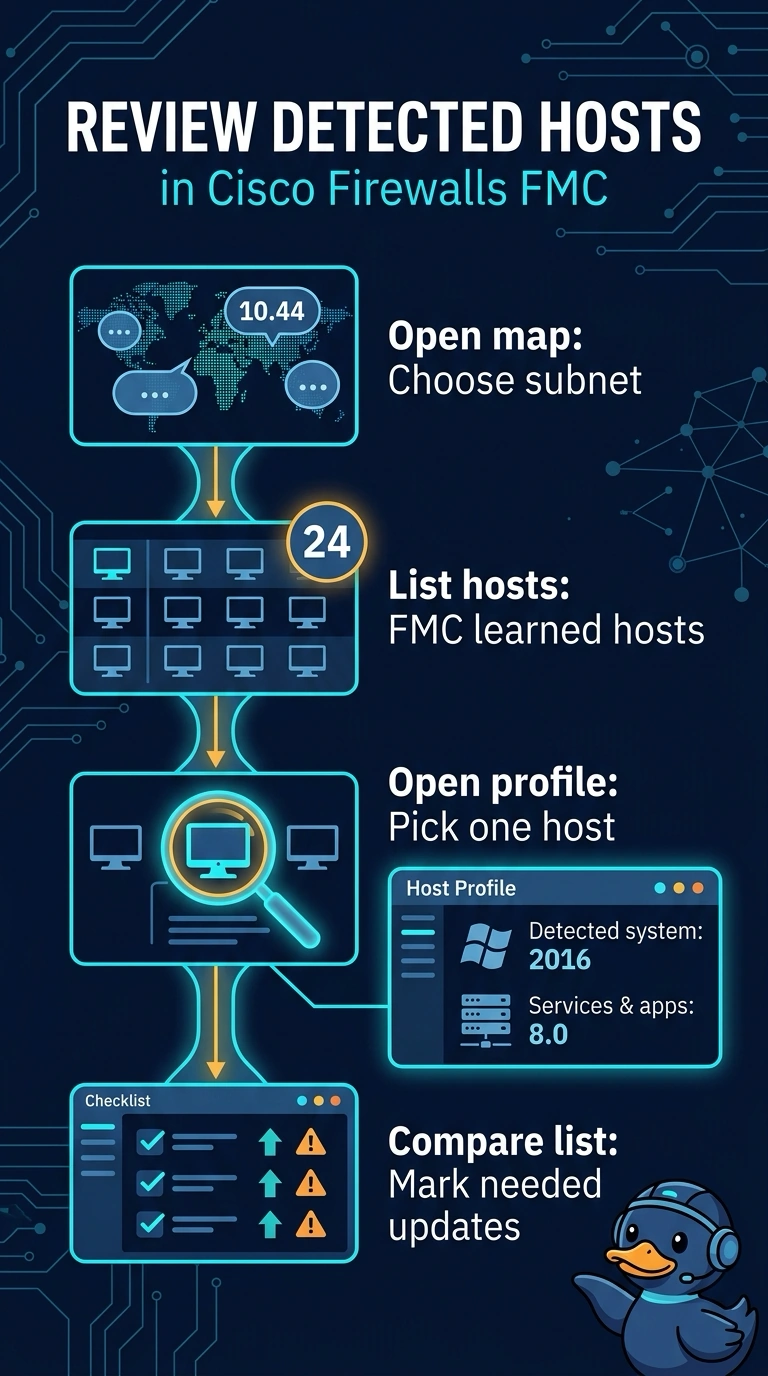
You need a list of hosts plus details about what FMC detects each one running; event timelines only provide observations over time. The network map lets you inspect hosts in the subnet, and each host profile shows detected operating system, services, and applications. Each host profile works like that machine's ID card, based on traffic FMC observed.
Full Explanation
The network map lets you inspect hosts FMC has learned about from monitored traffic, and each entry can be opened as a host profile. The profile shows detected host information, including the operating system, observed services, and identified applications. Scoping the map to your subnet gives you candidate hosts; comparing their profiles lets you identify those FMC detects as running Windows Server 2016 and review the services and applications FMC detects for them. These are detections based on observed traffic, not confirmation of every installed or currently running component. The discovery events view shows when hosts and services were observed, rather than providing the same per-host profile. Intrusion events measure signature activity, not installed software. Connection events show observed traffic, but inferring an operating system or all running services and applications from that traffic is unreliable. On the exam, a question about detected host details points to host profiles, while a question about when something appeared points to discovery events. Practically, compare a profile's detected operating system with a known server before relying on the results.