
A retailer is moving checkout workloads into AWS while keeping a private data center on VMware. Security mandates a single Secure Firewall Management Center (FMC) console, inspection inside each environment, and management traffic carried on private connectivity. Which deployment model satisfies all three requirements?
Select an answer to reveal the explanation.
Short Explanation
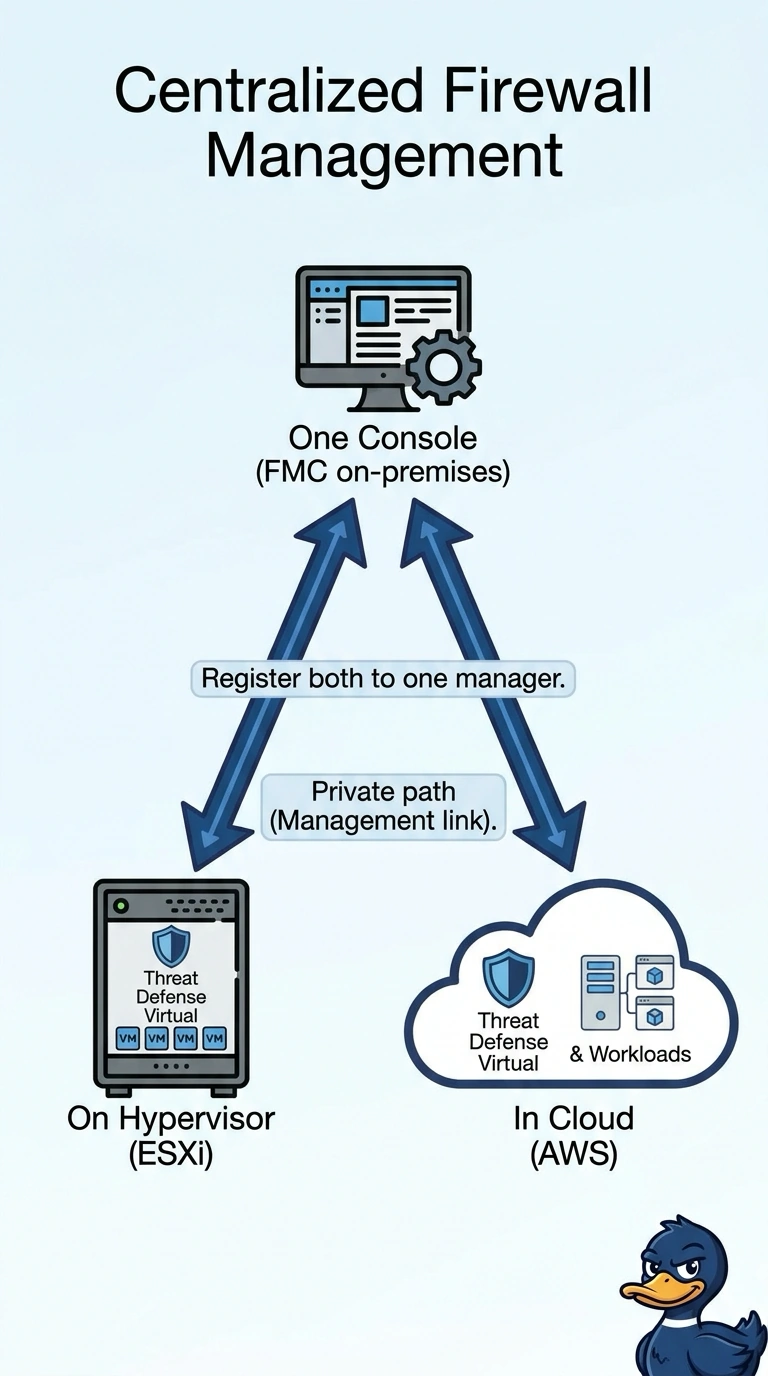
You can run Threat Defense Virtual on VMware ESXi and AWS, then register both instances with your on-premises FMC for one console—like managing two sites from the same control room. Make sure FMC management traffic uses private connectivity; registration alone doesn’t secure its route.
Full Explanation
The deployment with a Threat Defense Virtual instance in each environment and both instances registered to the on-premises FMC meets all three requirements: each environment can inspect traffic locally, both devices share one management console, and FMC management traffic uses private connectivity. The design with separate FMCs for the ESXi and AWS instances provides local inspection and private management paths, but it does not provide the required single console. The design with one on-premises Threat Defense appliance inspecting VMware and VPC traffic routed to it over VPN can centralize inspection and keep management on a private link, but traffic is not inspected inside each environment. The design with Threat Defense Virtual in both environments and one on-premises FMC preserves local inspection and a single console, but encrypted management connections across the public internet do not meet the private-connectivity requirement. Exam caveat: centralized management and traffic inspection are separate design decisions; using one FMC does not mean traffic must traverse the FMC’s location. Practical check: confirm both devices’ management interfaces can reach the FMC over the intended private path, and verify production traffic is directed through the local firewall in each environment.