
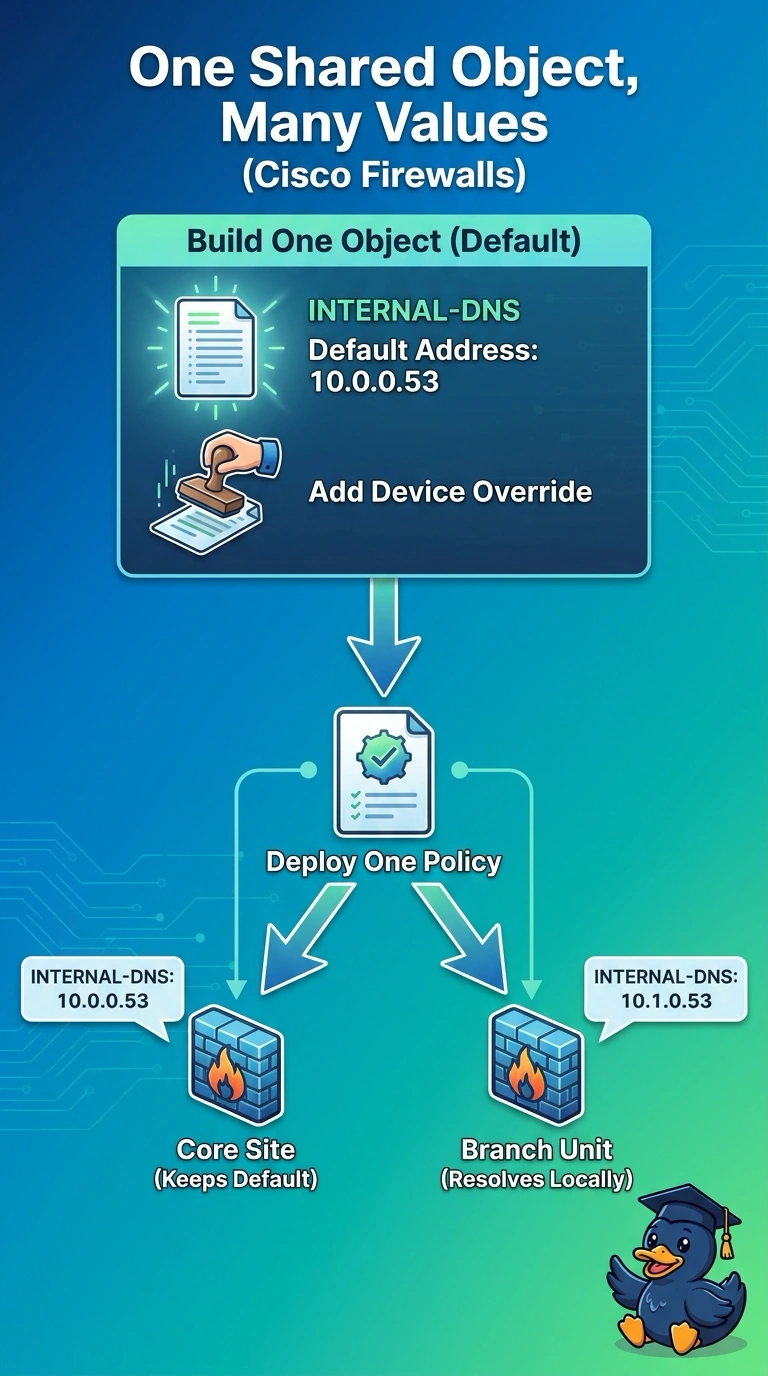
A company runs one shared access control policy across twelve FTD devices, and the object INTERNAL-DNS must resolve to 10.0.0.53 on branch units but 10.1.0.53 at headquarters. Which object setup keeps the policy shared while giving each device the right address?
Select an answer to reveal the explanation.
Short Explanation
Nice catch — this is the classic one-name-many-addresses problem. An object override keeps a single named object in your shared policy while each device swaps in its own value at deploy time. It's like one label that each branch rewrites to its own room number.
Full Explanation
A device-specific object override lets the company define INTERNAL-DNS once in the shared policy while supplying a different value for each FTD. The policy can therefore remain common across all twelve devices, yet the object resolves to 10.0.0.53 on branch units and 10.1.0.53 at headquarters. Maintaining separate branch and headquarters policies with their own objects is a conventional way to express different addresses, but it duplicates the policy and no longer meets the requirement to share one policy across the fleet. Grouping two host objects in the shared rule is also a valid way to reference multiple endpoints, but the group contains both addresses; it does not select the appropriate member based on which device receives the policy. Per-device static NAT rules can translate traffic to local DNS servers, but that changes packet addressing rather than giving the shared access-control object the required device-specific value; it also introduces translation behavior that the scenario does not ask for. Exam caveat: object overrides are supported only for eligible objects and must be configured for the relevant managed devices, so do not assume every object type can be overridden. Practical check: inspect the deployed object values or generated configuration on one branch unit and the headquarters unit, then verify that the shared rule references INTERNAL-DNS on both.