
At a regional hospital, an imaging workstation at 10.44.8.21 has stopped reaching the DICOM server over TCP 443, and the Management Center shows no matching connection event. You need direct proof of what enters the Threat Defense inside data interface, scoped to that host and service so the capture file stays small enough to send to TAC. Which packet capture configuration will answer the question?
Select an answer to reveal the explanation.
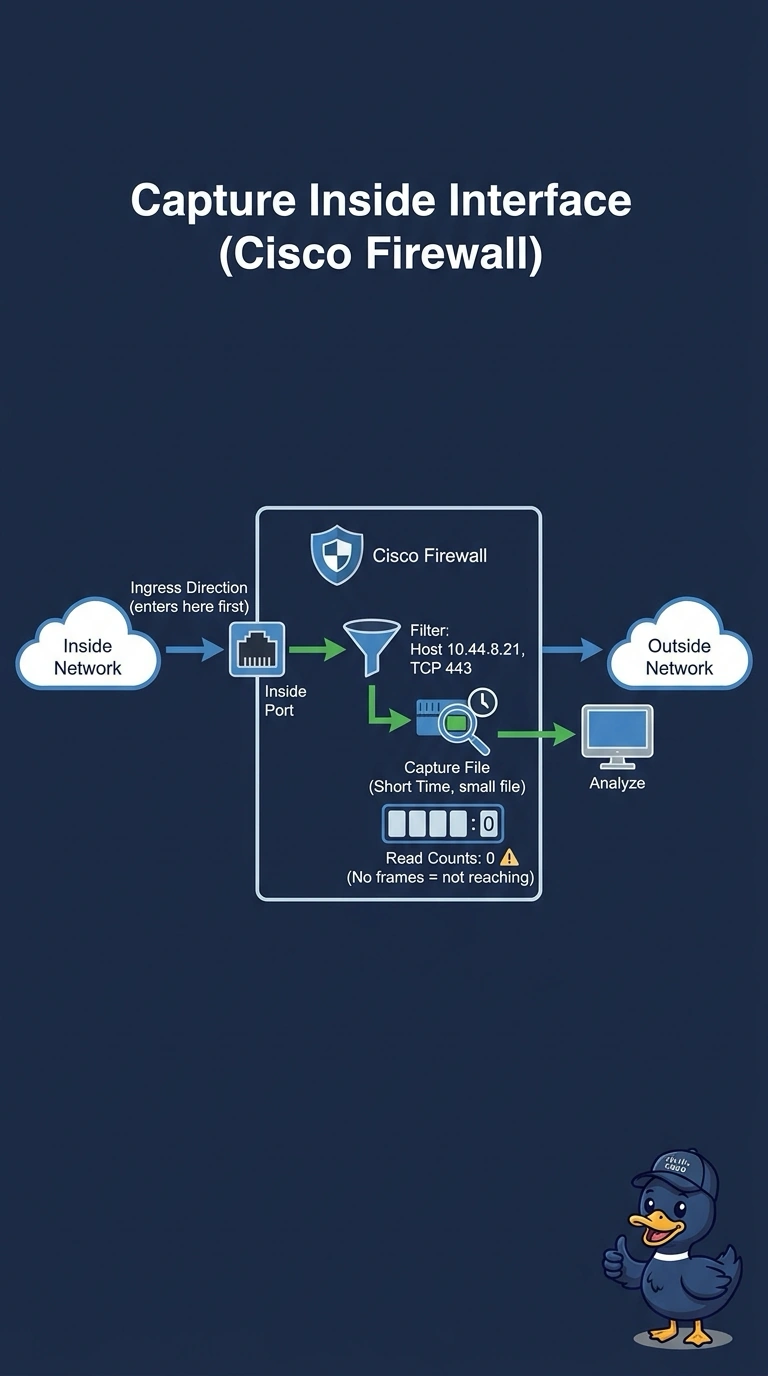
Short Explanation
Your ingress capture on the inside data interface is the first place the workstation's requests should appear on the appliance. Adding a capture filter for that host and TCP 443 keeps the file tiny while still proving whether the packets arrive. If nothing shows up, that suggests the packets are not reaching the capture point, though you should also check the interface and filter configuration.
Full Explanation
A packet capture only proves what actually crosses the point where you sample it, and for a request coming from an internal host that point is the inside data interface receiving the frame, so an ingress capture there shows whether the workstation's packets reach the appliance at all. The capture filter is evaluated before a packet is written to the file, so matching only one host and one TCP port with a short window keeps the output small enough to attach to a support case without hiding the evidence. Capturing on the management interface samples the control path instead, which carries device and management traffic rather than the forwarded flow, so it cannot tell you whether the request arrived on a data interface. Recording everything in both directions and filtering afterwards is a display-filter workflow, and it produces a file that breaks the size requirement even though the packets would be in it. Capturing in the egress direction records what the firewall sends back out, so an empty result would wrongly suggest nothing arrived. On the exam, remember that a capture filter decides what is recorded while a display filter only hides rows afterwards. As a practical check, start the capture, reproduce the request, and confirm the packet count increases before you extend the window.