
During an incident review, an analyst must show the connection, intrusion, file, and malware events tied to one internal host on a single ordered timeline for a chosen time range. The manager wants one search instead of four separate report exports. Which reporting view in Secure Firewall Management Center should the analyst use to build the combined event timeline?
Select an answer to reveal the explanation.
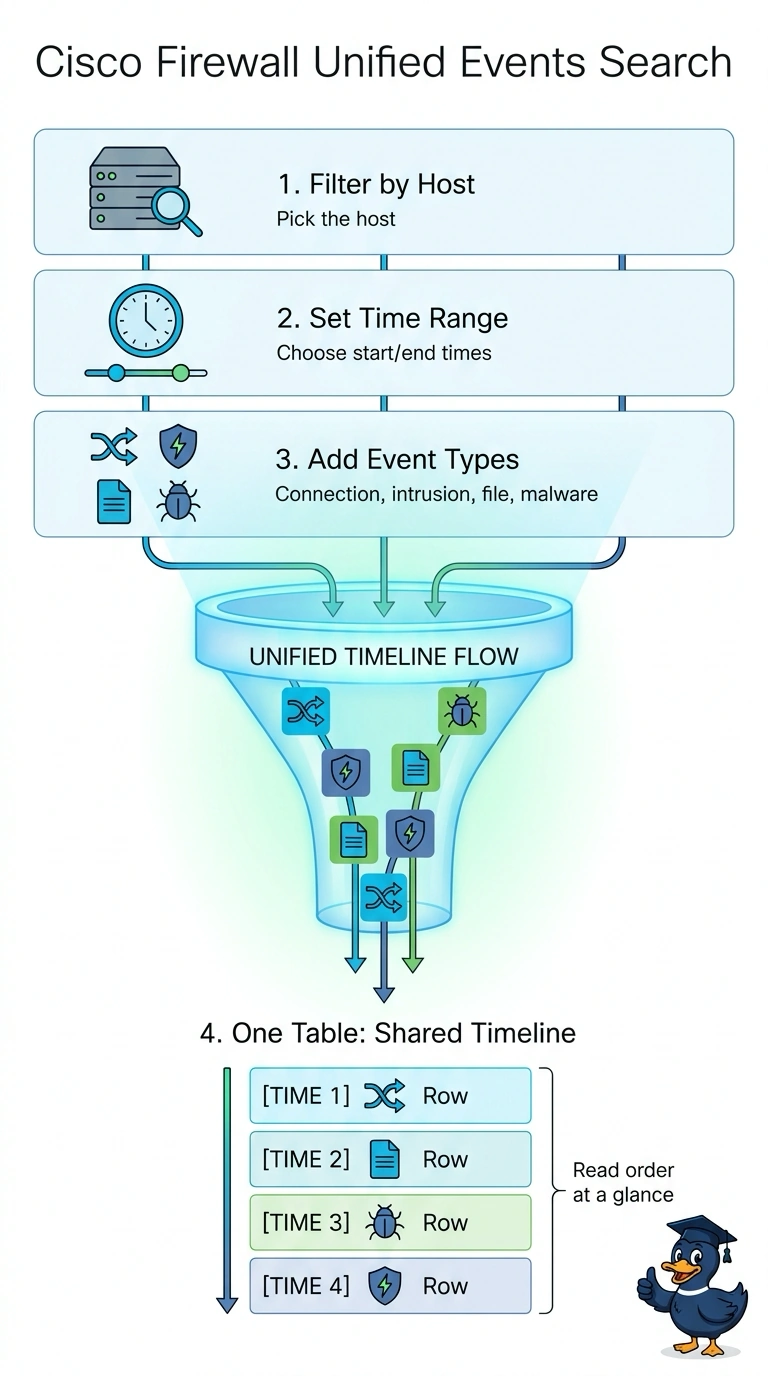
Short Explanation
You want one table where the whole story lines up in order, not four exports you reconcile by hand. The unified events view (Analysis > Unified Events) joins connection, intrusion, file, and malware records for the host you filter on. It's like reading one security camera feed instead of four monitors showing different angles.
Full Explanation
A unified events search is the appropriate reporting view because the Unified Event Viewer shows connection, intrusion, file, and malware events together in one table sorted by time, so filtering on the host and time range gives one chronological sequence without separate exports. Sorting the unified results by event category is a reasonable way to review event classes, but it breaks the required chronological ordering: events are grouped by type rather than shown as one ordered timeline. A timestamp-ordered search that includes only connection, intrusion, and malware records omits file events, so it cannot provide the complete requested picture. Searching the subnet for all four event types preserves the coverage and chronology, but returns activity for multiple assets rather than isolating the one internal host. Exam caveat: discovery (host and user) events are not part of the unified viewer; they are reviewed separately under the Analysis > Hosts menus. Practical check: verify the host filter, the four event types, the time bounds, and the newest-or-oldest-first sort before presenting or exporting the timeline.