
A security engineer is assembling an asset inventory for a segmentation project and needs every internal host seen during the past week, together with its operating system, open ports, and advertised services. The list must come from the FMC rather than from a separate scanning tool. Which FMC view should the engineer use to build this host and service inventory?
Select an answer to reveal the explanation.
Short Explanation
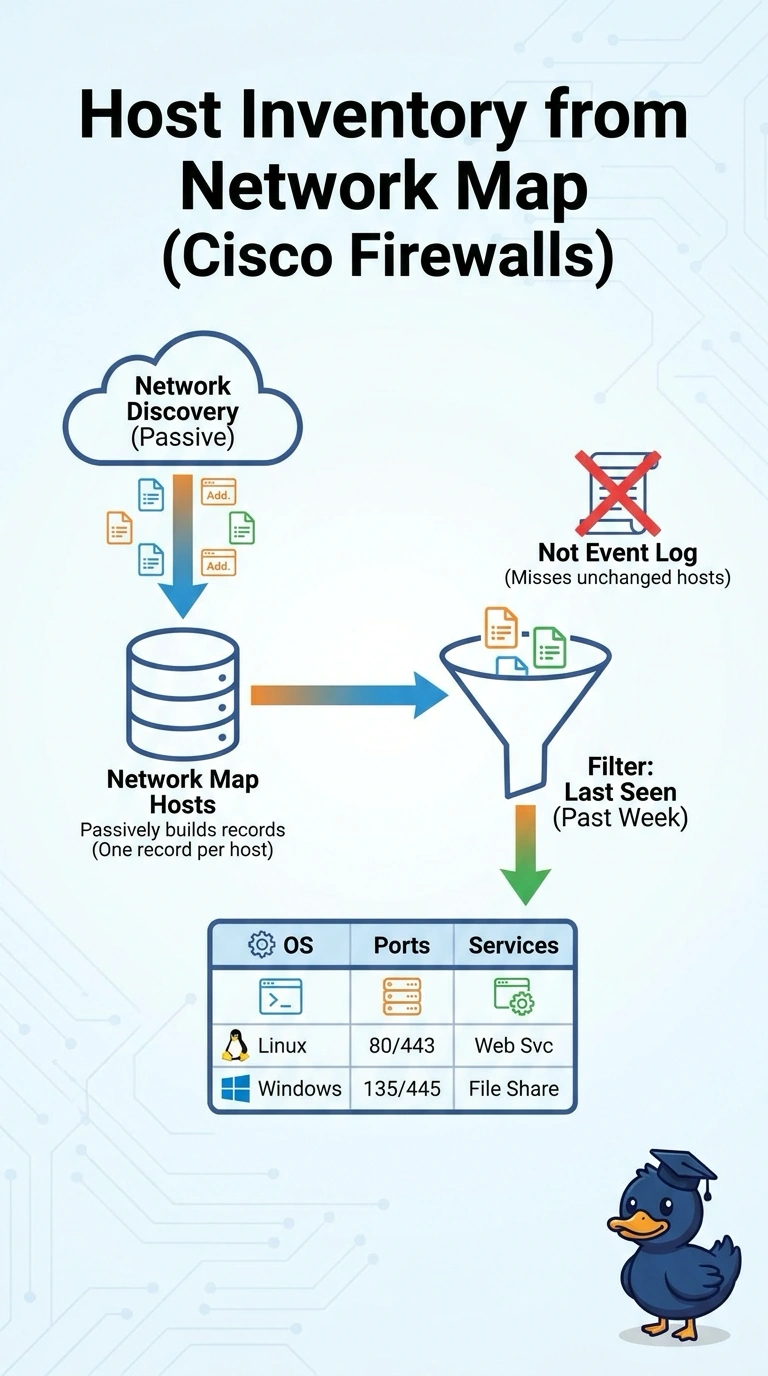
You'll want the network map host inventory (Analysis > Hosts > Network Map), filtered by last-seen time, to list every host FMC observed this past week with its operating system, ports, and services. Discovery events only record changes, so they would miss hosts that were already known.
Full Explanation
The network map's host inventory is the right source because FMC builds one record per discovered host from network discovery, holding the detected operating system, open ports, and application or service data along with a last-seen time. Filtering the host list on that last-seen time to the past week and the internal address space gives a complete, per-host inventory without a separate scanner. Connection events show endpoints, ports, and applications seen in sessions, but they do not identify operating systems. Network discovery events are a change log: FMC writes one when it first sees a host, service, or OS, or when one of them changes, so a host that was discovered earlier and has been unchanged all week produces no event in that window and would be missing from the list. Vulnerability assessment results cover only hosts with matching vulnerabilities, so they cannot establish completeness. Exam caveat: discovery is passive, so a host that sent no traffic may have a thin record, and an application label in connection data describes traffic classification rather than a service the host advertises. Practical check: open the hosts table, filter on last seen within seven days and the internal networks, add the OS and service columns, and export.