
A branch runs Threat Defense in routed mode with two equal-cost static routes through different ISP gateways. Last month the second gateway stopped responding while the local interface stayed up, and the firewall kept sending half the flows into a black hole. Which change keeps traffic on the working paths while both ISP circuits stay in service?
Select an answer to reveal the explanation.
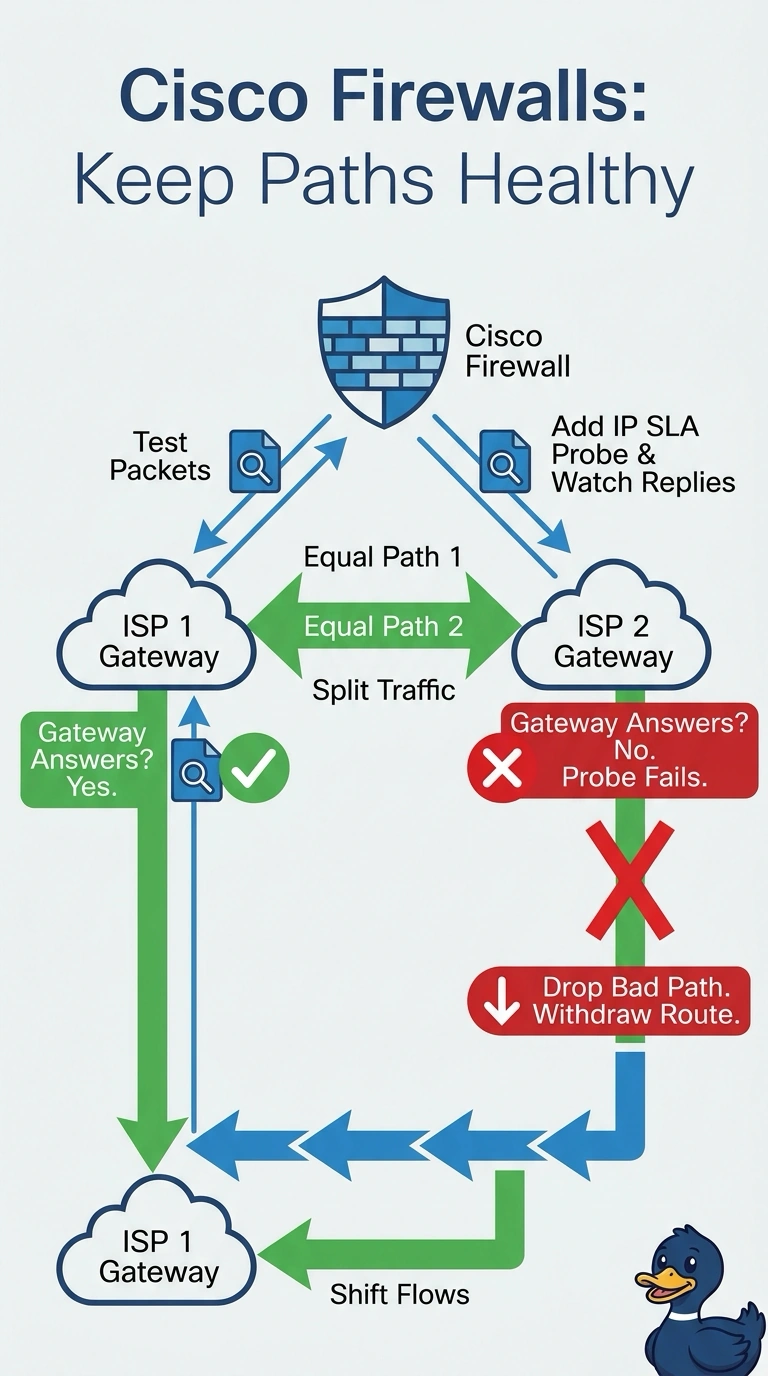
Short Explanation
Your ECMP routes can keep sending flows to a gateway that’s gone quiet, even when its local interface stays up. Use IP SLA probes to check each ISP gateway and withdraw that path’s route when its probe fails—like closing a blocked lane so traffic sticks to the open ones.
Full Explanation
ECMP on Threat Defense installs several equal-cost routes at once and distributes flows across the matching interfaces, but it does not health-check the gateways. If a gateway stops answering while the local link stays up, the route can remain valid and traffic can continue to be sent over the failed path. Route tracking with an IP SLA probe can address this: the probe sends regular packets to each gateway, and when the probe fails according to its configured thresholds, the tracked route is removed from the routing table. The ECMP set then contains the remaining available paths; new flows can use those paths, though existing sessions may be disrupted. Building a failover pair addresses unit or hardware failure rather than next-hop failure, and both units could still point at the same silent gateway. Policy-based routing steering everything to one gateway abandons equal-cost load sharing, so the second circuit sits idle instead of carrying its share. Watching interface link state cannot detect this outage because the interface remains up. Probe targets and thresholds must be chosen carefully to avoid withdrawing healthy paths. A practical check is to stop the probe target and confirm that the tracked route is removed from the routing table.