
A payment processor subscribes to a commercial threat feed delivering command-and-control indicators as STIX objects over TAXII, mostly IPv4 addresses. They want matching inbound connections dropped by Threat Defense each time the feed refreshes, without waiting for a signature update. Which Threat Intelligence Director setup blocks those connections automatically?
Select an answer to reveal the explanation.
Short Explanation
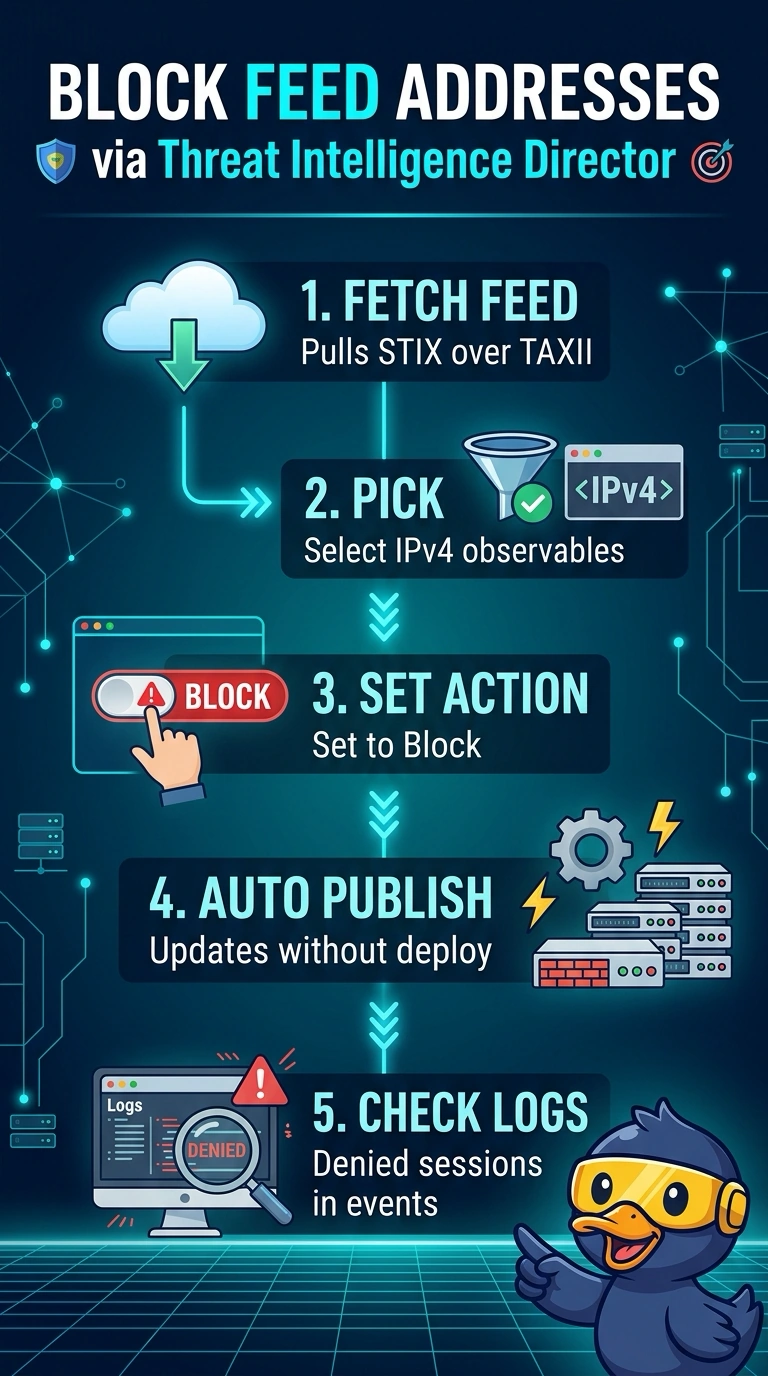
An observable is the concrete value inside a feed, and here it is a single IPv4 address Threat Defense can match in live traffic. Once those observables carry a block action, matching connections are dropped when the updated intelligence is available on the device, the way a bouncer turns away a face on tonight's list. Best of all, you don't redeploy anything.
Full Explanation
Threat Intelligence Director turns raw intelligence into enforcement in three steps: it pulls the STIX objects from the TAXII server on the schedule you set, extracts the observables you allow, and publishes them to the managed device, which matches them against live traffic. Because an IPv4 observable is a single value, the device can act on it directly, and with the action set to block, matching connections are dropped without a Snort signature update or an access control policy redeploy. Setting the same observables to monitor satisfies a review-first habit but lets the malicious traffic pass, so it drops the enforcement requirement. Keeping only domain observables answers a different question, because DNS matching sees outbound lookups rather than inbound connections from a known address. A Security Intelligence network list does block IP addresses, but it consumes flat lists rather than STIX/TAXII objects, so the list ages the moment the vendor publishes a refresh. Caveat: block is set on individual observables or simple indicators rather than on a complex multi-observable pattern, and publishing to devices is never instant. Practical check: after the first refresh, open a TID incident for a test address, then generate a session to it and confirm the connection event shows the drop.