
An engineer protecting a data center adds a rule that drops traffic from a compromised server to a known command-and-control range, but a higher rule allows the entire server subnet to any destination and matches first. Unmatched data-center traffic must still be dropped by the policy default. Which access control policy change produces both behaviors?
Select an answer to reveal the explanation.
Short Explanation
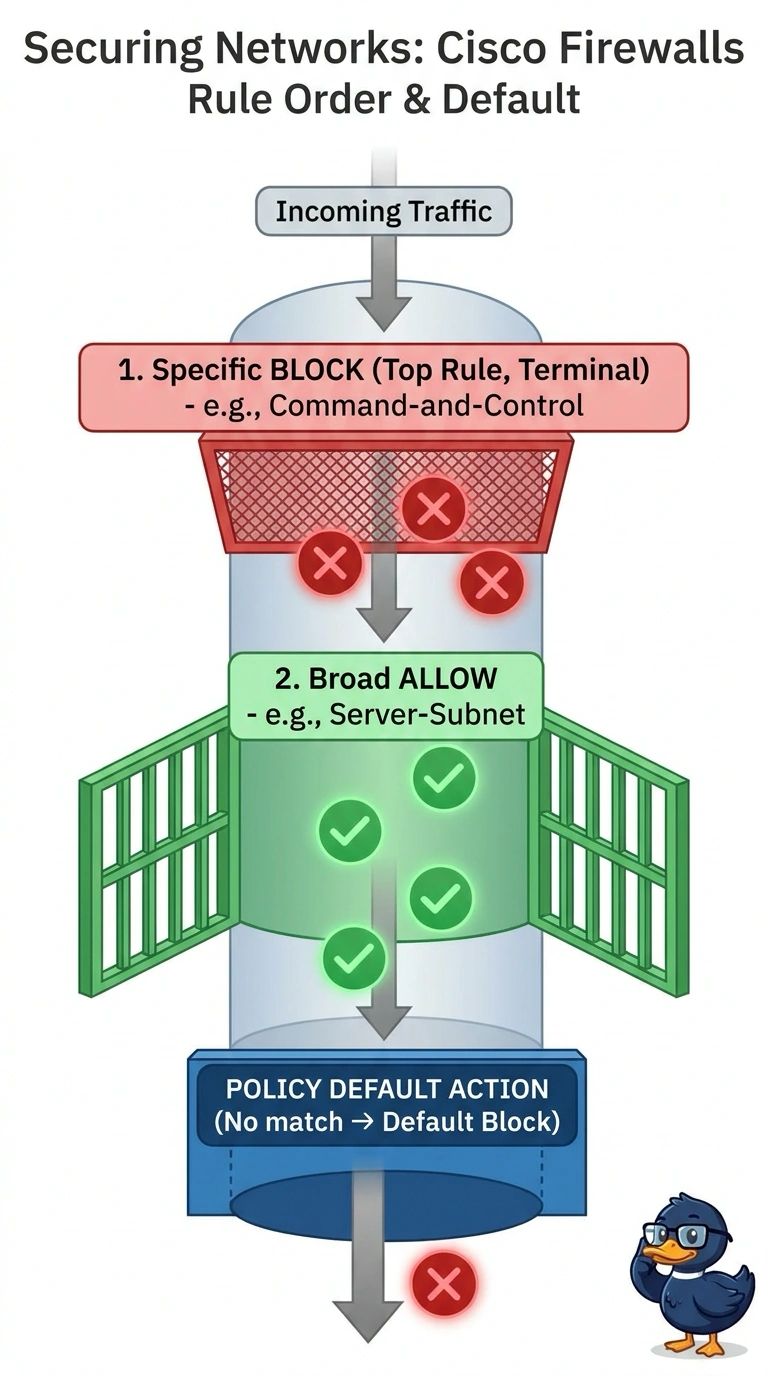
You need to move the command-and-control block above the broad subnet allow, because the first matching rule wins—like the first gatekeeper deciding where traffic can go. Keep the policy’s default action set to Block so any unmatched traffic is dropped.
Full Explanation
Access control rules are evaluated from the top of the list downward. When traffic matches a terminal rule, such as Block or Allow, processing stops, so a rule's position decides whether that rule handles the traffic. Placing the command-and-control Block rule above the broad server-subnet Allow means the specific match happens first and the session is blocked before the wide Allow can claim it. A Monitor rule is an exception: it logs matching traffic and evaluation continues to subsequent rules. The default action is separate; it governs traffic that matches no rule at all, so leaving it on Block ensures that unclaimed traffic is dropped. Keeping the current order fails because the broad Allow already matches the compromised server's flows, so the buried Block rule never executes. Changing the default to Allow passes traffic that no rule claims, contrary to the requirement. Setting the rule to Monitor does not block the command-and-control traffic; evaluation continues and the broad Allow can permit it. Rule position matters within the policy being evaluated. After deployment, check connection events to confirm the Block rule is logging the expected drops.