
A healthcare firm runs FTD at the perimeter and Secure Endpoint on 800 Windows laptops. Analysts need to see, from the Management Center, when a file the firewall judged malicious later shows up on a laptop, and to follow that file's journey across the network. Which integration provides both?
Select an answer to reveal the explanation.
Short Explanation
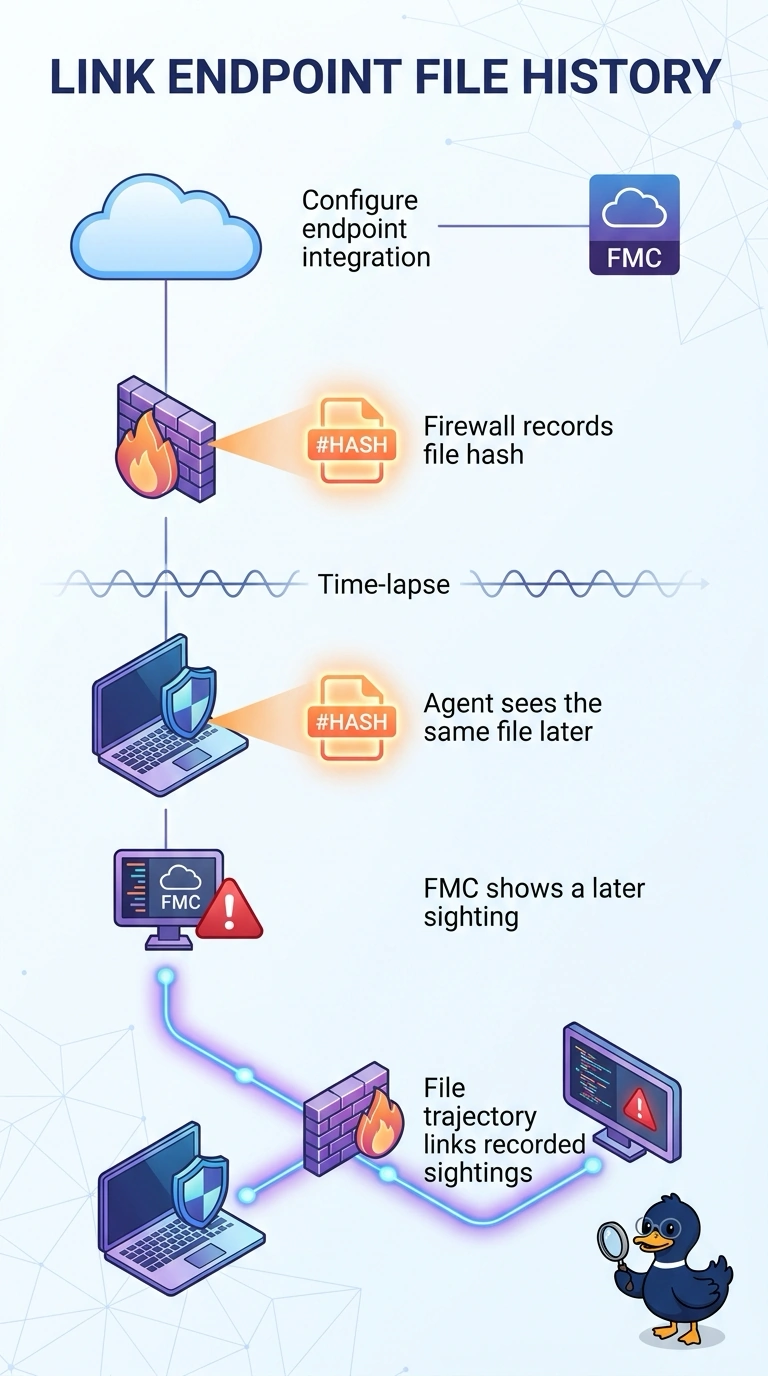
Retrospective sightings start on the endpoint, so the Secure Endpoint integration is what carries them into FMC. It's like a checkout desk that later warns you the borrowed item came back damaged, not just a stamp at the front door.
Full Explanation
File trajectory in the Management Center combines two evidence streams: file events the firewall raises as files cross the network, and endpoint history that Secure Endpoint reports when the same file is found on a managed host. Configuring the Secure Endpoint integration opens the second stream, because that channel carries retrospective information about a file judged malicious earlier that has surfaced on a device. Without that connection, FMC cannot show those endpoint sightings. Enabling Secure Malware Analytics file analysis can provide cloud analysis results for submitted files, but does not report later appearances on laptops. Detailed file and connection logging keeps network-side records for searching, yet it cannot report a sighting on an endpoint. Dropping the file with a perimeter file policy is sound prevention, but it leaves no history to review for a file that was blocked. Retrospective events require the integration to be configured and the endpoint agent to report. Practical check: confirm the integration status, then look for retrospective events in the Events view.