
A logistics company must inspect both directions of a full-duplex 10-Gbps uplink between its warehouse core switch and the WAN router with a Secure Firewall Threat Defense appliance running in passive mode. Traffic bursts can fill both directions at once, and the appliance reboots during a maintenance window while warehouse operations continue. Which monitoring design fits this passive deployment?
Select an answer to reveal the explanation.
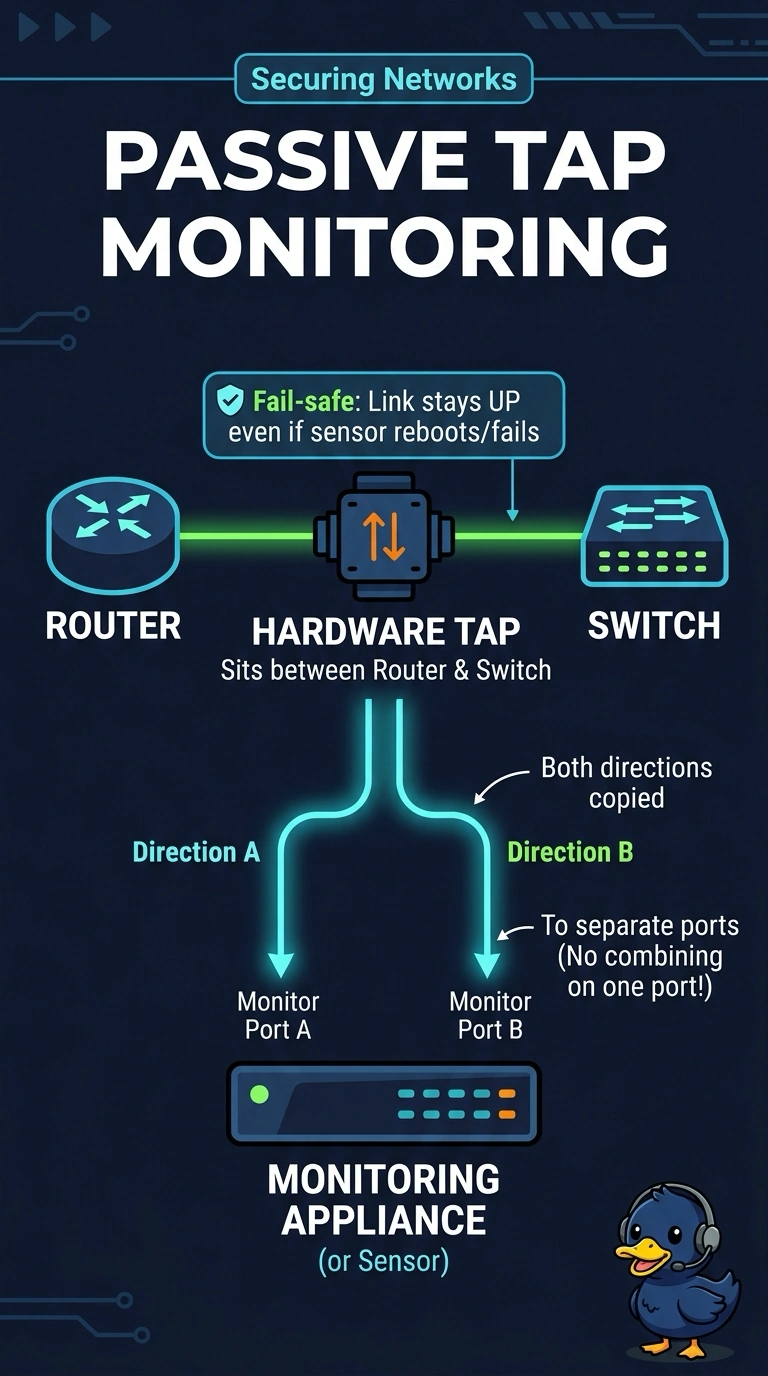
Short Explanation
Separate monitor ports give each direction its own copy path, like keeping two lanes clear when traffic surges. A fail-safe TAP keeps the production link running independently, even if your appliance reboots.
Full Explanation
The correct design uses a fail-safe hardware TAP to make copies of both traffic directions on separate monitor ports. With a monitor path for each direction, simultaneous bursts can be delivered without forcing both 10-Gbps streams through one 10-Gbps output; the fail-safe property also keeps the network link operating if the FTD appliance reboots. A SPAN session is a common passive monitoring method and can mirror both directions, but sending both copies to one 10-Gbps monitor port creates an oversubscription point when both directions are busy, so packets may be lost. A fail-open inline appliance can inspect traffic at line rate and bypass it during a reboot, preserving forwarding, but it is still an inline design rather than passive monitoring. A bidirectional TAP with a packet broker is also a common design, but aggregating both directions onto one 10-Gbps monitor port has the same capacity shortfall during simultaneous bursts; the TAP alone does not remove that bottleneck. Exam caveat: fail-open describes what happens to inline traffic during a failure, not whether a device is passive. Practical check: verify the TAP’s per-direction outputs, monitor-port rates, and fail-safe behavior, and confirm the FTD can receive both copies without an intervening 10-Gbps aggregation bottleneck.