
A regional bank must label each eligible file inspected by its Secure Firewall as malicious, good, or unknown, and it wants each available verdict to come from Cisco's threat intelligence rather than a local guess. The sensor has an Internet-allowed management path but very little spare local disk. Which file policy configuration in Secure Firewall Management Center should the engineer enable?
Select an answer to reveal the explanation.
Short Explanation
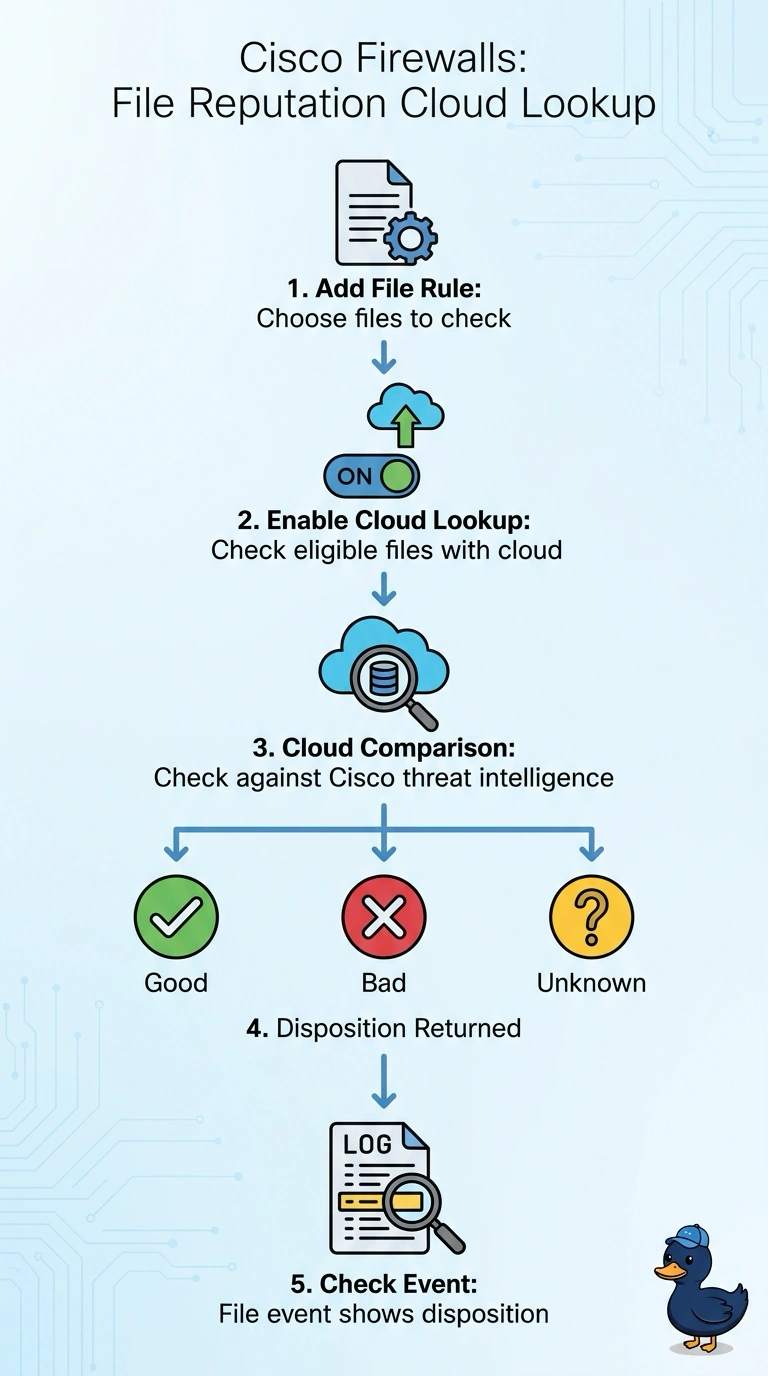
Enable malware cloud lookup in your file policy so eligible files can receive a disposition from Cisco's threat intelligence. It’s like sending a sample to a lab instead of guessing from what you see locally.
Full Explanation
Enable malware cloud lookup in the file policy: the sensor can query Cisco’s threat intelligence for eligible files and assign the returned malicious, good, or unknown disposition. This uses the permitted Internet management path and avoids requiring the appliance to retain every file locally, which suits the limited disk capacity. Retaining all inspected files for extended retrospective analysis may be a useful investigation strategy, but it adds substantial local storage use and conflicts with the stated disk constraint. Restricting cloud reputation lookups to executables leaves other eligible files without a Cisco-derived disposition, so it does not meet the requirement to label each eligible file. Using cached Cisco verdicts preserves Cisco as the source for verdicts already in the cache, but it omits live cloud lookups; a newly encountered file can be marked unknown even when a current Cisco cloud disposition is available. Exam caveat: an unknown disposition is a legitimate result, not proof that a file is benign, and policy actions for unknown files are configured separately from the lookup itself. Practical check: confirm cloud lookup is enabled for the intended file rules, verify the sensor can reach the cloud service, and review event records to ensure eligible files receive dispositions without unnecessary local file retention.