
The SOC at a regional healthcare provider wants Splunk to become the long-term home for FTD events. Analysts must search the previous 30 days of connection and intrusion records immediately after go-live, and new events must keep flowing automatically with no manual export step. Which Splunk integration design should the security lead implement for history and live events?
Select an answer to reveal the explanation.
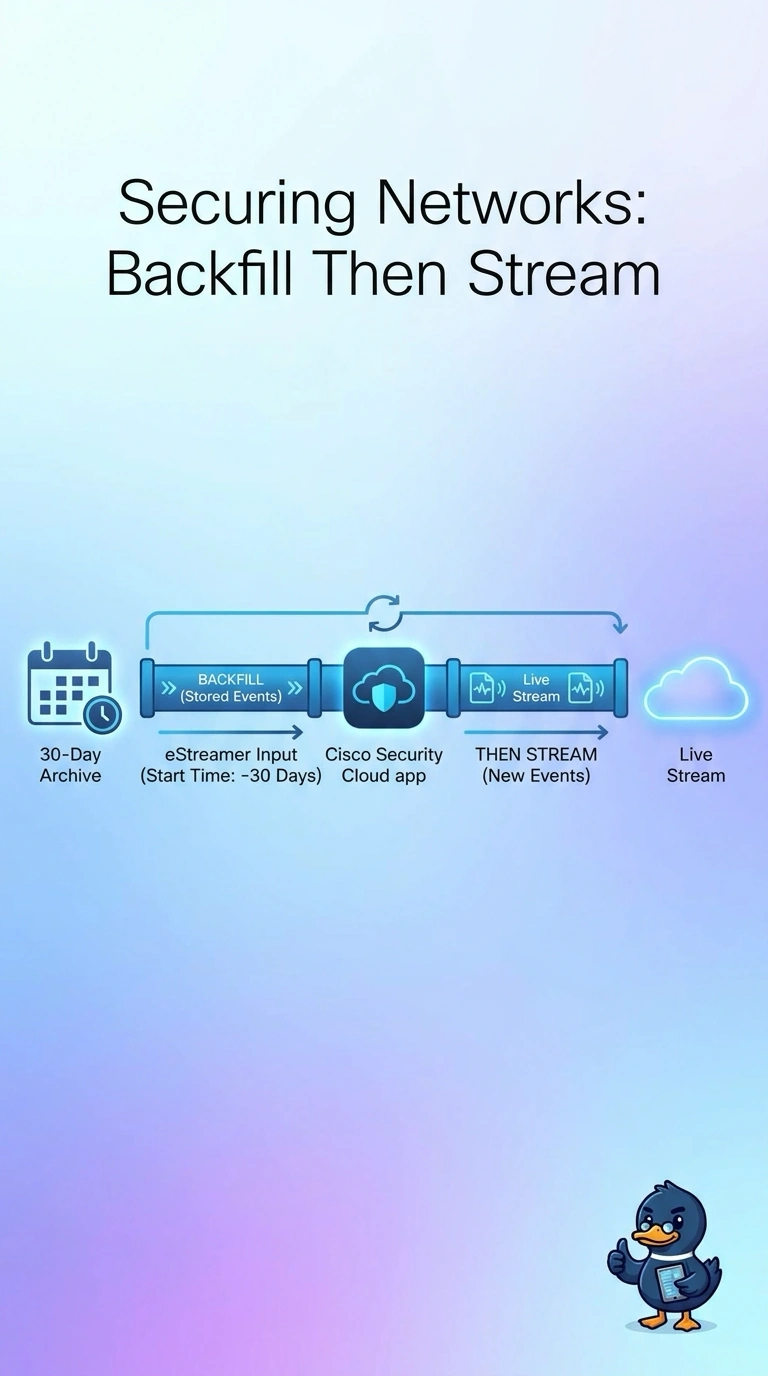
Short Explanation
Think of eStreamer as a tap you can start at a point in the past: set the start time back 30 days and the app pulls what the Management Center still stores, then keeps streaming. Syslog only starts now, and a one-time export never keeps flowing.
Full Explanation
eStreamer is the Management Center's event-streaming interface, and the Cisco Security Cloud app for Splunk consumes it through a certificate-authenticated client. The client requests events from a chosen start timestamp, so setting it 30 days back retrieves connection and intrusion events the Management Center still holds, after which the same session continues delivering new events automatically, meeting both the history and the live-flow requirements without manual exports. Syslog forwarding only carries events generated after it is configured, so the first 30 days of history would be missing. A one-time REST export, even if it covered the data, is a manual step that stops after deployment and does not keep events flowing. Starting the eStreamer input at the current time gives continuous live data but skips the required 30-day backfill. Exam caveat: the backfill can only reach events still retained in the Management Center database, so check retention limits before promising history. Practical check: after go-live, run a Splunk search for the oldest connection event and confirm it is about 30 days old and that new events keep arriving every few minutes.