
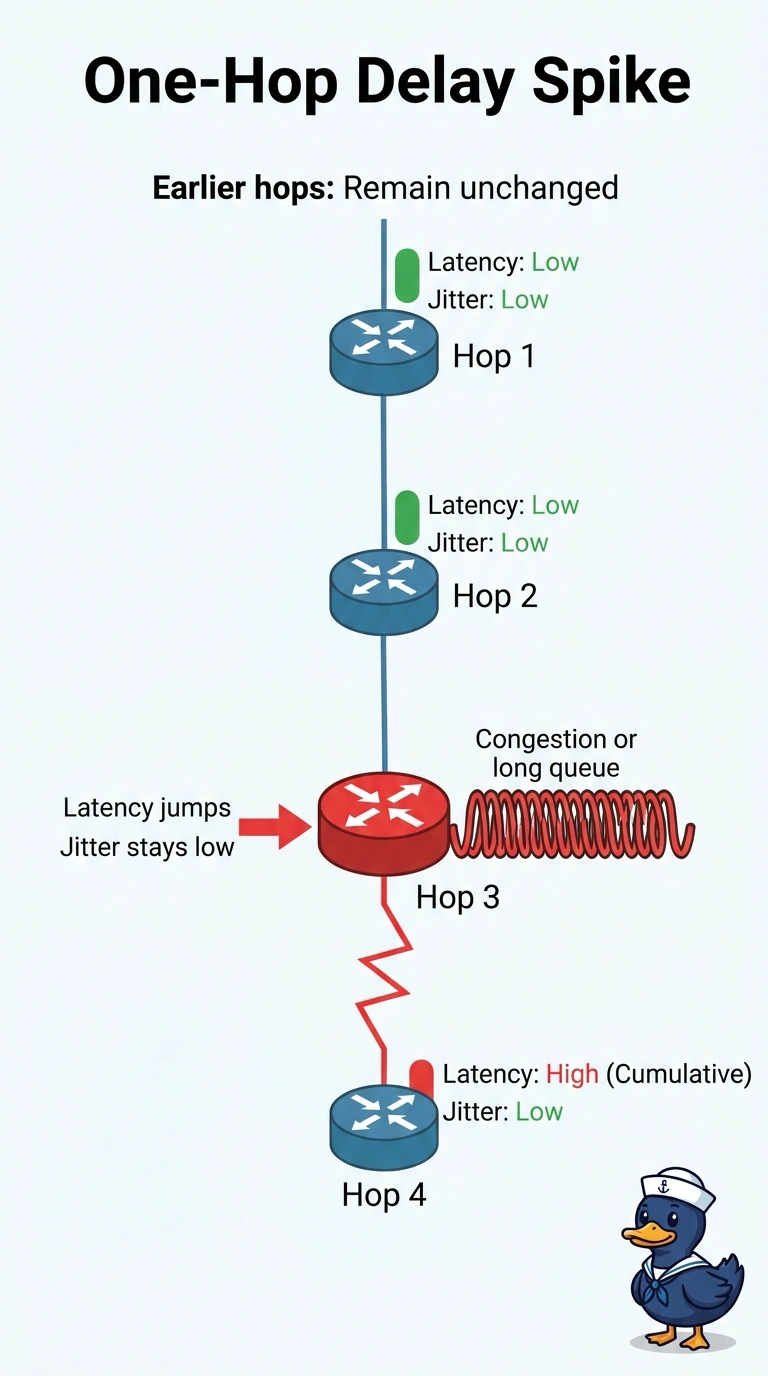
A retailer sees latency jump on a single provider hop toward a branch, while jitter on that hop stays low and earlier hops look unchanged. What does that pattern indicate?
Select an answer to reveal the explanation.
Short Explanation
One toll booth with a long line slows the trip even when the cars are not bouncing around. You read a latency jump on one provider hop, with jitter still low, as a queue or congestion at that hop. A browser, a DNS bug, or a wireless ticket belongs to a different complaint than this path shows.
Full Explanation
A latency increase isolated to one provider hop, with jitter still low and earlier hops unchanged, fits a queue forming at that hop. Extra delay without matching jitter is what congestion or a long queue looks like on a single hop, so the retailer pattern points there rather than at a client name lookup. Congestion or a long queue at that single provider hop is the reading that stays inside the path evidence. A browser cache problem on a register in the branch store would be a client display or cache issue. It would not add latency at one provider hop while the rest of the path stays ordinary. A client DNS bug that only delays the name lookup would slow resolution before the connection proceeds. It would not appear as extra forwarding delay on one hop with low jitter. A wireless ticket for access points the path test does not use sends the branch team to a radio problem the trace never implicated. Exam caveat: separate delay from jitter, because high delay with low jitter on one hop is a queue story, while jitter with little loss is a different path-quality story. Operational check: review per-hop delay across several runs and confirm the jump stays on that provider hop while neighboring hops do not pick up the same delay.