
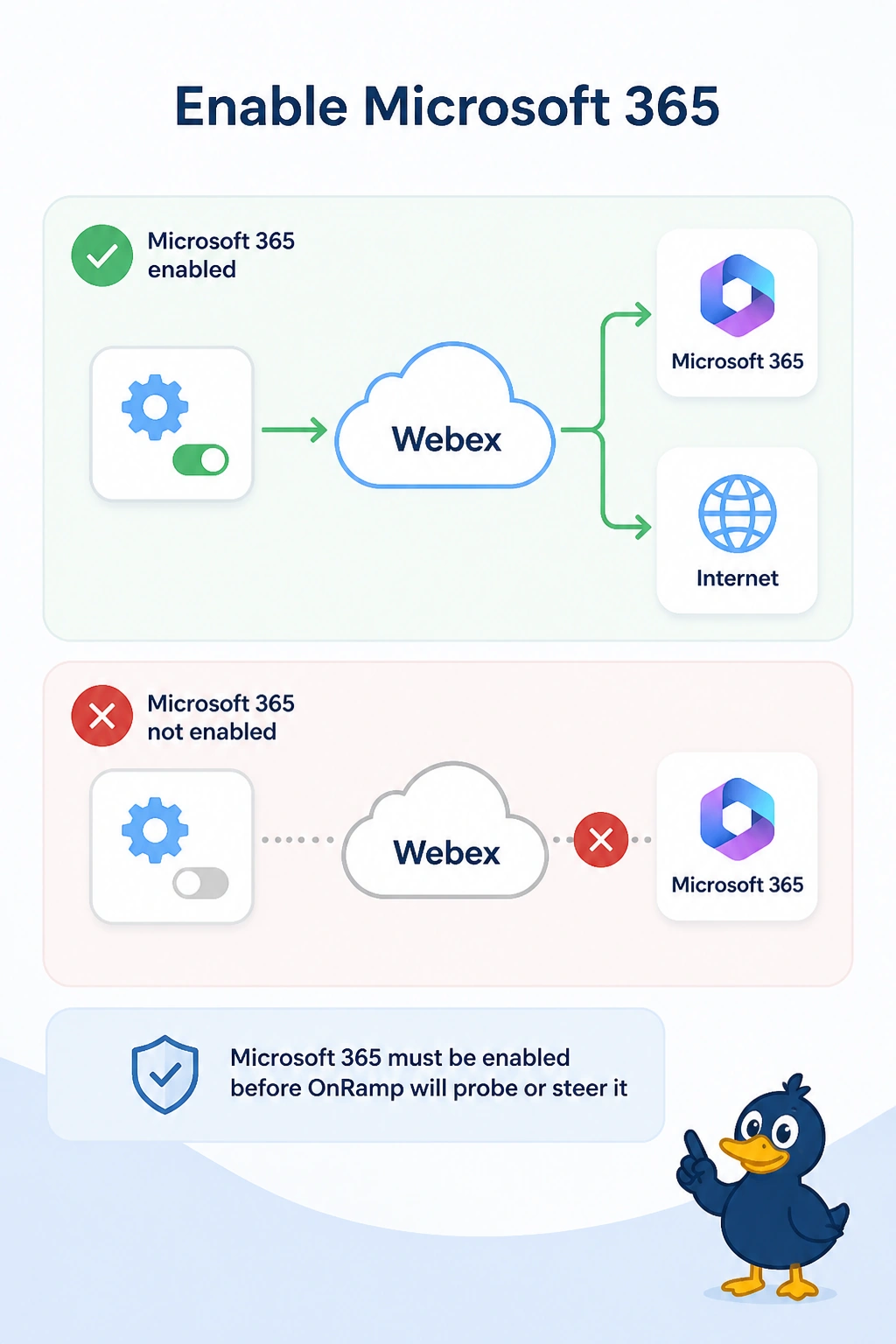
Cloud OnRamp for SaaS shows healthy Webex probes and no Microsoft 365 probes. Users say Microsoft 365 is stuck on a lossy backhaul. Webex is the only enabled application. What is missing?
Select an answer to reveal the explanation.
Short Explanation
You measured the wrong application and then wondered why the other one never moved. You enable Microsoft 365 in OnRamp. Healthy Webex probes do not steer Microsoft 365, and you do not have to delete them to add the application users actually complained about.
Full Explanation
Cloud OnRamp for SaaS probes and steers only enabled applications. Webex is enabled and looks healthy. Microsoft 365 is not enabled, so it has no probe and stays on the lossy backhaul. Enable Microsoft 365. Deleting the Webex probes does not create a Microsoft 365 measurement. Shutting the backhaul is not a prerequisite for enabling a second application, and it would blackhole whatever still needs that path. A zone-based firewall does not enable Microsoft 365 because Webex probes are healthy. Exam caveat: after Microsoft 365 is enabled, a data policy that pins it to the backhaul can still ignore the new score. Check for that pin if the probes appear and the path does not move. Operational check: Microsoft 365 should show a probe, and it should leave the lossy backhaul when another measured path scores better.