
Cloud OnRamp for SaaS is enabled for Microsoft 365. One store has a working local internet exit and is missing from the site list allowed to break out. That store stays on the gateway. Why?
Select an answer to reveal the explanation.
Short Explanation
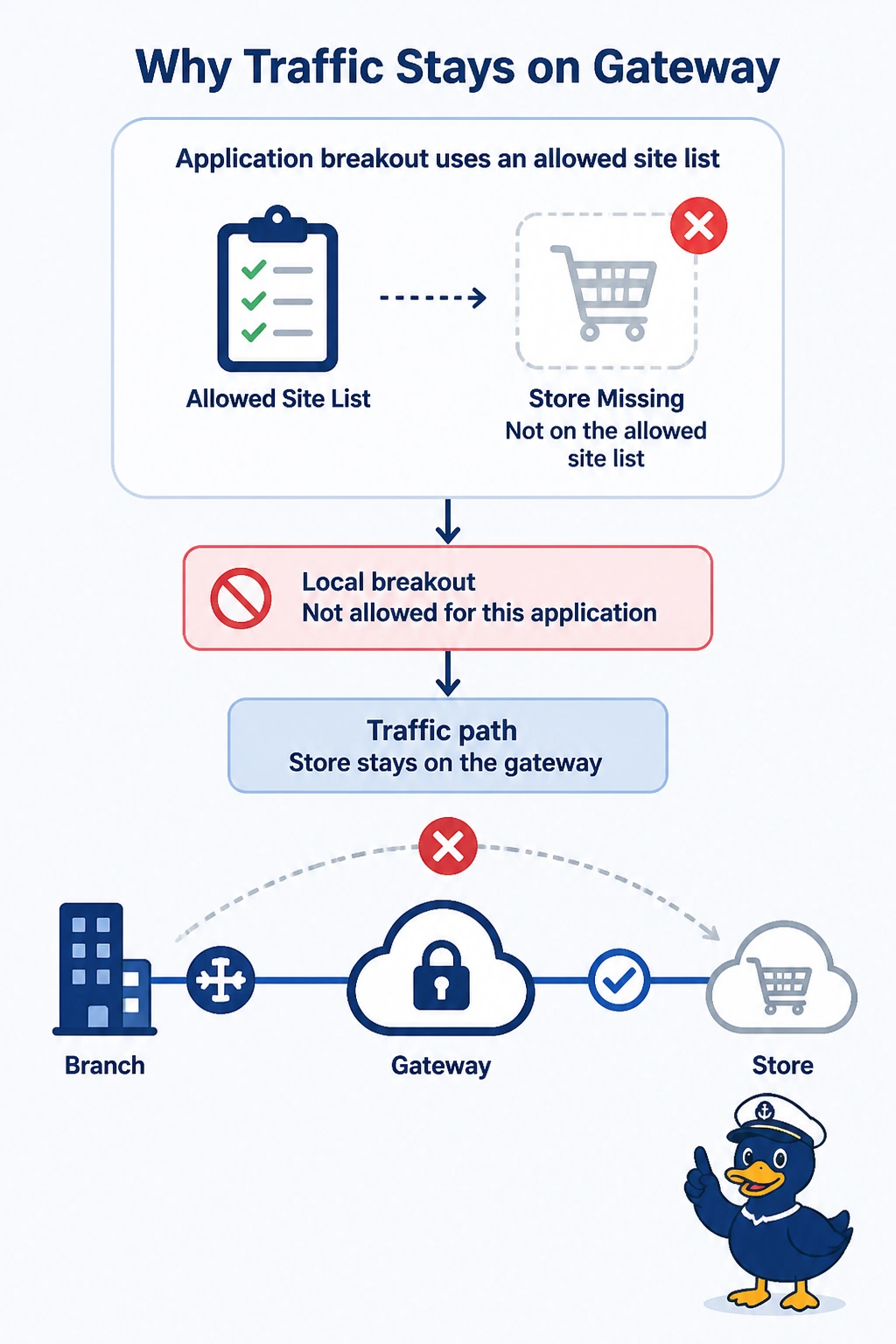
You have a working local internet exit, but the store is not on the site list allowed to use local breakout for Microsoft 365. Add the store to that list; you do not need to shut down the gateway path or disable OMP, and a healthy exit does not make the zone-based firewall remove the store.
Full Explanation
Cloud OnRamp for SaaS applies local breakout to the sites on its list. This store has a working internet exit but was omitted from the site list, so Microsoft 365 stays on the gateway path; add the store to the list of sites allowed to break out. A healthy local exit is not ignored until the gateway path is shut down: the gateway does not have to be shut before a listed site can use that exit. Disabling OMP is not how the site list is evaluated and would harm the overlay. A zone-based firewall does not remove a store from OnRamp because its exit is healthy. Exam caveat: listing the site allows a local score, but a data policy can still pin Microsoft 365 to the gateway after the list is fixed. Operational check: after you list the store, confirm that a local probe appears and that the application can leave the gateway when the local score wins.