
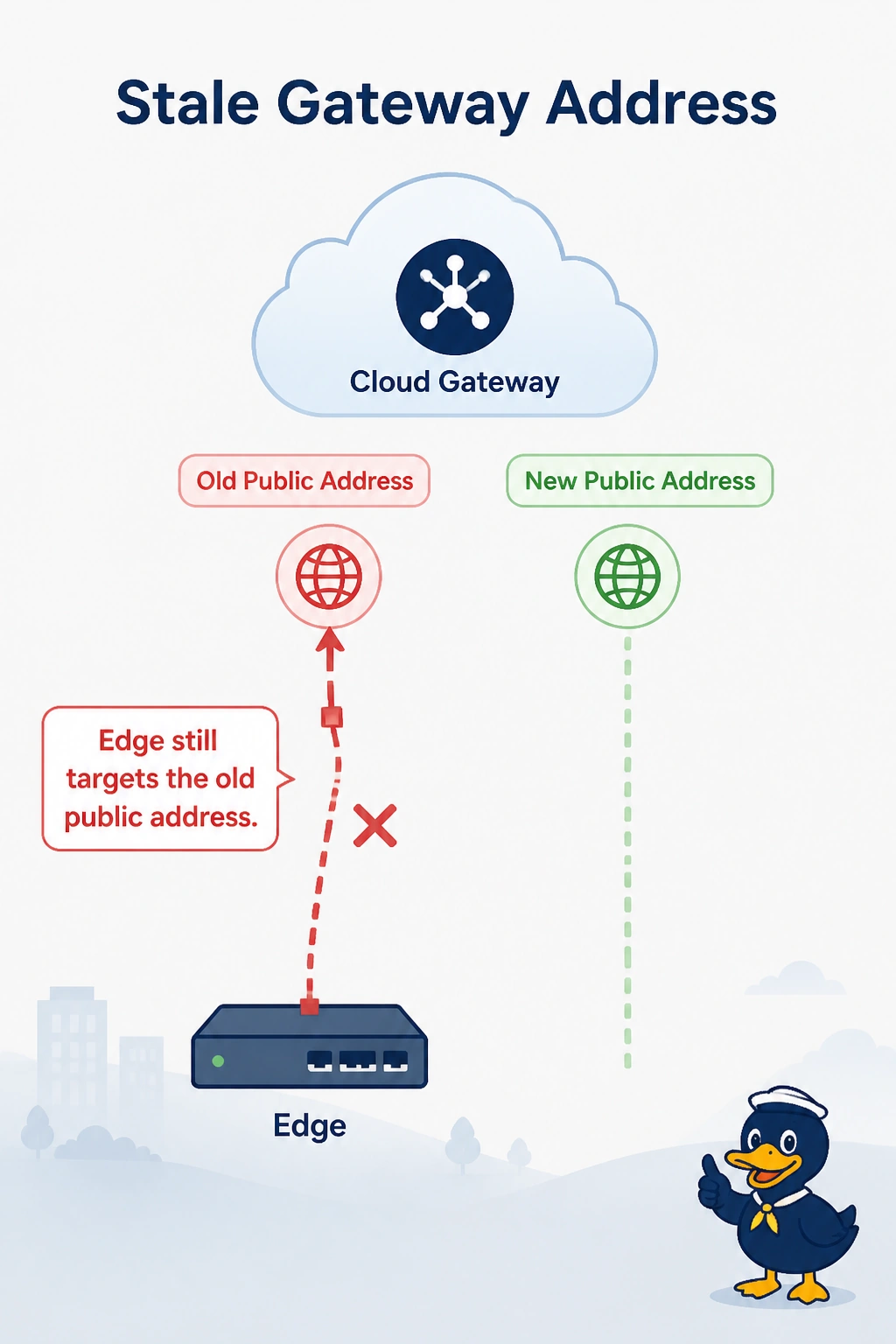
An AWS cloud gateway was rebuilt and its public address changed. Branch BFD to it stays down. The edge still targets the old public address. Control connections to the controllers are up. What is stale?
Select an answer to reveal the explanation.
Short Explanation
The gateway moved, but your edge is still using its old public address—like following an outdated street number. Update the gateway’s TLOC public address; the controller connections are up, so the certificate is not why BFD is down.
Full Explanation
BFD to the cloud gateway is sent to the TLOC public address that the edge has for that gateway. The gateway’s address changed during the rebuild, but the edge still targets the old address, so the BFD session stays down; update the gateway TLOC to the current public address. The controller certificate is not the cause: control connections to the controllers are up, and changing the gateway address would not resolve a certificate problem. The staff default route is a service-VPN route, whereas BFD uses the transport VPN, so that route does not determine how the edge reaches the gateway. The IKE lifetime on the old address does not pin a BFD session to a retired address. Exam caveat: if OnRamp manages the gateway, confirm the new address has been redistributed and that no manual TLOC still overrides it with the old value. Practical check: verify that the edge’s gateway TLOC shows the new public address, then use show sdwan bfd sessions to confirm the session comes up to it.