
A teammate hands you an Ansible playbook for branch IOS XE routers with three tasks: one applies an NTP server list that is already on the router using ios_config in its default comparison mode, one applies syslog servers the router already has but sets match to none, and one runs ios_command to show the clock. On a second run against that unchanged router, which task does Ansible report as changed?
Select an answer to reveal the explanation.
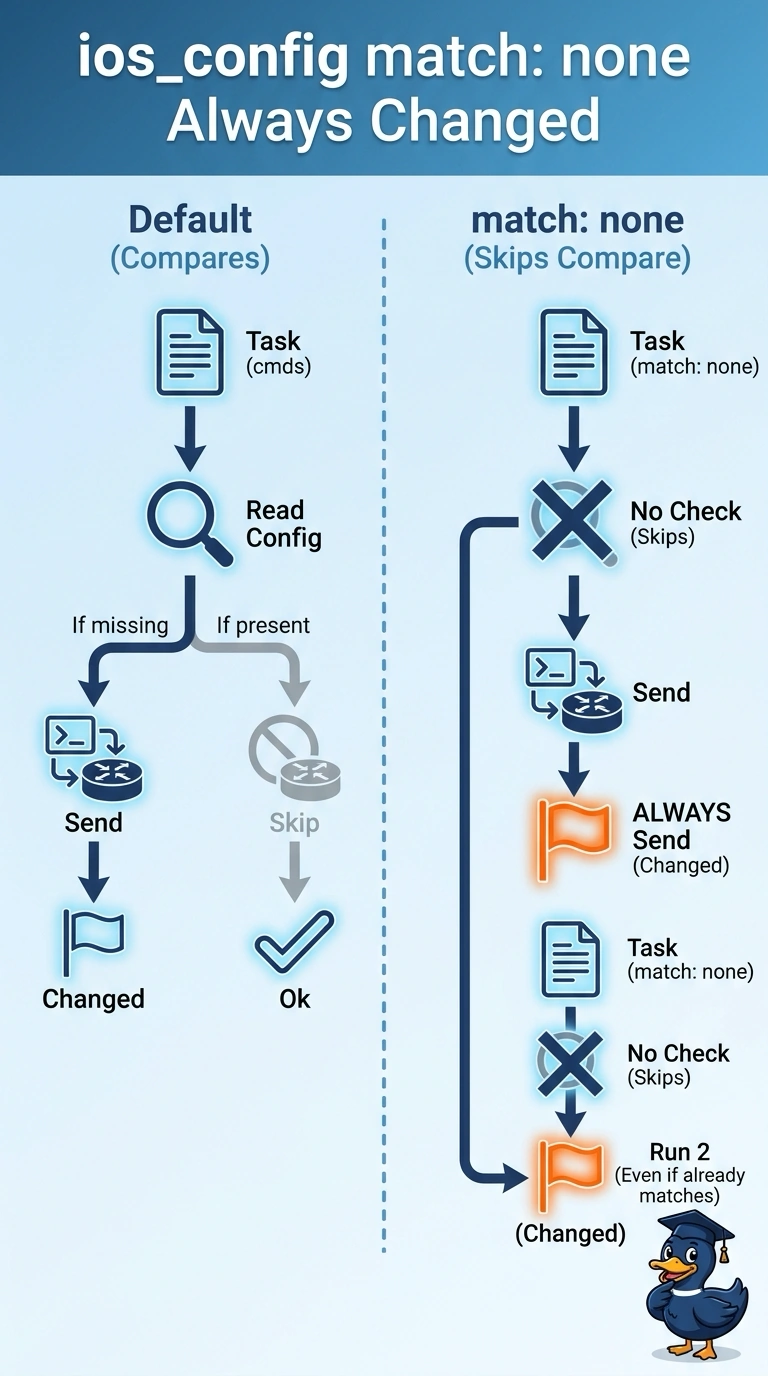
Short Explanation
Ansible's ios_config compares your lines with the running configuration by default, so it reports ok when nothing differs. The match to none setting skips that comparison, so the module sends the commands and flags the task as changed every single time. It's the difference between checking your work and just rewriting it.
Full Explanation
Ansible's ios_config module is idempotent by design: with its default line comparison it reads the device's running configuration, matches your candidate lines against what is already there, and reports ok when nothing differs. Setting match to none deliberately switches that comparison off, so the module pushes the lines and marks the task changed even when the router already holds an identical configuration, which is exactly what your second run shows. The NTP task with default matching stays ok because its lines already exist on the router, and Ansible compares them against the running configuration rather than the startup file, so no work is claimed. The ios_command task reports ok as well, because it only executes an exec-mode command and reads the output, making no claim about configuration at all. Concluding that both ios_config tasks change every time would mean the module has no comparison step, contradicting the normal behaviour that makes config plays safe to re-run. Exam caveat: a device that rewrites or reorders a line can still trip the comparison and report a false change. Practical check: run the playbook twice and inspect the recap, or re-run with diff enabled to see which task lights up.