
An automation pipeline pushes a configuration template to 40 devices through the Catalyst Center Intent API. Each POST returns 202 Accepted with a task identifier, yet a deployment can still fail minutes later when a device goes unreachable. The script must detect that failure and show the platform's own reason for it. Which follow-up sequence confirms real success and surfaces the error detail?
Select an answer to reveal the explanation.
Short Explanation
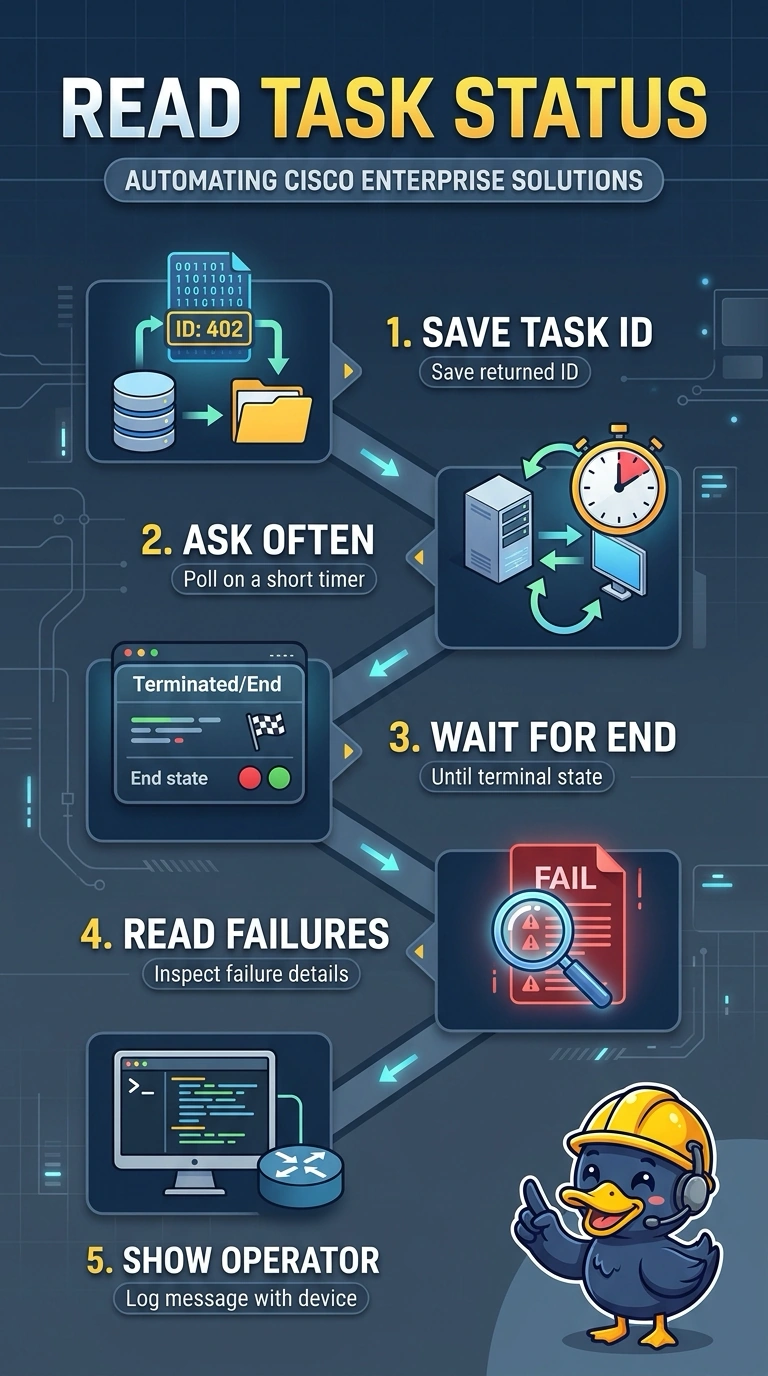
The 202 only means the request was accepted, so keep polling the returned task resource until the job reaches a terminal state and then inspect its result for failure details. A claim ticket proves you handed the order over, not that it came out right. The task resource is where Catalyst Center reports the task's status and, when available, its failure reason.
Full Explanation
Catalyst Center, formerly DNA Center, handles Intent API work asynchronously: your POST returns 202 Accepted plus a task identifier, and the outcome arrives later on the task resource you query with it. Success therefore means polling that resource at a sensible interval until the job reports a terminal outcome, then inspecting the task response for failure details, such as a failure reason or a progress step that names the unreachable device. Treating the 202 as completion assumes synchronous work and lets every later failure travel through as a green build. Comparing the running configuration with the intended values is honest verification, but it only shows what lives on the box rather than the platform's explanation for why the job failed, so the operator loses the actionable reason. Polling correctly while looking only at the HTTP status code confuses the health of the poll with the health of the job, because a failed deployment can still return HTTP 200 OK from the task endpoint. The task payload nests details inside a response structure that can vary by service type, so inspect the full body rather than relying on one field. As a practical check, deploy a template to an intentionally unreachable device and inspect the full task response for the reported error details.